
Share
Upscale videos to 1080p or 4K using AI. Sharpen, reduce noise, and restore old footage online without installing software.
What is VideoUpscale.net?
VideoUpscale.net is an advanced AI video upscaling platform designed to increase resolution and improve the visual quality of digital files directly from your browser. This tool allows you to transform low-quality recordings into crisp 1080p, 2K, or 4K content without the need to install complex software on your computer. Its primary function is to analyze each frame to add detail and clarity where there were once blurry pixels or digital noise, making it a practical solution for content creators, marketing professionals, and users looking to restore old files.
The technology behind VideoUpscale.net is based on deep learning algorithms that outperform traditional resizing. While conventional upscaling simply stretches pixels, this AI video enhancer uses specialized models like Proteus, Artemis, Nyx, and Gaia to reconstruct textures, edges, and visible structures. The system processes the video frame by frame, ensuring natural motion preservation and preventing the final result from looking artificial or over-processed.
Key functional capabilities of the tool include:
- Noise and Blur Removal: Cleans up grain and compression artifacts common in videos recorded with older devices or downloaded from social media.
- Specialized Models for Anime: Includes the Gaia 2 model, specifically optimized for cartoons, CG, and motion graphics, offering cleaner results with lower processing overhead.
- Smooth 60 FPS Output: Allows for generating videos with a higher frame rate, ideal for gaming clips, sports, and product shots that require maximum smoothness.
- Detail Restoration: Analyzes and recovers sharpness in low-bitrate recordings, improving the viewing experience on large screens.
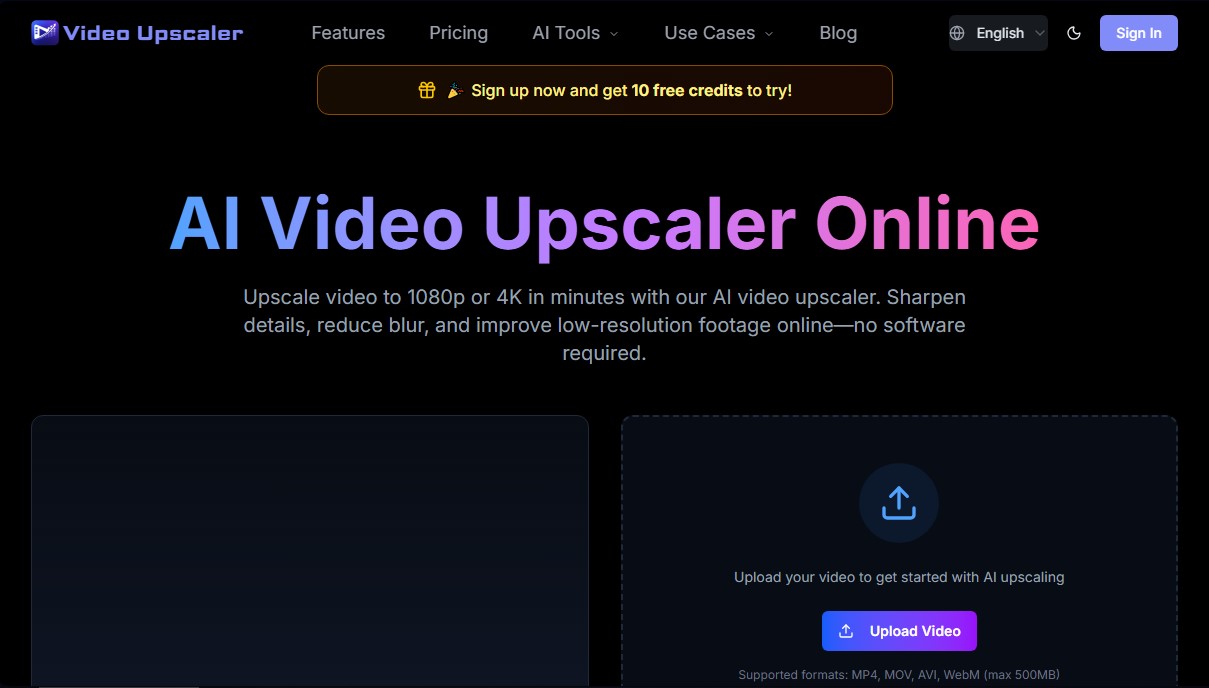
Operating VideoUpscale.net is intuitive and follows three simple steps: upload the file, select the output quality, and download the processed video. It is compatible with the most widely used formats, such as MP4, MOV, AVI, and WebM, with an upload limit of up to 500MB. As a cloud-based solution, users can efficiently manage online video upscaling, optimizing content for YouTube, TikTok, or advertisements.
This application is especially useful for those who need to improve video resolution professionally but prefer a simple interface. Thanks to its functional approach, it delivers high-definition results while keeping the original audio intact and offering commercial use licenses, making it a versatile tool for the digital video industry.
VideoUpscale.net features and use cases
How to use VideoUpscale.net
VideoUpscale.net FAQ
What is VideoUpscale.net and what exactly does it do?
It is an online platform that uses AI to upscale your video resolution, enhance details, reduce noise, and eliminate blur without requiring any software installation.
Can I convert my videos to 4K resolution using VideoUpscale.net?
Yes, the tool allows you to upscale low-quality footage to higher resolutions like 1080p, 2K, and 4K while maintaining natural-looking motion.
What file formats can I upload to the platform?
The system supports MP4, MOV, AVI, and WebM files with a maximum size of 500 MB per video upload.
How does the credit system work on VideoUpscale.net?
Credits are consumed for every second of processed video. The final cost depends on the output resolution, the AI model you choose, and the selected frame rate.
Does VideoUpscale.net offer a free trial for new users?
When you sign up, you will receive ten free credits so you can test out the video enhancement features before committing to a paid plan.
Is it possible to improve the sharpness of a very blurry video?
Our AI analyzes textures and edges to recover lost detail; however, the final result always depends on the baseline quality of the original footage.
Do I need to download any software to my computer to use the service?
No installation is required. The entire processing and enhancement workflow happens directly within your web browser.
What happens to my video's audio after the enhancement process?
The tool focuses exclusively on improving the visual quality of the recording while keeping the original audio track intact and perfectly synced.
Are there subscription plans for professional users on VideoUpscale.net?
We offer various monthly, annual, and one-time payment plans that include commercial use licenses, priority support, and higher credit limits.
Are my videos safe and protected when I upload them to the site?
Privacy is our top priority. Files are processed solely to apply the requested enhancements, and we strictly adhere to our company privacy policy.
VideoUpscale.net pricing and plans
Free Version
Price: 0 $
- 10 free credits upon signup to try the tool.
Basic
Price: 26,9 $/month (or 21,9 $/month billed annually). Also available as a one-time payment of 29,9 $.
- 500 credits included.
- AI video enhancement to 1080p, 2K, or 4K resolutions.
- Blur, noise, and compression artifact reduction.
- Download enhanced videos.
- Commercial use license.
- Priority support.
- Restriction: Credit consumption depends on the output resolution (720p: 2 credits/sec; 1080p: 4 credits/sec; 4K: 8 credits/sec). 60 FPS output doubles the cost.
Pro
Price: 45,9 $/month (or 36,9 $/month billed annually). Also available as a one-time payment of 49,9 $.
- 1000 credits included.
- AI video enhancement to 1080p, 2K, or 4K resolutions.
- Blur, noise, and compression artifact reduction.
- Download enhanced videos.
- Commercial use license.
- Priority support.
- Restriction: Credit consumption is calculated per second of processed video based on the selected resolution and FPS. The Gaia 2 model reduces credit costs by 50%.
Ultimate
Price: 185,9 $/month (or 148,9 $/month billed annually). Also available as a one-time payment of 199,9 $.
- 4300 credits included.
- AI video enhancement to 1080p, 2K, or 4K resolutions.
- Blur, noise, and compression artifact reduction.
- Download enhanced videos.
- Commercial use license.
- Priority support.
- Restriction: File upload limit of up to 500 MB. Credit consumption varies based on the AI model and the chosen final resolution.
VideoUpscale.net Screenshots
VideoUpscale.net alternatives

breme | AI Video Generator
Generate and edit professional videos from text or images. Add synced audio, adjust formats, and upscale to 4K using cutting-edge AI models.


Any Video Converter
Enhance and upscale videos to 4K with AI. Restore old footage, remove noise, convert formats, and edit files easily.

TotalMedia Video Enhancer
AI video enhancement platform. Upscale to 8K, boost smoothness to 120 fps, and auto-optimize quality online without installing any software.

Wondershare Repairit
AI-powered software to repair damaged videos, photos, audio, and documents. Enhance image quality, restore old photos, and recover corrupt data quickly.