Share
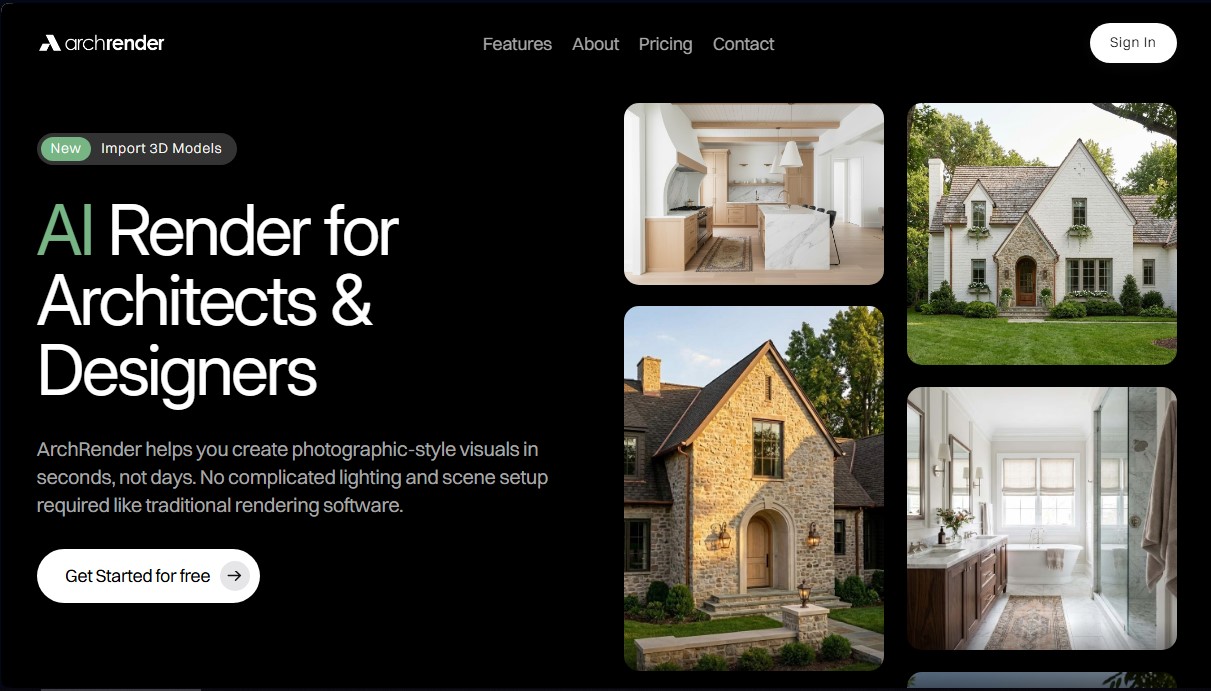
Generate photorealistic architectural renders in seconds. Import 3D models and use AI to adjust lighting, weather, and materials without complex configurations.
What is ArchRender?
ArchRender is an AI architectural rendering tool designed for architects, designers, and real estate professionals to generate photorealistic images in seconds. Unlike traditional rendering software, which requires complex lighting and scene configurations, this platform simplifies the process by using AI models that interpret 3D volumes and natural language descriptions.
The core functionality of ArchRender is based on importing 3D models in standard formats such as OBJ, FBX, and GLB. Once the file is uploaded from a computer, the user has full control over the scene without needing advanced technical knowledge. It is possible to precisely adjust the camera angle, field of view (FOV), and aspect ratio to obtain optimized framing for professional presentations.
Key technical capabilities and customization features include:
- Seasonal control: Allows projects to be viewed in spring, summer, fall, or winter conditions to understand how the design behaves year-round.
- Lighting management: Adjust the time of day to explore how sunlight, shadows, and the overall atmosphere affect the structure.
- Environment settings: Ability to place the building in various contexts, from natural landscapes to urban settings.
- 4K Upscaling: A 4K upscaling function to transform any generation into a high-resolution image suitable for printing and marketing.
The tool integrates a prompt-based control system, where the user describes materials, style, and the desired atmosphere in simple language. Additionally, it allows the use of exterior and interior mood boards; by uploading an inspiration image, the AI automatically interprets colors and finishes to apply them to the model. The system also allows these commands to be saved to maintain aesthetic consistency in future projects.
The workflow in ArchRender is optimized for constant iteration. Through its editing mode, designers can explore alternative styles and refine details on existing renders. All content is organized in a project management system, making it easy to store renders and source files in one place, allowing users to resume work or compare versions efficiently.
This solution is ideal for those who need fast architectural visualization for client proposals, real estate pre-sales, or renovation planning. By removing the technical barriers of conventional rendering, ArchRender allows architects, builders, and homeowners to immediately visualize finished spaces with a professional finish.
ArchRender features and use cases
How to use ArchRender
ArchRender FAQ
What is ArchRender and how can it help with my projects?
It is an AI-powered rendering tool designed for architects that generates photorealistic images in seconds without the need for complex lighting setups.
What file types can I import into ArchRender?
The platform currently supports OBJ, FBX, and GLB models from most major architectural design software.
Do I need advanced technical skills to use ArchRender?
No prior experience with traditional rendering software is required; the interface is intuitive and relies on simple descriptions and visual controls.
Can I customize the environment and lighting for my designs?
Yes, the tool allows you to adjust the time of day, the season, and the environment type to visualize how light interacts with your project.
How does the platform’s credit system work?
Each image generation or 4K upscale costs one credit, but you can explore your model and adjust the camera for free before using them.
What is the image quality of ArchRender's final results?
You can generate high-quality renders and use the 4K upscaling feature to produce crisp images perfect for commercial presentations and client proposals.
How can I organize my different projects within the tool?
ArchRender uses a project-based workflow that keeps all your source files, versions, and renders in one organized location.
Can I use my own inspiration images to guide the style?
Yes, you can upload a moodboard, and the AI will interpret the colors, finishes, and style to apply them to your final render.
ArchRender pricing and plans
Free Version (Get Started for free)
Allows you to test the tool and explore models and cameras at no credit cost to see how AI rendering works.
Basic Plan
Price: $29 per month (or $23 per month billed annually).
- 150 credits per month (each render or upscale consumes 1 credit).
- 5-project limit.
- 5 GB storage.
- 3D model import (GLB, OBJ, FBX).
- 4K image upscaling.
- Basic support.
- Restriction: Unused credits roll over to the following month but expire at the end of that month.
Pro Plan
Price: $49 per month (or $39 per month billed annually).
- 300 credits per month (each render or upscale consumes 1 credit).
- 20-project limit.
- 25 GB storage.
- 3D model import.
- 4K image upscaling.
- Priority support.
- Restriction: Unused credits roll over to the following month but expire at the end of that month.
Studio Plan
Price: $119 per month (or $95 per month billed annually).
- 1,000 credits per month (each render or upscale consumes 1 credit).
- Unlimited projects.
- 100 GB storage.
- 3D model import.
- 4K image upscaling.
- Priority support.
- Restriction: Unused credits roll over to the following month but expire at the end of that month.
ArchRender Screenshots
ArchRender user reviews
Write a review
Checking your session...
ArchRender Reviews
Loading reviews...
ArchRender alternatives

Planner 5D
Planner 5D is home and interior design software for drawing 2D and 3D floor plans, furnishing rooms from a large catalog, rendering and using AI design tools.



DesignKitchen AI
Visualize kitchen remodels by uploading a photo. Test cabinet colors, countertops, and modern styles without altering the original structure or plumbing.