
RemodelAI
Share
Redesign rooms and exteriors from a photo. Create photorealistic designs in 30+ styles, swap floors or walls, and visualize renovations in seconds.
What is RemodelAI?
RemodelAI is an advanced AI interior design application that allows you to transform any room using just a single photograph. This multi-platform tool, available for desktop, iOS, and Android devices, generates photorealistic redesigns in seconds, making it easy to visualize renovation projects without any prior investment. It is a solution tailored for homeowners, interior designers, real estate agents, and contractors looking to streamline the conceptual phase of a renovation.
The functionality of Remodel AI is powered by computer vision algorithms that analyze the structure, windows, and layout of the original space. The process is straightforward: the user uploads a photo of their living room, kitchen, or bedroom and selects from more than 30 available decor styles. The AI processes the image in approximately 10 seconds, maintaining the base architecture while applying new textures, furniture, and lighting schemes. For high-fidelity results, the platform utilizes models like Flux and hyperrealism technologies that guarantee professional finishes.
The versatility of this tool is reflected in its specialized features, designed to cover every need of a comprehensive remodel:
- Interior and Exterior Design: Apply styles such as Japandi, industrial, or Mediterranean to indoor rooms and architectural facades.
- Virtual Home Staging: A tool optimized for the real estate sector that allows for the digital furnishing of empty spaces to improve marketability.
- Flooring Replacement and Wall Painting: Instant visualization of materials like wood or marble and real-time color testing.
- Object Removal and Furniture Swapping: Allows users to clear clutter from an image or selectively replace specific pieces of furniture.
- Landscape Design: Plan gardens, patios, and outdoor areas using specific landscaping styles.
Using RemodelAI eliminates uncertainty in the renovation process by allowing you to see the final result before purchasing materials. By generating quick visual proposals, users can communicate their ideas more precisely to construction professionals, avoiding common mistakes when choosing styles like Mid-Century Modern or minimalism. Furthermore, its ability to generate photorealistic renders from a mobile device makes it an efficient resource for creating rapid visual proposals in the real estate market, enhancing the appeal of listings in a cost-effective and functional way.
RemodelAI features and use cases
How to use RemodelAI
RemodelAI FAQ
What exactly is RemodelAI, and what is it used for?
It is a home design application that uses artificial intelligence to transform photos of any room into photorealistic redesigns in just a few seconds.
Can I try RemodelAI for free without entering my credit card info?
Yes, you can generate your first three designs in full quality for free, without needing to provide any banking or payment details.
How many decor styles does the tool offer?
The platform features over thirty different interior design styles, such as Scandinavian, industrial, or Japandi, as well as options for exteriors and gardens.
How long does it take for RemodelAI to generate a new design?
The process is very fast, typically taking about ten seconds to display the final result after you upload the original photo of the room.
Does the app allow me to remove objects or change only the flooring in the image?
Absolutely. You have access to specific tools to replace flooring, change wall colors, remove unwanted furniture, or swap out specific pieces.
Is RemodelAI suitable for real estate agents or contractors?
Yes, it is an ideal solution for virtual home staging of empty properties or for professionals to present realistic visual proposals to their clients.
On which devices can I use this AI design platform?
You can access it through your web browser or download the official apps available on both the Apple App Store and Google Play.
How does RemodelAI help save money on a renovation?
It allows you to visualize the final result before purchasing materials or hiring services, helping you avoid costly mistakes when choosing paint colors or styles that don’t quite fit.
RemodelAI pricing and plans
Free ($0)
3 free designs.
Access to 30+ interior styles.
Access to all 8 AI tools.
Standard quality renders.
Before/after comparison and design sharing.
Pro ($29/mo - $349 billed annually)
1,000 designs per month limit.
Flux model access.
HD downloads with no watermarks.
Generate up to 4 rooms simultaneously.
Virtual staging, exterior design, and landscaping tools.
Floor replacement, wall painting, and object removal features.
Premium ($49/mo - $599 billed annually)
5,000 designs per month limit.
Access to the Hyper Realism AI model.
High-quality renders.
Generate up to 8 rooms simultaneously.
Priority processing.
Ultra ($99/mo - $1,199 billed annually)
25,000 designs per month limit.
Ultra-quality renders.
Generate up to 16 rooms simultaneously.
Commercial license included.
API access and team collaboration features.
RemodelAI Screenshots
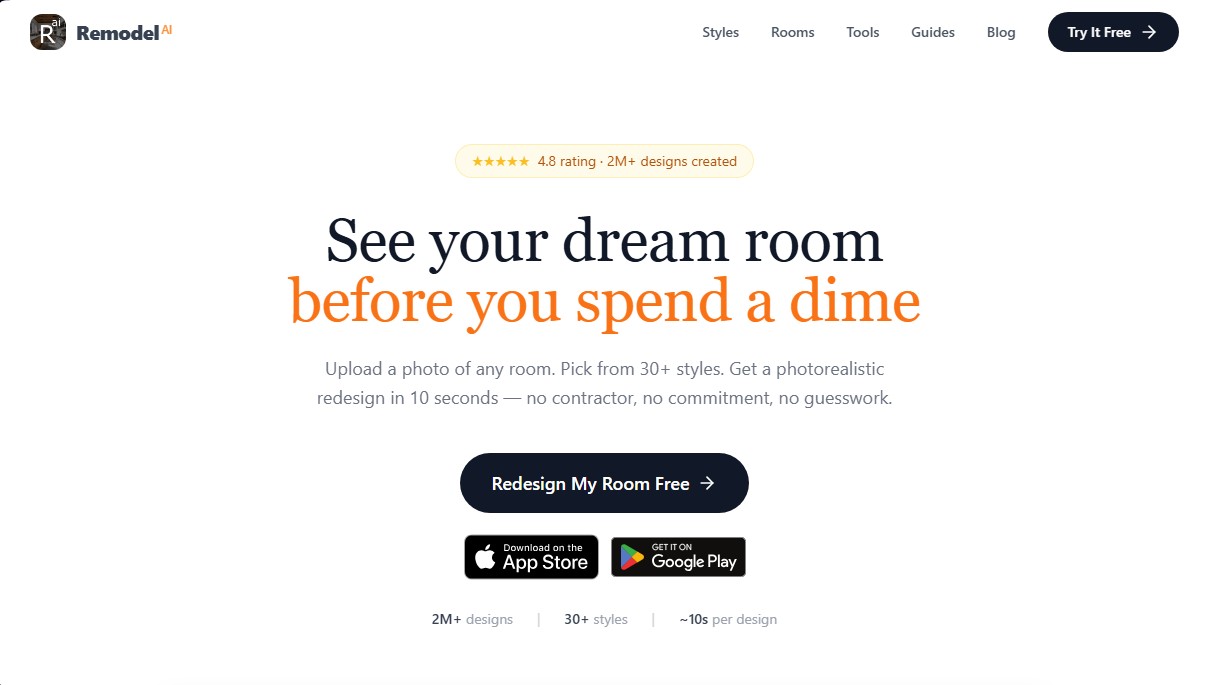
RemodelAI alternatives


DesignKitchen AI
Visualize kitchen remodels by uploading a photo. Test cabinet colors, countertops, and modern styles without altering the original structure or plumbing.


Arcadium 3D
Design 3D homes and create photorealistic AI visualizations. Generate floor plans, decorate rooms, and share projects directly from your browser.

AI Room Design
Redesign interiors and exteriors from a photo. Swap decor styles, visualize kitchen or facade renovations, and easily generate technical floor plans.

Home Design AI
Redesign interiors, exteriors, and gardens with photos or sketches. Create floor plans, virtual home staging, and visualize realistic renovations before construction begins.