Share
Automatically remove image backgrounds for free. Batch process files, compare results before downloading, and optimize product photos or portraits.
What is Bgbye?
Bgbye is a technological solution designed for automatic background removal in images using artificial intelligence. Its primary goal is to facilitate the creation of clean and professional visual assets, allowing users to isolate subjects from their surroundings instantly. This tool is essential for ecommerce sellers, content creators, and design studios that need to optimize image production for catalogs, social media, or advertising campaigns.
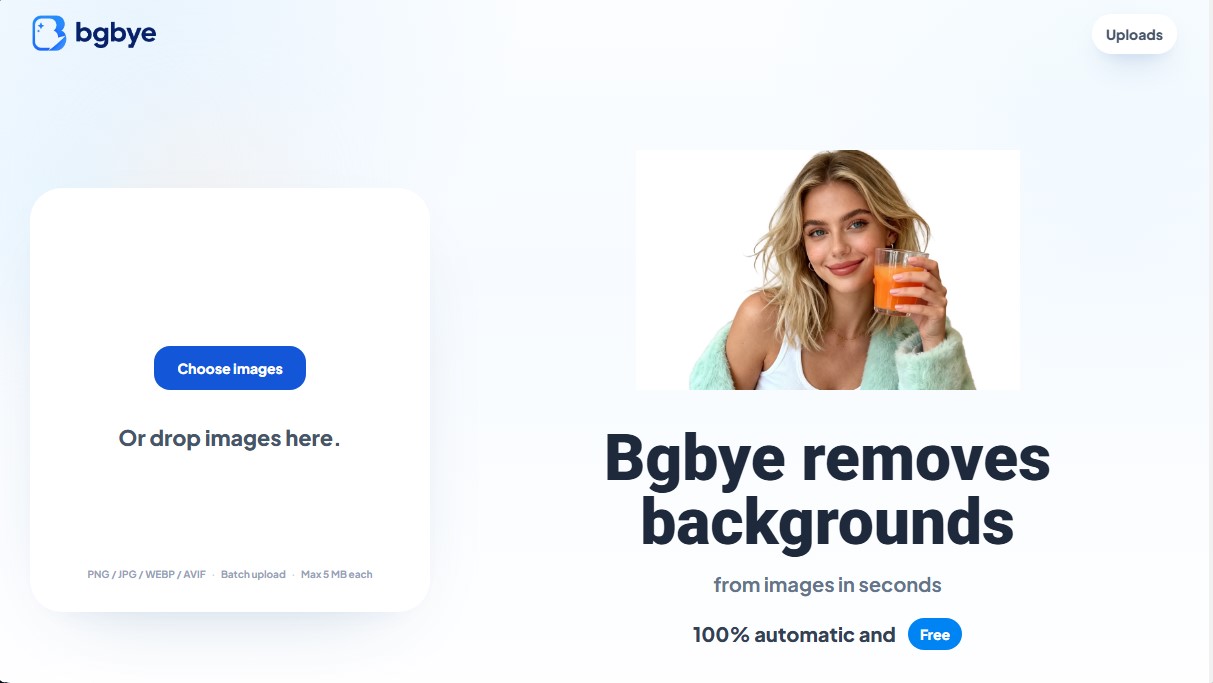
The system works through a streamlined upload and processing workflow. Users can upload files from their computer or mobile device in PNG, JPG, WEBP, and AVIF formats, with a 5 MB limit per image. Bgbye's technology supports batch processing (batch upload), which significantly speeds up the workflow by handling multiple photos simultaneously. Once processed, the platform provides an interface where you can compare the result with the original image, making it easy to perform a detailed review of edges and cutout quality before proceeding with the final download.
Its key capabilities include:
- Precise subject detection: Specialized in cutting out people, pets, vehicles, products, and graphic elements.
- Soft edge refinement: Optimized algorithms to handle complex areas such as hair, shoulders, or blurred contours, ensuring a professional finish without visual errors.
- Integrated comparison tool: Allows for side-by-side viewing of the "before" and "after" to detect any imperfections in the cutout.
- Centralized workflow: All actions—from uploading to previewing and downloading—are performed within a single dashboard to avoid unnecessary navigation through the interface.
From a practical standpoint, Bgbye eliminates the need for complex manual editing software. By obtaining images with transparent backgrounds, users can quickly integrate their products or portraits into new designs, advertisements, or corporate profiles. The ability to verify every detail before exporting ensures that the final result is ready for immediate use in product listings or marketing materials, maintaining visual consistency across the entire digital asset catalog. It is an efficient choice for those seeking fast results without compromising precision in the finest details of the image.
Bgbye features and use cases
How to use Bgbye
Bgbye FAQ
What is Bgbye and what features does it offer?
It is a free tool that automatically removes image backgrounds in just a few seconds.
Do I have to pay to use Bgbye?
No, this application is completely free to use, and the process is fully automated.
Can I process multiple photos at once on Bgbye?
Yes, the tool supports batch uploads, allowing you to manage multiple images from the same home screen.
What file types can I upload to the platform?
Bgbye supports image formats such as PNG, JPG, JPEG, WEBP, and AVIF.
What is the maximum file size allowed for each image?
Each individual file you upload must be 5 MB or less.
Can I see how the image looks before downloading it?
Yes, you can preview the result and compare it with the original to ensure the edges are perfect.
Can I edit videos with the Bgbye tool?
No, this utility only supports image files and is not currently compatible with video formats.
Where can I find my images once they are processed?
The results appear directly in the upload area and are also saved in the specific downloads section.
What kind of photos work best on Bgbye?
Clear images with a well-defined subject and good contrast against the background provide the best results.
Do I need to register to download my files?
You do not need to create an account to upload, preview, or download your edited images.
Bgbye pricing and plans
Free Plan - 0 $
A 100% automated, free tool designed to remove backgrounds from images of people, pets, products, and objects.
- Automatic background removal in seconds.
- Batch image uploads.
- Preview results before downloading.
- Comparison feature between the original image and the result to verify edge quality.
- Supported formats: PNG, JPG, JPEG, WEBP, and AVIF.
- Access to an uploads page to manage and download processed files.
- Size limit: Maximum of 5 MB per image.
- Restriction: Video file uploads are not supported.
For information on additional plans or changes to the terms and conditions, please visit the official website.
Bgbye Screenshots
Bgbye user reviews
Write a review
Checking your session...
Bgbye Reviews
Loading reviews...
Bgbye alternatives



utilz Background Remover
Remove image backgrounds for free with total privacy in your browser. Create transparent or colored backgrounds without uploading files while maintaining original resolution.