BuildCheck
Share
BuildCheck
Analyze your workflows to decide if you need an app, an AI agent, or just a prompt. Choose the best automation solution to save time.
General Information about BuildCheck
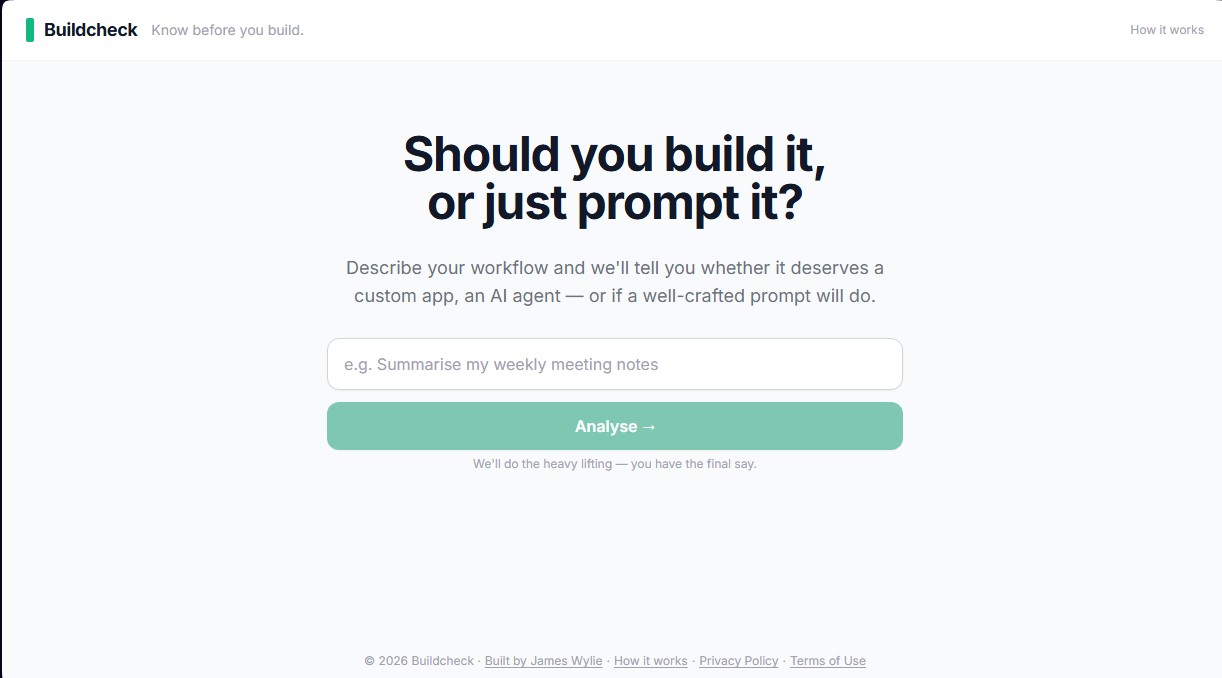
BuildCheck is an analysis tool designed to determine the feasibility and optimal implementation format for artificial intelligence within specific workflows. Its primary function is to resolve the strategic question of whether a task requires developing a custom application, creating an autonomous AI agent, or if, conversely, a well-structured prompt in a conventional chatbot is sufficient. This resource allows companies and professionals to avoid wasting time and resources on complex developments when simpler, more direct solutions exist.
The operation of BuildCheck is based on a structured four-step process that utilizes AI technology to break down general objectives into tactical tasks:
- Workflow Description: The user defines the process they wish to automate or improve—such as sales report management or client onboarding—using natural language, without the need for technical jargon.
- Automatic Breakdown: The tool decomposes the objective into a list of specific tasks (usually between 3 and 7). For each one, it generates an initial prompt that the user can use immediately on their computer.
- Parameter Evaluation: The user rates each task using sliders based on three objective criteria: time spent, frequency (daily, weekly, or monthly), and the degree of repetitiveness. Although the system suggests initial scores, the user has full control to adjust them to their specific reality.
- Results and ROI Analysis: The system calculates a final recommendation and provides a time-saved calculator, estimating the hours and annual economic value that would be recovered through automation.
Based on the data analysis, BuildCheck classifies the solution into four categories:
- Stick to Chat: Ideal for varied or infrequent tasks where a manual prompt is enough to achieve results.
- Prompt Template: Recommended when the process is repetitive enough to be standardized, but not complex enough to require custom software.
- AI Agent: For workflows that must run autonomously in the background, triggered by external events without constant human intervention.
- Custom App: For critical, high-time-consuming processes that justify an investment in an application with custom logic and a personalized interface.
This platform is aimed at business owners, operations managers, and consultants seeking a clear methodology for AI adoption. By focusing on efficiency metrics, it helps decide whether a need should be met with a tool the user initiates manually or with a system that acts on its own. It is a practical solution for those who need a technical roadmap without having a programming background.
Features and Use Cases of BuildCheck
How BuildCheck Works
Frequently Asked Questions about BuildCheck
What exactly is BuildCheck and what is it for?
It is a tool that analyzes your workflow to determine whether you need to develop a custom application, an AI agent, or if a well-crafted prompt is enough.
Is there a fee to use BuildCheck?
No, the tool is completely free to use and doesn't require you to register or create a user account.
How long will it take me to complete a process analysis?
Most users finish describing and scoring their tasks in approximately two to three minutes.
Why is it better to use BuildCheck than just asking an AI chatbot?
Unlike a generic response, BuildCheck breaks your work down into tactical tasks and requires you to evaluate them using objective criteria such as time and frequency.
What is the difference between a custom application and an AI agent?
An application is a tool you launch for a specific action, whereas an AI agent operates autonomously in the background.
Can I adjust the scoring if I’m not satisfied with the initial BuildCheck analysis?
Yes, you have full freedom to adjust the sliders for each task if you feel the automated evaluation doesn't reflect your actual situation.
How many workflows can I evaluate with the tool?
BuildCheck allows you to perform up to five analyses per hour, giving you room to test different processes or refine an existing one.
What happens once I get my final recommendation?
You can email the results to yourself to review later or contact experts if you need help implementing the solution.
BuildCheck Pricing
Free: 0 $
Natural language workflow analysis—no account required.
Automatic objective breakdown into tactical tasks (3 to 7 tasks per analysis).
Generation of ready-to-use starter prompts for AI tools.
Adjustable scoring system to measure time spent, frequency, and repeatability for each task.
Estimated annual time and cost savings calculator based on user hourly rates.
Personalized final recommendation: Stick to Chat, Build a Prompt Template, Build an AI Agent, or Build a Custom App.
Option to email analysis results.
Limit of 5 analyses per hour (including task prompt regenerations).
For any other specialized services or inquiries regarding complex workflows with more than 7 steps, please visit the official website via the contact option.
BuildCheck Screenshots