
Share
Generate AI-powered accessible color systems from descriptions. Create WCAG-verified palettes and export design tokens ready for implementation in code and apps.
What is colorfor.ai?
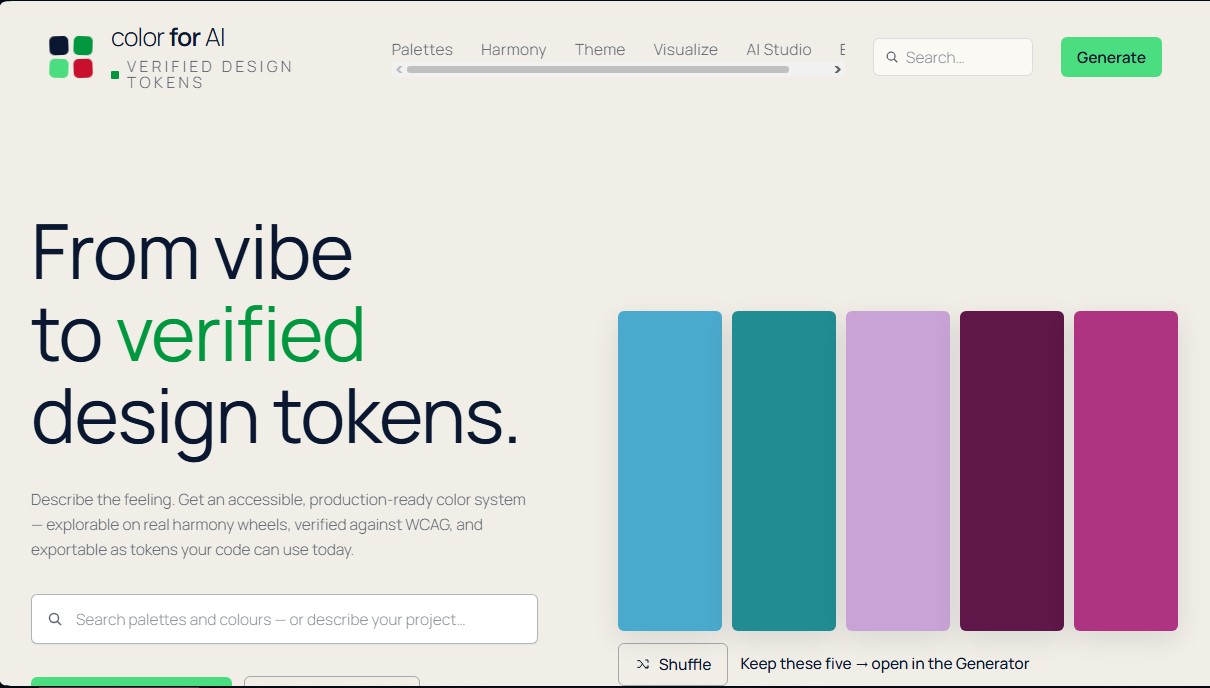
colorfor.ai is an advanced AI-powered color system design platform that transforms abstract concepts into production-ready design tokens. Unlike traditional generators, this tool allows you to move from a vibe-based description to a technically verified, accessible color system, eliminating the need for complex manual adjustments on your computer. It is specifically designed for interface designers, front-end developers, and product teams who require technical precision and accessibility from the very beginning.
At the core of the tool is its AI Studio, where users describe their project's "vibe" or visual identity using natural language. The AI interprets these descriptions to propose creative directions categorized as safe, expressive, or distinctive. Subsequently, a deterministic engine processes this data using modern color spaces like OKLCH to ensure uniform visual perception and precise results on any mobile device or screen.
Its key capabilities include:
- Dynamic Palette Generator: Create combinations with live editing, shade management, and instant global adjustments.
- Theme Builder: Automatically generates up to 40 semantic roles for user interfaces (UI) from just three brand colors, ensuring consistency across the entire product ecosystem.
- Contrast & Vision: Performs full contrast audits under WCAG 2.2 standards and offers simulations for seven types of color blindness to ensure inclusivity.
- Product Visualizer: Preview your palette applied to six real-world environments, such as dashboards, mobile apps, or online stores, before writing a single line of code.
- Color Extraction: Upload logos or photos to extract color palettes, which the AI then uses to suggest additional aesthetic directions.
One of the most innovative features of colorfor.ai is its integration with modern development via the Copy for AI option. This feature generates an optimized prompt for AI coding assistants like Claude, Cursor, or Copilot. By copying this snippet, users provide the coding AI with not only exact hex values but also accessibility rules and verified contrast pairs that must be maintained during implementation.
The workflow is rounded out with tools to build perceptual gradients and color scales compatible with Tailwind and shadcn. colorfor.ai is a free-to-use solution that requires no registration or additional software downloads, as it runs entirely in the browser, processing data locally to protect the privacy of the design workflow. Ultimately, it serves as a technical bridge between visual creativity and professional software development.
colorfor.ai features and use cases
How to use colorfor.ai
colorfor.ai FAQ
What is colorfor.ai and what benefits does it offer designers?
It is a system that converts conceptual descriptions into professional color palettes that are accessibility-verified and ready for development.
Do I need to create an account to save my palettes on colorfor.ai?
No account or registration is required, as the tool is completely open and respects your privacy by not using any trackers.
How does colorfor.ai ensure that colors meet accessibility standards?
The platform includes an engine that audits WCAG contrast in real time and offers seven different color vision simulations for every palette.
Can I use the generated colors directly in my code?
Yes, the tool allows you to export results as design tokens, CSS/SCSS variables, or specific configurations for Tailwind and shadcn.
What does the "Copy for AI" feature in the tool do?
This feature generates specialized code optimized so that tools like Claude or Copilot understand your exact colors and the contrast rules they must follow.
Can I preview the colors in a real interface before exporting them?
The tool features a visualizer that instantly shows your palette applied to sample apps, e-commerce stores, and dashboards.
How does the photo color extraction work on colorfor.ai?
Just drag an image into the extractor and the system will identify the primary tones, while also allowing you to manually select specific pixels.
What types of color schemes can I create with the Harmony Lab?
You can explore eight different schemes on digital and artistic color wheels to find perfectly balanced color relationships for your project.
colorfor.ai pricing and plans
Free
0 €
Full access to all ten design tools with no registration, user account, or "Pro" subscriptions required.
AI Studio for generating palettes via text descriptions (vibe-to-token).
Palette generator with live editing, color locking, and global adjustments.
Theme Builder to create color systems with 40 semantic roles verified by WCAG 2.2.
Harmony Lab featuring digital (OKLCH) and painter’s (RYB) color wheels.
Contrast tools with full-matrix audits and 7 color blindness simulations.
Local-first color extraction from images or logos.
Palette visualizer applied to real-world product examples (dashboards, apps, storefronts).
Gradient and color scale builders exportable to Tailwind and shadcn.
"Copy for AI" feature to export design tokens and contrast rules optimized for AI agents (Claude, Cursor, or Copilot).
Code export in multiple formats: CSS, Tailwind, SCSS, JSON, SVG, and PNG.
No usage limits, no ads, and no trackers.
colorfor.ai Screenshots
colorfor.ai user reviews
Write a review
Checking your session...
colorfor.ai Reviews
Loading reviews...
colorfor.ai alternatives

NeotypeLab
NeotypeLab uses AI to plan paint schemes for Gunpla, mecha girls and Zoids, with real hobby paint codes, a spraying sequence, a shopping list and an HD preview.

StitchCraft
Turn photos and text into DMC cross-stitch patterns. Optimize colors, remove stray stitches, and export ready-to-stitch PDF charts.
Palette Pro
Generate accessible palettes from images, verify WCAG contrast, and export to CSS, Tailwind, or Figma. AI matches tones to real paint brands for design and projects.
