
Share
Generate accessible palettes from images, verify WCAG contrast, and export to CSS, Tailwind, or Figma. AI matches tones to real paint brands for design and projects.
What is Palette Pro?
Palette Pro is an advanced AI-assisted design tool specializing in the creation of accessible color palettes that are production-ready. Unlike conventional random generators, this platform allows you to extract color schemes directly from images, photographs, or moodboards, ensuring that the results strictly comply with international web accessibility standards. Its primary function is to streamline the workflow of creative professionals, transforming visual inspiration into technical and functional color systems for apps, websites, or interior design projects.
The operation of Palette Pro is based on an environment-aware AI engine that analyzes critical factors such as lighting, surfaces, and orientation in images of real-world spaces. When you upload a file, the tool processes the pixels to provide a coherent and professional color harmony. One of its most distinctive technologies is the ability to link these digital selections with actual catalogs from leading paint brands like Sherwin-Williams, Benjamin Moore, and Behr. This allows users to not only obtain codes for their computers but also exact physical references for decor or architectural projects.
Key capabilities and benefits of the application include:
AI-Powered Palette Generator: Automatic color extraction from any image or screenshot in seconds.
WCAG Contrast Checker: Real-time verification of contrast ratios to ensure compliance with WCAG AA and AAA levels, guaranteeing inclusive interfaces.
Multi-Format Export: One-click export to CSS variables, Tailwind configurations, design tokens, JSON for Figma, and PNG files.
Style Quiz: A guided process designed to help clients or teams make color decisions based on logical and aesthetic criteria.
Technical Documentation: Generation of PDF specification sheets, ideal for agencies that need to deliver detailed style guides to their clients.
This solution is especially useful for UI/UX designers who need to create scalable design systems, front-end developers looking to optimize style implementation, and brand designers who need to ensure readability in their visual identities. By centralizing extraction, accessibility validation, and technical export into a single tool, Palette Pro eliminates the need to switch between multiple apps, reducing manual errors and accelerating the transition from concept to final product. It is a design productivity tool that prioritizes technical utility over superficial aesthetics, ensuring that every generated palette is ready for use in real-world production environments.
Palette Pro features and use cases
How to use Palette Pro
Palette Pro FAQ
What is Palette Pro and what is it used for?
It is an advanced platform that allows you to generate color palettes from images, verify WCAG contrast, and export results directly to design and development tools.
Can I use Palette Pro for free?
Yes, there is a free plan that allows you to generate up to three palettes per month, save five projects, and access basic features like the contrast checker and CSS export.
How does Palette Pro ensure color accessibility?
The tool automatically checks the contrast ratio of each color pair in real time, displaying compliance indicators for WCAG AA and AAA levels.
What formats can I export my color palettes to?
You can export your designs to CSS variables, Tailwind configurations, Figma JSON files, design tokens, hex codes, and PDF spec sheets.
Does Palette Pro offer matches for real paint brands?
Yes, the AI analyzes lighting and surfaces to suggest exact colors from commercial brands like Sherwin-Williams, Benjamin Moore, and Behr.
What does the tool's style quiz involve?
It is a guided process designed to help clients who aren't sure which colors to choose, streamlining decision-making through a structured and professional methodology.
What sets Palette Pro apart from other color generators?
Unlike random generators, this solution combines color extraction from images with accessibility verification and professional exporting in a single workflow.
Is it possible to save and organize team projects?
Yes, the Business plan allows you to manage client projects, perform bulk file uploads, and organize brand design systems collaboratively.
Can I extract colors from any type of image?
Yes, you can upload photos, screenshots, or mood boards to instantly get a cohesive palette that is ready for production.
What advantages does the Palette Pro Designer plan offer?
This plan removes palette creation limits and includes additional features such as AI-driven color harmony, Figma and Tailwind exports, and organization via brand kits.
Palette Pro pricing and plans
Free
0 $/month
3 palette generations per month.
Storage for up to 5 palettes.
Copy Hex codes and CSS variables.
WCAG contrast checker.
Download swatches in PNG format.
Designer
4,99 $/month
Unlimited palette extractions.
AI-powered color harmony.
Export to Tailwind and Figma.
3 brand kits to organize your work.
Save projects.
Business
9,99 $/month
Includes all features from the Designer plan.
AI design assistant.
Client project management.
Bulk file upload.
Priority support.
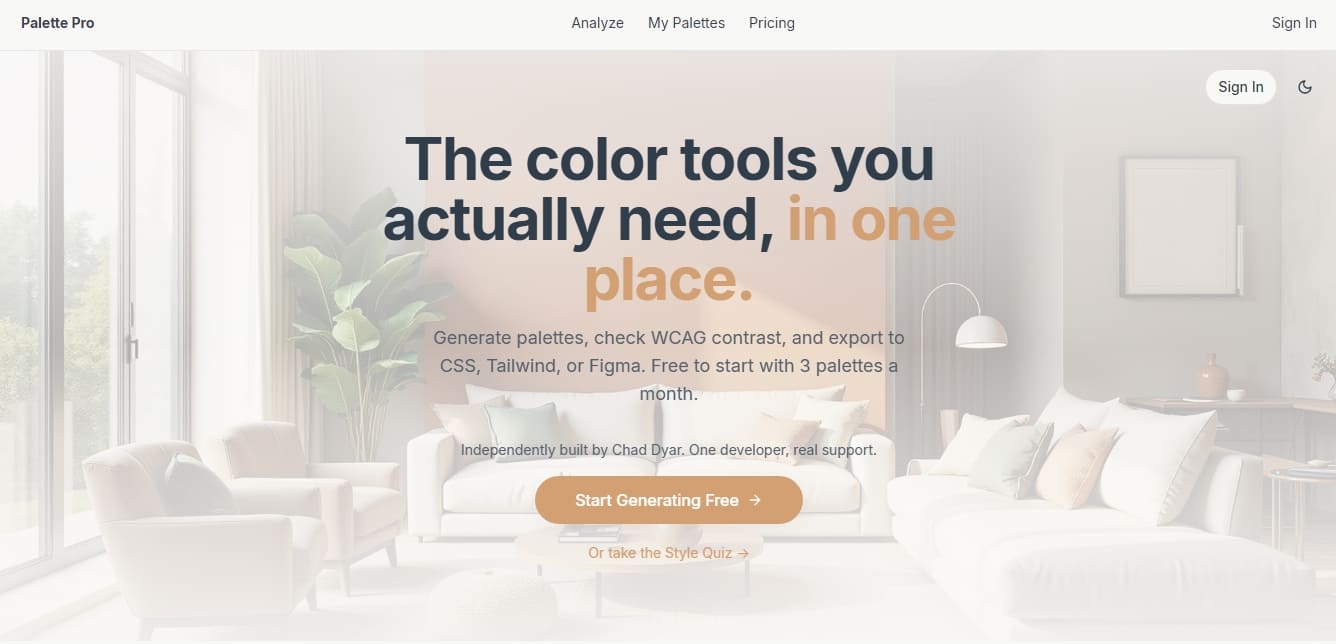
Palette Pro Screenshots
Palette Pro alternatives

NeotypeLab
NeotypeLab uses AI to plan paint schemes for Gunpla, mecha girls and Zoids, with real hobby paint codes, a spraying sequence, a shopping list and an HD preview.


StitchCraft
Turn photos and text into DMC cross-stitch patterns. Optimize colors, remove stray stitches, and export ready-to-stitch PDF charts.

colorfor.ai
Generate AI-powered accessible color systems from descriptions. Create WCAG-verified palettes and export design tokens ready for implementation in code and apps.
