
Share
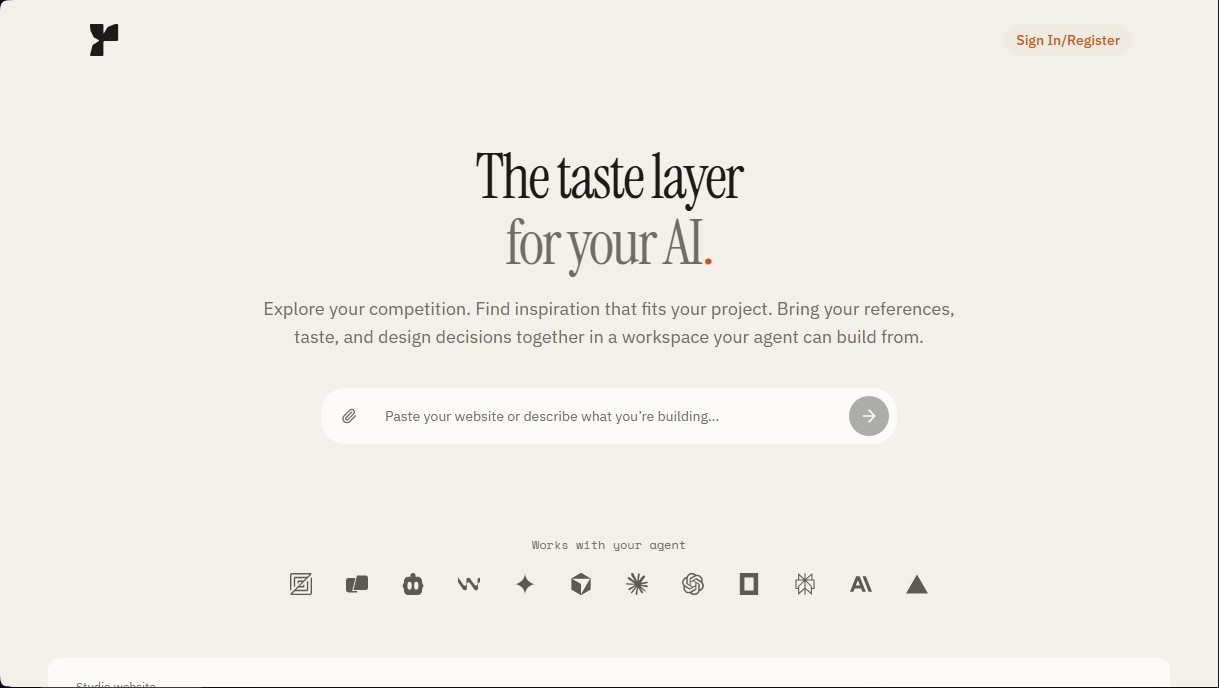
Centralize visual references, fonts, and colors in a workspace that provides context for your AI agent to build interfaces in your unique style.
What is Fudge?
Fudge is a platform specialized in providing a layer of aesthetic context and design decisions for AI agents. This tool functions as a centralized workspace where designers and developers can gather visual references, typography, color palettes, and style guides. Its primary goal is to ensure that AI agents don't just generate functional code, but do so by following the user's specific "taste" and creative direction, eliminating the need to repeat design instructions in every new prompt.
The technical core of Fudge lies in its integration capabilities via the Model Context Protocol (MCP). This protocol allows the workspace to connect directly with leading development tools and code editors such as Cursor, Claude Code, Windsurf, and Codex. Thanks to this connection, the AI agent can actively consult saved references and design decisions while building the interface for a website or mobile application.
The tool's functional capabilities are built upon several practical pillars:
- Exploration and Inspiration: The system includes an explorer featuring thousands of captured websites, font families, and categorized color palettes to analyze competitors and industry trends.
- Reference Capture: Using a browser extension, users can save layouts and visual details from any website directly into their design workspace.
- Technical Analysis: The tool allows for the inspection of fonts, colors, spacing, and grids from real-world sites to understand their technical structure before implementation.
- Design and Accessibility Audits: It offers a feedback feature that analyzes public URLs or screenshots to identify UX issues or contrast deficiencies, suggesting immediate fixes.
- Asset Management: It centralizes logos, files, and style guides, providing the artificial intelligence with a single source of truth throughout the creation process.
Fudge is incredibly useful for professionals seeking visual consistency in AI-assisted web development projects. By defining a clear direction within the platform, users ensure the agent understands subjective concepts like an "elegant style" or a "minimalist grid" based on concrete data and visual examples.
This workflow optimizes productivity by eliminating the need to hunt for references across various tabs or local folders. By maintaining design decisions in an AI-readable environment, the time spent correcting incorrect visual styles is drastically reduced. This allows developers to focus on architecture and functionality while the tool ensures the final output maintains the desired visual identity.
Fudge features and use cases
How to use Fudge
Fudge FAQ
What is Fudge and how does it help define my project’s style?
It is a tool that organizes your design references and decisions within a workspace, allowing your AI agent to use them as visual and technical context while generating code.
How does Fudge integrate with tools like Cursor or Claude Code?
Integration is handled via the MCP protocol, enabling your AI agent to automatically reference your saved fonts, colors, and design guides directly from the platform during the development process.
Can I analyze and extract design data from other websites?
Yes, you can use the built-in browser or the Chrome extension to inspect typography, color palettes, and layout structures from any website that serves as inspiration.
What payment options does Fudge offer?
We offer monthly, quarterly, and annual subscriptions for both Individual and Team plans, as well as a one-time payment option for lifetime access.
Can I get an accessibility audit for my website?
Yes, the tool generates reports featuring screenshots that pinpoint design and accessibility issues, providing recommendations based on current industry standards.
What happens if I cancel my Fudge subscription?
You will retain access to all features in your plan until the end of your current billing cycle. After that, your subscription will not renew.
How do I contact technical support?
You can email us at [email protected] to resolve any questions regarding your subscription, setup, or general product functionality.
Fudge pricing and plans
Free Trial
Allows you to research references and develop an initial workspace without needing to register.
Requires a paid subscription to permanently save progress and connect the AI agent.
Individual
Price: 49 $ per month (options for 132 $ per quarter or 470 $ per year).
1 member.
Unlimited project workspaces.
Unlimited MCP queries from your AI tools.
Unlimited agent chat in Fudge for design questions and web reviews.
Unlimited access to Fudge Explorer for website reference searches.
Includes Chrome extension, bookmarks, and saved references.
MCP connection for Codex, Claude Code, Cursor, and other compatible tools.
Team
Price: 99 $ per month (options for 267 $ per quarter or 950 $ per year).
Includes 2 members (the owner and one guest).
Additional member: 39 $ per month.
Shared workspaces for collaborating on the same projects.
Unlimited MCP queries and agent chat.
Access to all exploration and style extraction tools (fonts, colors, layouts).
Includes all Individual plan features applied to a team environment.
Lifetime
Price: 399 $ (one-time payment).
1 user.
Lifetime access to your own workspaces with no renewal fees.
Unlimited workspaces.
Unlimited MCP queries and agent chat.
Includes all exploration features, Chrome extension, and website feedback tools.
Fudge Screenshots
Fudge alternatives

NeotypeLab
NeotypeLab uses AI to plan paint schemes for Gunpla, mecha girls and Zoids, with real hobby paint codes, a spraying sequence, a shopping list and an HD preview.



ImageToSTL.org
Convert JPG and PNG images into STL files for 3D printing using AI. Generate detailed 3D models ready for instant download.

Image to 3D
Convert 2D images and sketches into textured 3D models using AI. Export in GLB, STL, or USDZ for video games, 3D printing, and augmented reality.