

Connector Hostinger
Share
Integrate hosting services into AI workflows to deploy websites, connect domains, and manage servers using natural language directly from the code editor.
What is Connector Hostinger?
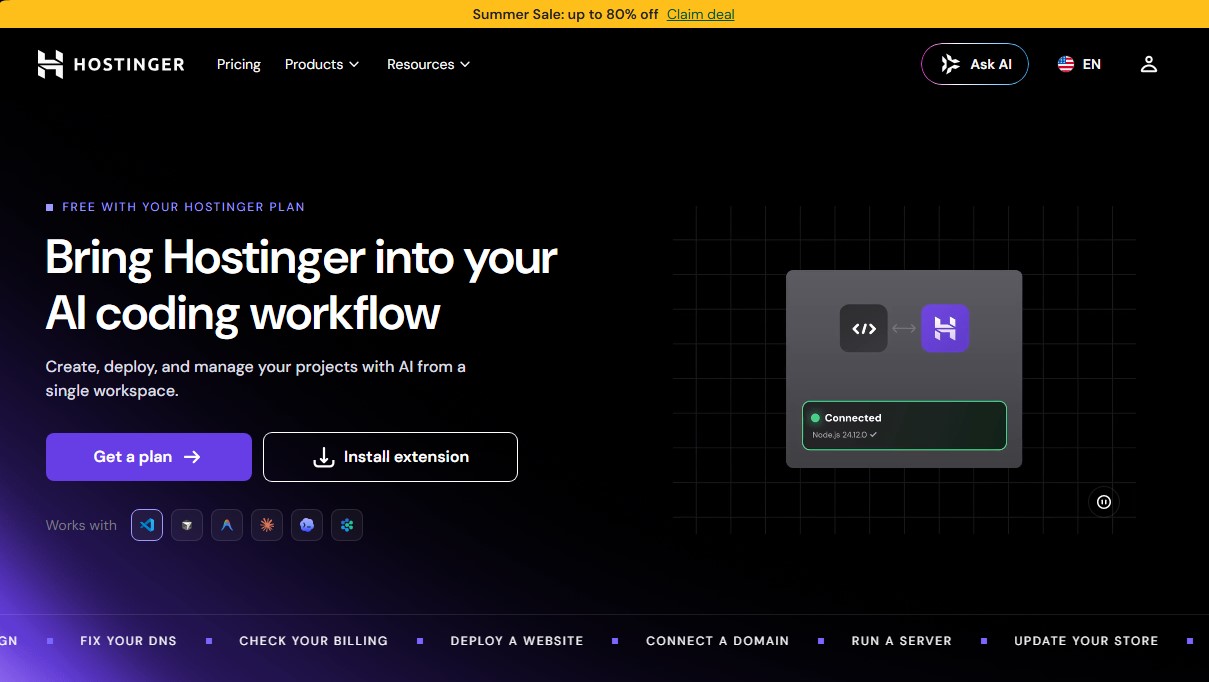
Hostinger Connector is an official extension designed to integrate Hostinger's web hosting services directly into AI-assisted programming workflows. This tool allows developers and site owners to create, deploy, and manage their projects from a single workspace, using natural language to interact with their hosting infrastructure without needing to switch tabs or navigate complex control panels.
The operation of Hostinger Connector is based on an AI assistant that acts as a bridge between the development environment and the servers. By entering simple text commands into the chat on your computer, the system executes real actions within the user's account. This technology allows the entire project lifecycle—from initial development to the final launch—to take place within a single conversation. It is compatible with leading editors and tools such as VS Code, Cursor, Claude Code, Antigravity, and Devin.
The core capabilities of this tool include:
- Automated deployment: Allows publishing Node.js, PHP/HTML, or WordPress applications simply by requesting that the project be put "online." The tool automatically manages the infrastructure, including SSL certificates and CDN configuration.
- Domain management: Simplifies searching for, connecting, and managing domains and DNS settings through prompts, eliminating manual configuration.
- VPS Control: Users can monitor server performance, manage firewalls, or restart instances via direct requests in the chat.
- E-commerce administration: Enables quick and descriptive updates to products, inventory, and orders in online stores.
- Marketing and billing: Capable of drafting email campaigns and checking plan statuses or invoices without leaving the workspace.
From a functional standpoint, Hostinger Connector uses AI agents that translate user prompts into precise technical actions like deploy_website or connect_domain. This is particularly useful both for technical profiles seeking infrastructure automation and for less experienced users who prefer to avoid technical workflows in the control panel.
Security is built into the process, as access is granted through secure browser authentication without the need to manually manage API keys. The user maintains full control, with the ability to review every action executed by the assistant and revoke permissions at any time from their Hostinger account. This tool is included for free in the platform's plans, offering an AI solution for developers looking for efficiency and speed when deploying their websites.
Connector Hostinger features and use cases
How to use Connector Hostinger
Connector Hostinger FAQ
How much does it cost to use the Hostinger Connector on my account?
This tool is completely free and is included at no extra cost with all Hostinger hosting plans.
This tool is completely free and is included at no extra cost with all Hostinger hosting plans.
It allows you to create, deploy, and manage websites, domains, VPS servers, and email campaigns directly from your code editor's chat interface.
Which code editors can I use this extension with?
It is compatible with VS Code, Cursor, Antigravity, Claude Code, Codex, and Devin, allowing it to integrate seamlessly into your existing workflow.
How do I set up the Hostinger Connector for the first time?
Simply install the extension in your editor and follow the link to log in via your browser—there's no need to configure complex API keys.
Is it safe to let the assistant manage my Hostinger infrastructure?
Yes, you maintain full control at all times. You can review the assistant’s actions and revoke access from your client panel whenever you choose.
Do I need advanced programming skills to use this tool?
Not at all. You can use natural language to ask the AI to handle technical tasks, deploy sites, or configure your server for you.
Can I manage my billing and subscriptions through the chat?
Absolutely. You can check your active plans, invoices, and payment methods by asking the assistant directly, without having to log into your control panel.
What types of websites can I deploy with the Hostinger Connector?
You can publish projects based on Node.js, PHP, HTML, and WordPress, or use the Hostinger Website Builder—all with SSL protection and CDN included.
Connector Hostinger pricing and plans
Hostinger Connector (Extension)
Free (included with any Hostinger hosting plan).
Free installation and no additional costs.
Create, deploy, and manage projects using natural language commands directly from your code editor.
Integration with VS Code, Cursor, Claude Code, Devin, and other editors.
Manage domains, VPS servers, online stores, and billing directly through the AI chat.
Full control over assistant actions with the ability to revoke access at any time.
Business Plan
$3.79/mo (sale price; renews at $16.99/mo).
Hostinger Connector included.
Limit of 5 web applications and up to 50 websites.
2 CPU cores and 3 GB RAM.
50 GB NVMe storage.
Free domain for the first year and managed SSL certificates.
5 email accounts per website (free for the first year).
GitHub integration for automated and IDE-based deployments.
Daily and on-demand backups.
Unlimited bandwidth and AI-powered bot traffic management.
Cloud Startup Plan
$7.99/mo (sale price; renews at $25.99/mo).
Hostinger Connector included.
Limit of 10 web applications and unlimited websites.
4 CPU cores and 4 GB RAM.
100 GB NVMe storage.
Unlimited email accounts per website (free for the first year).
Dedicated IP address for enhanced control and stability.
24/7 priority expert support.
Enhanced database performance and higher connection limits.
Includes all security and management features from the Business plan.
Connector Hostinger Screenshots
Connector Hostinger user reviews
Write a review
Checking your session...
Connector Hostinger Reviews
Loading reviews...
Connector Hostinger alternatives

Sprite Fusion
Generate and animate professional pixel art for games using AI. Create sprites, character sheets, and normal maps with direct export to Unity and Godot.

Redditapis
API to read, post, vote, and DM on Reddit without app reviews. Pay-as-you-go pricing, no subscription, and fast setup for AI agents.

LaunchProof
Audit websites across various browsers and devices to detect security, performance, or accessibility flaws, offering reports with solutions to fix them.

ParseCrate
Open-source, self-hosted document processing API. Converts PDFs and Office files into structured content with OCR and table detection for AI applications.

Together Link
Connect coding agents to open models to cut costs. Keep your existing tools and settings while optimizing token usage in every session.
