crop.photo
Share
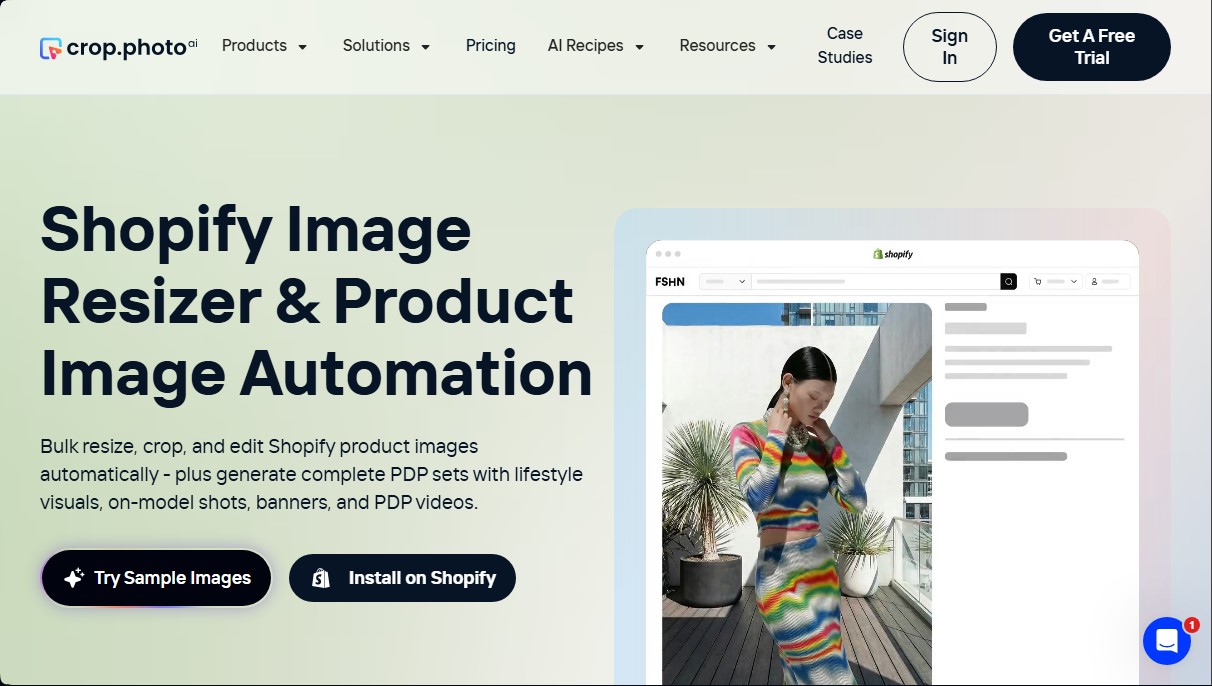
Automate photo editing for online stores. Crop, resize, and batch-generate AI model images or banners to quickly optimize Shopify catalogs.
What is crop.photo?
crop.photo is an AI-powered image automation platform specifically designed to optimize e-commerce catalogs, with a specialized focus on the Shopify ecosystem. Its primary function is to transform the visual workflow of online stores, allowing for bulk editing, resizing, and generating graphic assets without the need for constant manual intervention. This tool is geared toward fashion, footwear, and accessory brands that manage high product volumes and require a uniform aesthetic across their digital storefronts.
crop.photo technology uses advanced computer vision models to automatically recognize human models, objects, and poses. The system identifies key landmarks, such as shoulder position, eyes, or the product center, to execute precise crops and consistent alignments. Through its so-called Recipes, the tool allows for the application of preconfigured workflows that ensure thousands of files meet brand visual standards in a matter of minutes, saving hours of manual editing at the computer.
Key features include:
- Bulk Image Editing: Processes batches of thousands of photos simultaneously, facilitating the management of extensive inventories and fast seasonal launches.
- Smart Cropping and Alignment: Adjusts framing based on product type (clothing, footwear, beauty) so that mobile and desktop browsing is visually coherent and professional.
- Generative AI for Lifestyle: Creates lifestyle images and model visuals from a basic product photo, expanding marketing material without additional production costs.
- Background Removal: Automatically cleans and replaces backgrounds to meet the design requirements of various sales channels.
- Banner and Ad Content Creation: Automatically adapts images into formats for headers, social media ads, and newsletters.
- Product Detail Page (PDP) Videos: Generates dynamic clips from static images to improve store conversion rates.
Implementing crop.photo allows e-commerce teams to accelerate their time-to-market by automating repetitive resizing and cleanup tasks. Additionally, it offers API integration to connect the image workflow directly with Product Information Management (PIM) systems. This solution not only improves operational efficiency but also ensures a professional and polished catalog presentation—essential for brands looking to scale global sales while maintaining total control over their visual identity.
crop.photo features and use cases
How to use crop.photo
crop.photo FAQ
What exactly is crop.photo and how does it help my online store?
It is an automation platform designed to resize, crop, and edit Shopify product images in bulk, allowing you to quickly create complete sets of visual content.
Can I try crop.photo’s features for free?
Yes, the tool offers a free plan with twenty-five credits so you can test the editing features, though final images in this plan will include a watermark.
How many images can crop.photo process in a single batch?
You can process up to two thousand images per batch, and you can run multiple batches simultaneously to manage high-volume catalogs.
What are crop.photo workflow recipes?
They are pre-built AI configurations that automate tasks like model cropping, background removal, or ad banner creation with just one click.
Will the app replace my current Shopify images without warning?
No, you have full control to decide whether you want to overwrite existing images, replace them with new ones, or simply add them as additional files to your catalog.
What file types can I upload to the platform?
The system supports the most common e-commerce image formats, specifically JPG, JPEG, PNG, and WebP files.
Is it safe to store my visual assets on this service?
Yes, all images are processed through a secure infrastructure that complies with SOC-2 standards, ensuring that you retain exclusive ownership of all generated material.
How can I integrate crop.photo into my regular workflow?
You can install the app directly from the Shopify App Store, use the standalone web version, or integrate its features into your own systems through API access.
crop.photo pricing and plans
Free
$0 (Free until you’re ready to scale)
25 credits included.
Access to Smart Crop (0.8 credits), background removal (1.5 credits), and lifestyle crop (2.3 credits).
Restrictions: Processed images include a watermark and the trial period is 30 days.
LitePlus
$10 per month (billed monthly)
100 credits included.
Included operations: Smart Crop (0.8 credits), background removal (1.5 credits), and lifestyle crop (2.3 credits).
Maximum limits: 125 smart crops, 66 background removals, or 43 lifestyle crops.
Cost after credits are exhausted: Smart Crop (25 credits), background removal (4 credits), and lifestyle crop (6.5 credits).
SoloPlus
$50 per month (billed monthly)
500 credits included.
Included operations: Smart Crop (0.8 credits), background removal (1.5 credits), and lifestyle crop (2.3 credits).
Maximum limits: 625 smart crops, 333 background removals, or 217 lifestyle crops.
Cost after credits are exhausted: Smart Crop (2 credits), background removal (3.5 credits), and lifestyle crop (5.5 credits).
ProPlus
$100 per month (billed monthly)
1,000 credits included.
Reduced-cost operations: Smart Crop (0.7 credits), background removal (1.5 credits), and lifestyle crop (2.2 credits).
Maximum limits: 1,428 smart crops, 666 background removals, or 454 lifestyle crops.
Cost after credits are exhausted: Smart Crop (1.5 credits), background removal (3 credits), and lifestyle crop (4.5 credits).
BoostPlus
$250 per month (billed monthly)
2,500 credits included.
Operations: Smart Crop (0.7 credits), background removal (1.5 credits), and lifestyle crop (2.2 credits).
Maximum limits: 3,571 smart crops, 1,666 background removals, or 1,136 lifestyle crops.
Cost after credits are exhausted: Smart Crop (1.3 credits), background removal (2.8 credits), and lifestyle crop (4.1 credits).
OptimizePlus
$500 per month (billed monthly)
5,000 credits included.
Operations: Smart Crop (0.7 credits), background removal (1.5 credits), and lifestyle crop (2.2 credits).
Maximum limits: 7,142 smart crops, 3,333 background removals, or 2,272 lifestyle crops.
Cost after credits are exhausted: Smart Crop (1.2 credits), background removal (2.8 credits), and lifestyle crop (4 credits).
Enterprise
Pricing upon request
Lowest cost per operation: Smart Crop (0.2 credits), background removal (1 credit), and lifestyle crop (1.2 credits).
Additional benefits: Custom volume pricing, 24/7 support, and a dedicated account manager.
Technical features: Faster computing cluster, automated file renaming, API access, and DAM system integration.
Note: All paid plans offer a 20% discount when opting for annual billing.
crop.photo Screenshots
crop.photo user reviews
Write a review
Checking your session...
crop.photo Reviews
Loading reviews...
crop.photo alternatives



utilz Background Remover
Remove image backgrounds for free with total privacy in your browser. Create transparent or colored backgrounds without uploading files while maintaining original resolution.