

Share
What is Cue by Manus?
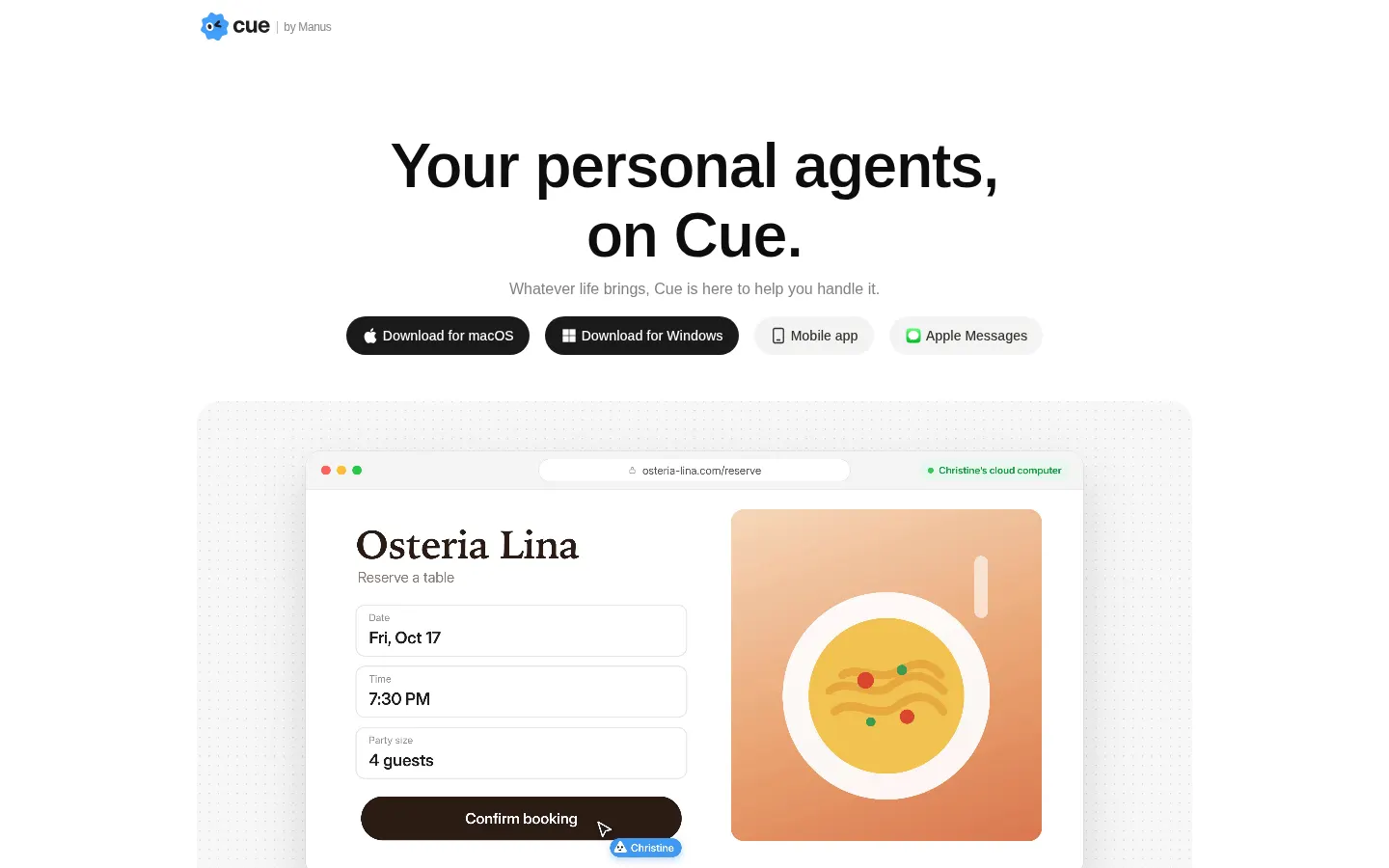
Cue by Manus is an AI tool that creates personal agents with their own identity (phone, email, wallet and computer) so you can hand off everyday errands such as bookings, calls, shopping and follow-ups. Each agent takes on a job, keeps working after you log off and comes back to you when a decision needs your approval.
What is Cue used for?
Cue works like a team of assistants that act on your behalf. Rather than just replying in a chat window, each agent can have its own phone number to make and take calls and texts (including calls you forward to it), its own email address, a wallet with permissions you control and a dedicated computer with the apps it needs. That lets it call a clinic to confirm an appointment, email a hotel to ask for a crib, book a campsite or check every day whether an earlier DMV slot has opened up.
How does Cue work?
You create an agent, give it a responsibility and share the context it needs. You can run several agents with different roles and bring them into a group chat so they work together in one conversation. Connectors link services such as Gmail, Slack, Notion, Trip.com or MyFitnessPal, and routines turn steps you repeat into flows, like pulling the highlights from your inbox. You can also create an agent by scanning a QR code. You set the review boundaries: the agent moves forward on its own and checks with you before the actions you have flagged.
Cue runs as an app on macOS, Windows, iPhone and iPad, on the web and inside Apple Messages.
Who is Cue for?
- Families juggling doctor visits, trips, home repairs and kids' activities.
- Frequent travelers who need someone to answer calls or rework bookings.
- People who want to watch for tickets, appointments or campsites without checking websites every day.
- Small teams splitting admin work across several agents.
Cue pros and cons
Its main strength is that agents act through real channels (phone, email and payments) and keep working in the background, with configurable permissions and approvals. On the downside, as of October 2026 it is in early access and needs an invite code; the phone numbers on offer are from the US, UK, Canada and Singapore; many of the connected services and examples on the website are US-focused, and handing off calls or payments means thinking carefully about which actions should require your sign-off.
Cue by Manus features and use cases
How to use Cue by Manus
Cue by Manus FAQ
What is Cue?
An app from Manus for creating personal AI agents with their own phone, email, wallet and computer that run errands for you and check with you on decisions.
Is Cue free?
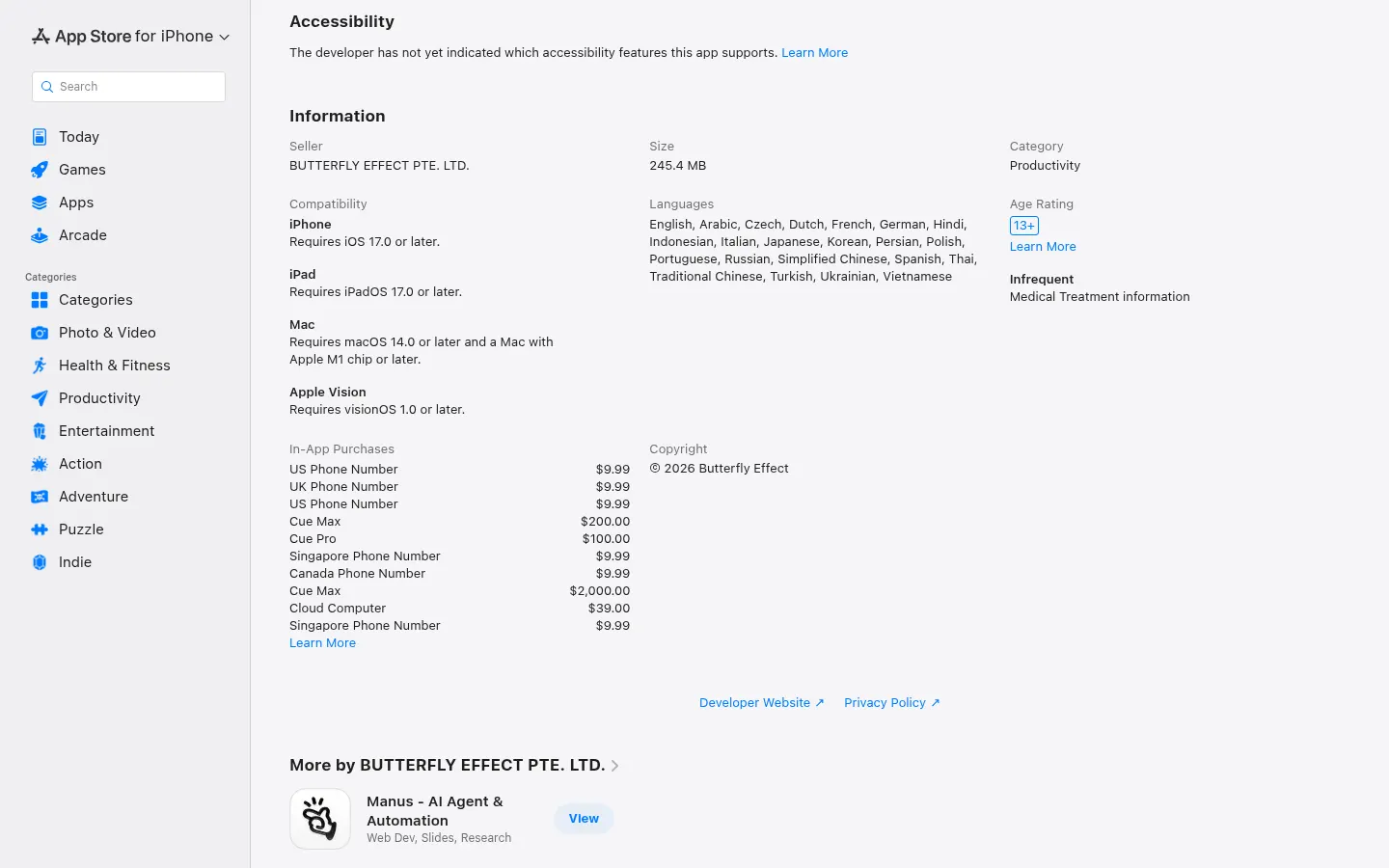
The app is a free download with in-app purchases for phone numbers, a cloud computer and higher tiers. Details are in the pricing section.
How do I get access to Cue?
It is in early access: you create a free account and enter an invite code. Manus shared a limited code for early users on its blog.
Is Cue available in Spanish?
The iOS app is listed on the App Store with 22 languages, Spanish included. The cue.im website is in English.
What can a Cue agent do?
Make and take calls, send email from its own address, pay within limits you set, work on its own computer and watch for appointments, tickets or bookings until a spot opens up.
Can Cue spend money without my permission?
You configure the wallet permissions and the review boundaries. The agent brings work back to you whenever a decision needs your approval.
Which devices does Cue run on?
There are apps for macOS, Windows, iPhone and iPad, a web version and access through Apple Messages. The App Store version requires iOS 17 or later.
Does Cue have an API?
The official website does not list a developer API. It connects to other services through connectors such as Gmail, Slack, Notion or Trip.com.
What are some Cue alternatives?
Lindy builds AI agents for work tasks, OpenClaw is an open-source personal AI assistant and SureThing offers personal agents; all three are on GptZone.
Who makes Cue?
Cue is a Manus product; on the App Store the seller is listed as Butterfly Effect Pte. Ltd.
Cue by Manus pricing and plans
Details from the Cue by Manus listing on the US App Store (prices in US dollars, USD). Checked on: 28/10/2026.
- Download and access: the app is free and, during early access, requires an invite code; according to the App Store, Plus membership is included at no charge once you have access.
- In-app purchases: US, UK, Canada or Singapore phone number, $9.99; Cloud Computer, $39; Cue Pro, $100; Cue Max, $200 and $2,000.
- The App Store does not state the billing period for these purchases and cue.im has no pricing page, so check inside the app before buying.
Cue by Manus Screenshots
Cue by Manus user reviews
Write a review
Checking your session...
Cue by Manus Reviews
Loading reviews...
Cue by Manus alternatives




TriggerFlow
Automate Windows apps without APIs using computer vision and AI. Manage PC fleets, monitor processes, and provide centralized remote control.

Relevance AI
Relevance AI lets companies design AI agents that take on work in sales, customer support, marketing, HR and operations, wired into the tools they already use.
