Share
What is DubMog?
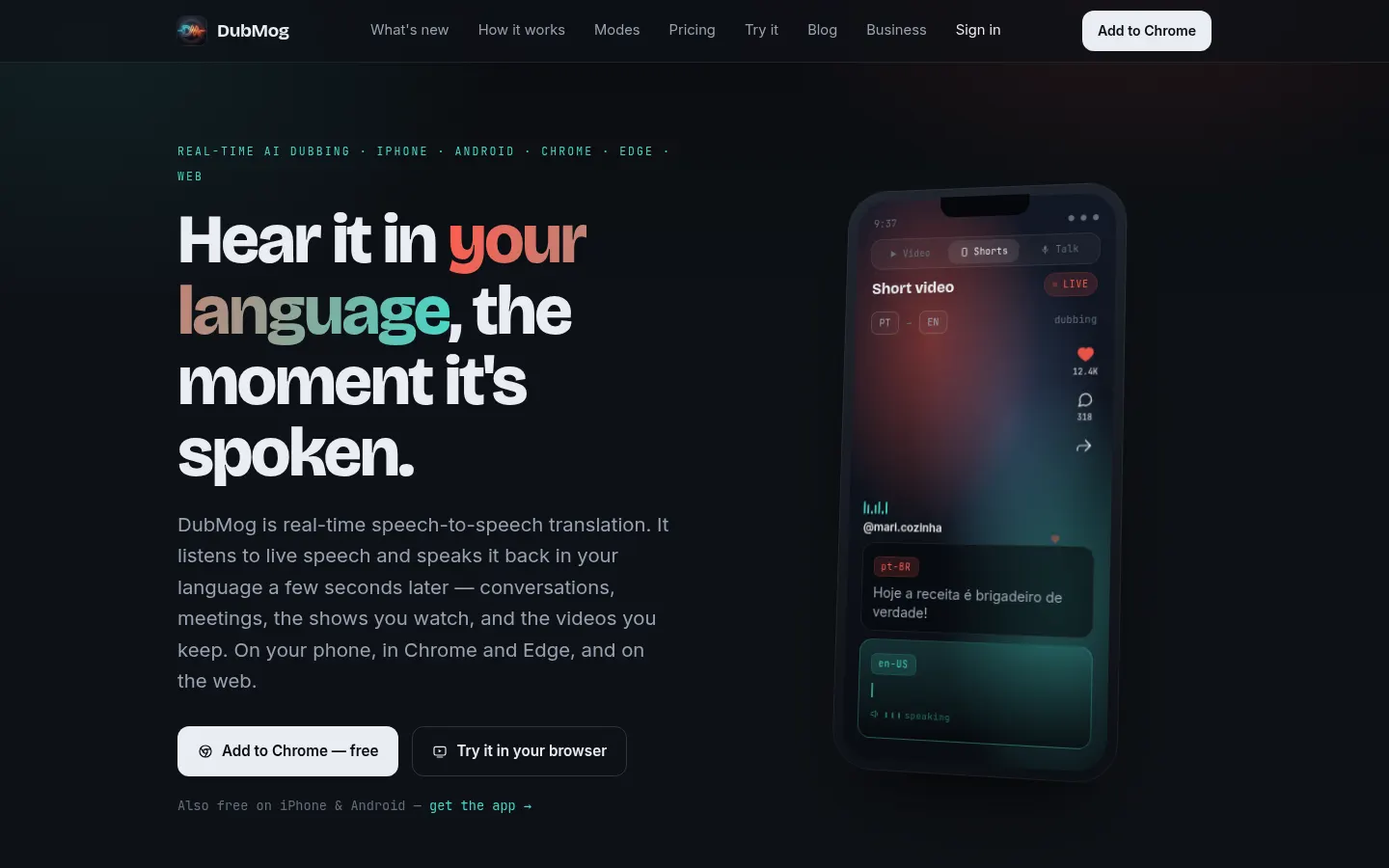
DubMog is an AI real-time speech-to-speech translator: it listens to what's said in a video, meeting or conversation and, a few seconds later, speaks it back in your language with a synthetic voice. It's for people who want to watch shows, courses or videos in other languages without reading subtitles, or talk with someone who speaks a different language.
How does DubMog work?
On your phone, in the Chrome or Edge extension or on the web, you pick a target language and DubMog dubs the audio as it plays, with an optional live transcript if you want to check a word. There are three modes: Standard, which dubs into 38 languages in Chrome; Pro Live, with a more natural voice in 80+ languages and the fastest engine; and Pro Cinematic, with higher-quality voices. Conversation mode translates between two people, and on iPhone and Android it can dub audio from other apps.
What's new in DubMog on desktop and mobile?
Since October 2026 there are Windows and Mac apps that dub whatever a specific app or window is playing (macOS 14 or later on Mac). Dub a File takes a video from your phone, dubs it in the background and hands back a finished file to save or share, with 720p, 1080p or original size on iPhone. In Chrome, every dubbed line is kept with its timestamp so you can read, copy or download it, and it never leaves your computer. For companies there's DubMog Business with seats and a single invoice.
Who is DubMog for?
- Students following Coursera, edX or other courses in another language.
- Travelers and families who need to talk across a language barrier.
- Professionals in international meetings and webinars.
- Creators who want a dubbed version of their videos.
DubMog pros and cons
The upside is that you listen instead of reading, on almost any device with one account, and the site is available in several languages. The downsides: dubbing lags a few seconds behind, the basic mobile mode shows ads, and Pro modes draw on an energy balance per minute that runs down with use.
DubMog features and use cases
How to use DubMog
DubMog FAQ
What is DubMog?
DubMog is an AI speech-to-speech translator that dubs videos, meetings and conversations into your language in real time with a synthetic voice.
Is DubMog free?
There's a free basic mode on mobile and in the browser; ad-free Pro voices need a subscription or packs, as shown in the pricing section.
Does DubMog support Spanish?
Yes. It dubs to and from Spanish among 80+ languages in Pro Live, and the site has a Spanish version.
Which devices does DubMog work on?
iPhone, Android, Chrome, Edge, the web, Windows and Mac (macOS 14 or later), all with one account.
Do I need to read subtitles?
No. DubMog speaks the translation over the video so you can listen; the live transcript is optional.
Can I export a dubbed video?
Yes. With Dub a File you pick a phone video, it's dubbed in the background and you get a finished file to save or share.
Does DubMog have an API?
The site doesn't advertise a public API; you use it through its apps, browser extension and web dashboard.
How much delay is there?
It speaks the translation a few seconds after the original line, so it isn't perfectly simultaneous.
Is there a business version?
Yes. DubMog Business offers team seats, one invoice with tax details and a page to manage members.
What are the best DubMog alternatives?
In the directory you can compare Rask AI, Dubverse and HeyGen, which focus more on dubbing pre-recorded video.
DubMog pricing and plans
Reference price: 9.99 USD / month. Source · Verified: November 13, 2026
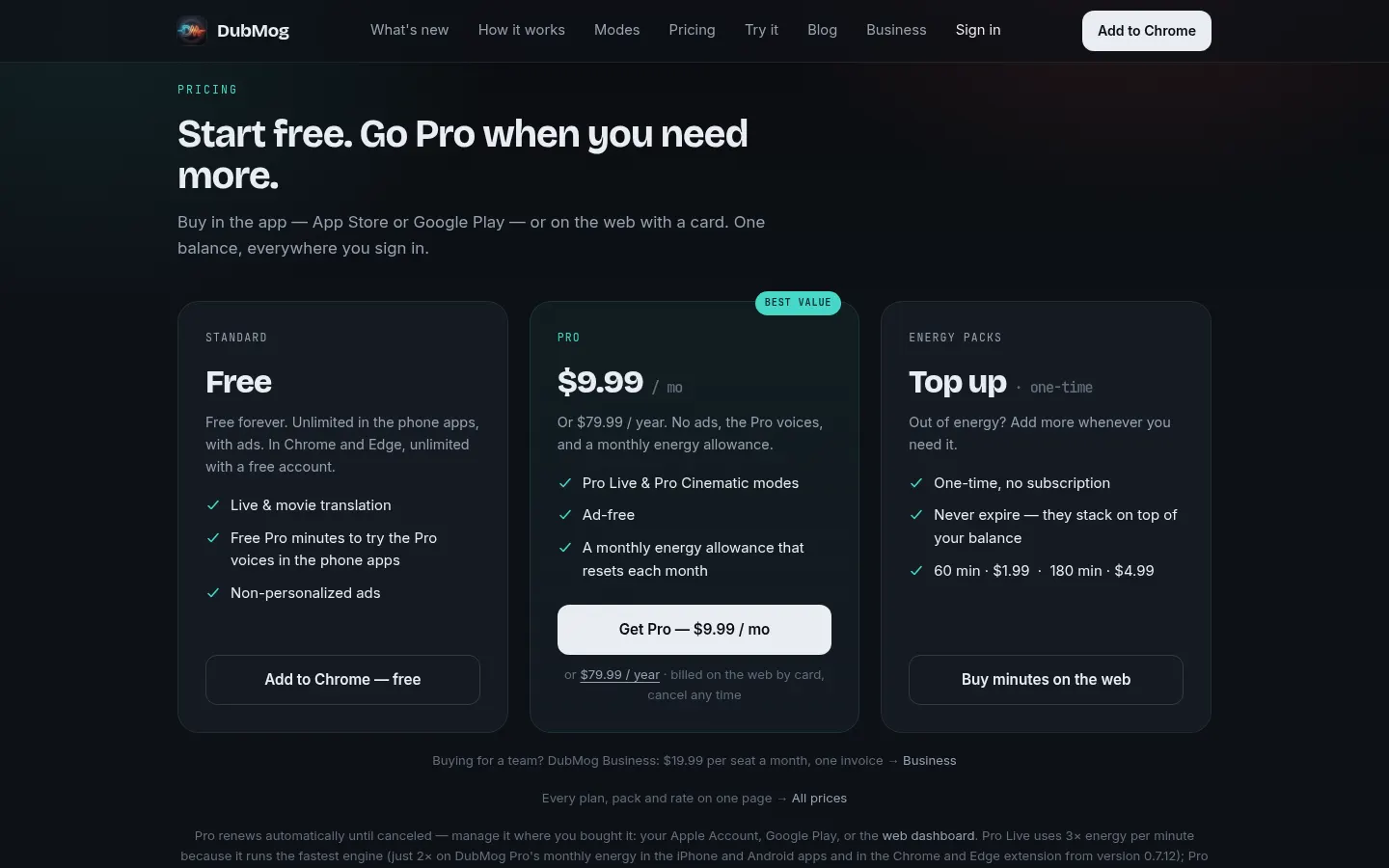
DubMog pricing in US dollars, USD (Checked on: 13/11/2026). Buy in the App Store, Google Play or on the web by card, with one balance across devices.
- Free: $0. Unlimited Standard mode in the mobile apps (with ads) and in Chrome and Edge with a free account; without an account, 30 minutes a day in Chrome. A daily taste of Pro Live.
- Pro: $9.99/month or $79.99/year. Ad-free, Pro Live and Pro Cinematic voices, and a monthly energy allowance that resets each month. Auto-renews until cancelled.
- Energy packs (one-time): 60 minutes for $1.99 or 180 minutes for $4.99. They never expire and stack on your balance.
- Business: $19.99 per seat a month, with full Pro and 800 tokens a month per person and one invoice with company tax details.
Pro Live uses 3 energy per minute (2 on Pro's monthly allowance) and Pro Cinematic uses 1.
DubMog Screenshots
DubMog user reviews
Write a review
Checking your session...
DubMog Reviews
Loading reviews...
DubMog alternatives



Kapwing Hinglish Subtitles Generator
Generate automatic Hinglish captions for videos in 100+ languages. Includes AI-powered editing and dubbing tools to reach bilingual audiences.