
Share
Remove image backgrounds for free with AI. Get instant, precise cutouts, batch processing, and high-resolution downloads.
What is Erase.bg?
Erase.bg is an advanced AI-powered photo editing tool specifically designed to remove image backgrounds automatically and accurately. This application allows users to process photos in seconds, eliminating distracting elements or complex backgrounds without requiring any technical graphic design skills. It is an ideal solution for individual users looking to enhance personal photos as well as agencies and e-commerce companies that need to optimize product catalogs at scale.
The technology behind Erase.bg uses deep learning algorithms to precisely identify the main subject in the foreground, whether it’s a person, animal, object, car, or even a logo. The system separates the central element from the background with remarkable precision, handling difficult details like hair or irregular edges. The tool is compatible with a wide variety of formats, including PNG, JPG, JPEG, WEBP, and HEIC, and supports files up to 25 MB with resolutions reaching 10,000 x 10,000 pixels, allowing users to work with Ultra HD 4K images.
Key capabilities include:
- Automatic background removal: Instantly processes individual images via file upload or URL.
- Integrated editing: Once the background is removed, users can add solid colors, gradients, or custom images directly within the platform to personalize the result.
- Batch processing: Through its integration with PixelBin.io, it allows for transforming multiple images simultaneously, optimizing professional workflows and saving time.
- API integration: Offers developers the ability to implement its functions into other organizations to automate productivity at scale.
- Mobile App: Available for Android and iOS, facilitating quick editing from a smartphone or tablet without needing a computer.
The process is extremely simple and straightforward: the user uploads the image, the AI processes the file, and within seconds, a version with a transparent background is generated, ready to download in its original size. This tool is especially useful for creating professional profile pictures, removing backgrounds from signatures, or preparing product images for online stores, ensuring clean results with minimal effort. Thanks to its functional approach and ability to handle high-resolution images, Erase.bg positions itself as an essential resource for optimizing visual presence in digital environments and creative workflows.
Erase.bg features and use cases
How to use Erase.bg
Erase.bg FAQ
What is Erase.bg and what is it used for?
Erase.bg is an AI-powered tool that allows you to automatically and accurately remove image backgrounds in just a few seconds.
Is Erase.bg free to use?
Registration is free and includes three initial credits at no cost to download high-definition images. Subscription plans are also available for professional needs.
Which file formats are compatible with Erase.bg?
The platform currently supports PNG, JPG, JPEG, WEBP, and HEIC images that have a clearly defined main subject.
What is the maximum image size I can upload?
You can upload files up to 25 megabytes with a maximum resolution of 10,000 by 10,000 pixels.
Does Erase.bg allow for bulk image processing?
Yes, the tool features a batch processing function designed to handle multiple photos simultaneously and optimize your workflow.
Can the tool be used on mobile phones?
A dedicated Erase.bg app is available for download on the App Store for iOS devices and the Google Play Store for Android.
How can I change my photo's background to white?
After processing the image, click on the edit option and select white or any other available color from the customization panel.
What happens if I use up all my free credits?
Once your initial credits are exhausted, you can purchase one-time top-up packs or subscribe to a monthly plan to continue downloading processed images.
Erase.bg pricing and plans
Free Forever
$0
- 3 free credits upon sign-up.
- 3 free high-definition downloads.
- Recommended for personal use and high-quality transformations.
One-Time Payment Plans (Credits)
Starting at $5.00 (one-time payment)
- 10 credits: $5.00 ($0.50/credit).
- 100 credits: $20.00 ($0.20/credit).
- 1,000 credits: $30.00 ($0.03/credit).
- Credits are valid for 1 year from the date of purchase.
- Each background removal requires 1 credit.
EraseBG Pro Plan
$15/month (or $5/month with annual billing)
- Unlimited transformations.
- High-resolution (HD) image downloads.
- Access to batch mode for processing multiple images simultaneously.
- 24/7 customer support.
Erase.bg Enterprise
Custom pricing (Contact sales)
- API integration into existing workflows.
- Large-scale batch transformation and background removal.
- Custom quotes tailored to specific requirements.
- 1:1 sessions with product experts to align business strategies.
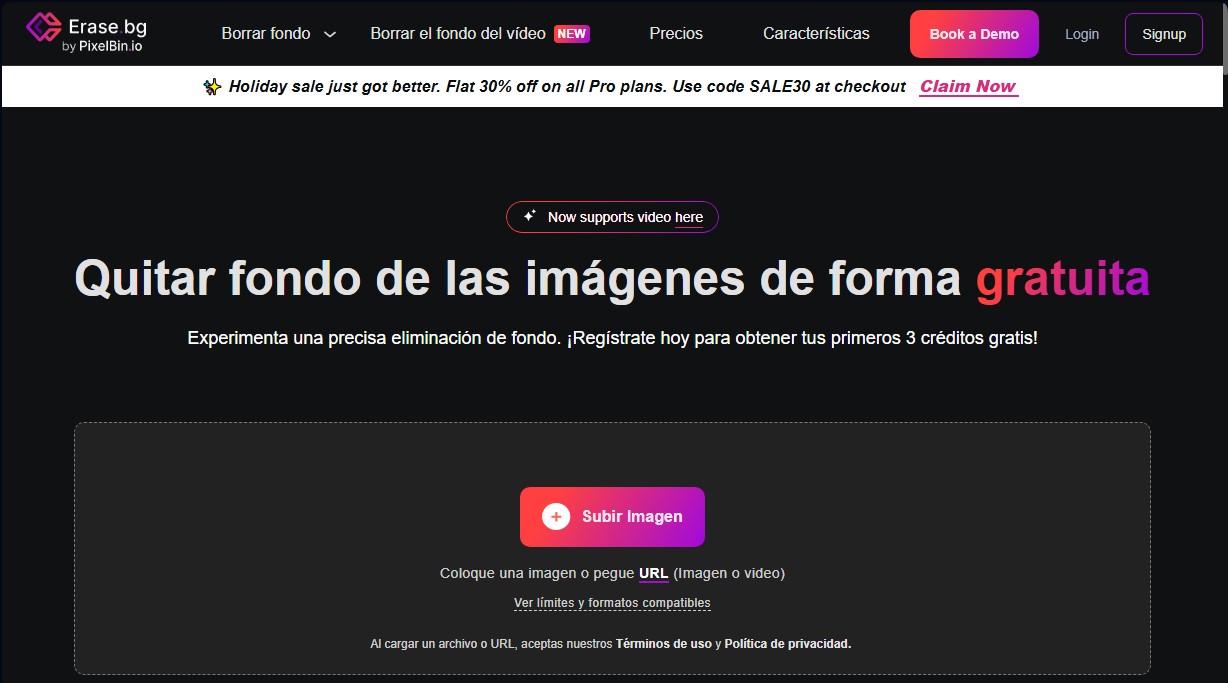
Erase.bg Screenshots
Erase.bg user reviews
Write a review
Checking your session...
Erase.bg Reviews
Loading reviews...
Erase.bg alternatives



utilz Background Remover
Remove image backgrounds for free with total privacy in your browser. Create transparent or colored backgrounds without uploading files while maintaining original resolution.