
Share
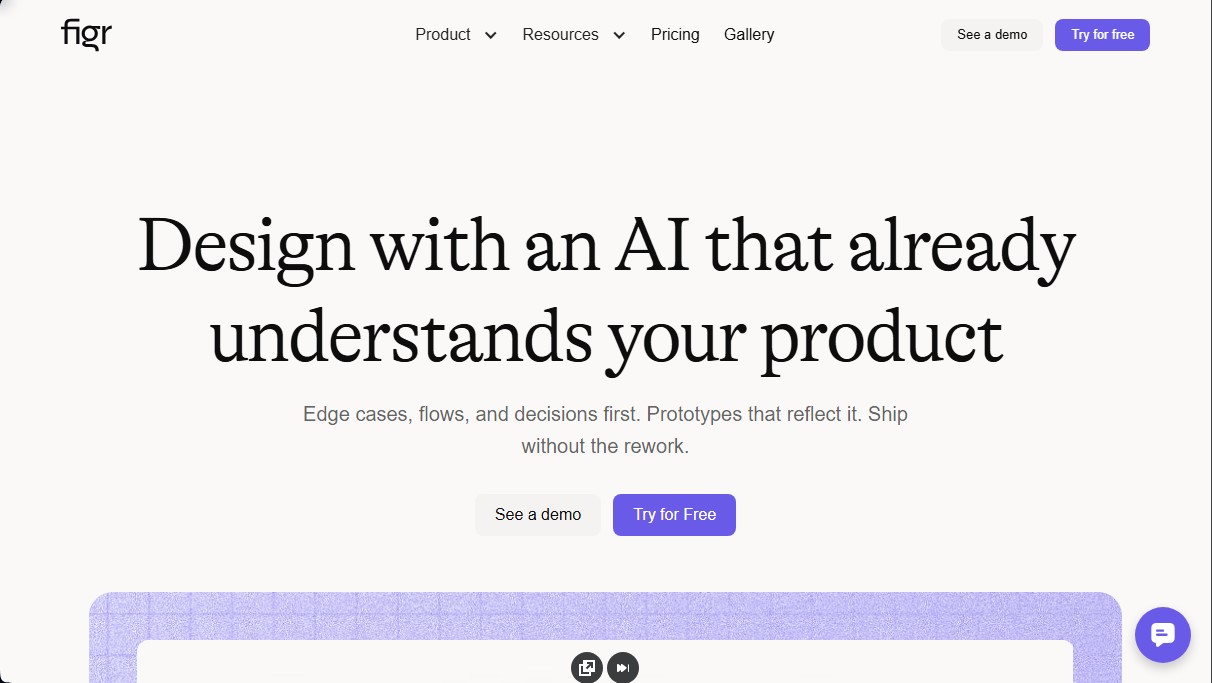
Design products with AI by analyzing flows, edge cases, and product logic. Create high-fidelity prototypes that follow your design system and avoid unnecessary redesigns.
What is Figr AI?
Figr AI is an AI-powered design platform specifically built for product teams working on complex software. Unlike other generative tools based solely on text prompts, this solution focuses on existing product context to create cohesive flows, prototypes, and design decisions. Its primary function is to streamline the UI and UX design process, allowing teams to move from an initial idea to a functional prototype without sacrificing technical rigor or business logic.
This tool is especially useful for Product Managers and product designers who need to validate ideas quickly. By integrating Product Requirement Documents (PRDs), data analysis, and style guides, Figr AI helps professionals identify edge cases and error states before starting the development phase, significantly reducing the need for manual redesigns later on.
Figr AI operates by creating a visual and documentary knowledge map. Using Context Pods, the AI processes information from various sources such as internal wikis, user recordings, and analytics files. Additionally, it features a Chrome extension that allows users to capture the actual product in just a few minutes, enabling the AI to learn specific brand components, typography, and visual patterns. Thanks to this approach, the generated designs are not generic proposals but grounded solutions based on UX principles and the company's own design system.
Key functional capabilities include:
- Flow and state mapping: Generates detailed diagrams that account for all possible user interactions.
- UX and accessibility reviews: Analyzes proposals against proven design patterns and accessibility standards.
- Edge case detection: Identifies critical or uncommon situations that are often overlooked in the early stages.
- Figma integration: Allows for the direct export of designs to continue working in a familiar professional environment.
- High-fidelity prototype generation: Creates screens that accurately reflect the final product, facilitating alignment between technical and business teams.
The practical benefit of using Figr AI lies in its ability to automate "product thinking." By acting as an additional collaborator, the tool offers prioritized improvement suggestions and explanations regarding the risks of certain design decisions. This makes the development cycle more efficient during UX alignment phases, ensuring that every new feature respects the logic and aesthetics of the current software. By avoiding the hallucinations common in other AI models, the results are functional prototypes ready for implementation.
Figr AI features and use cases
How to use Figr AI
Figr AI FAQ
What exactly is Figr AI, and how does it differ from other design tools?
It is an AI-powered design solution that understands your product's deep context by analyzing user flows and edge cases, rather than just generating screens based on text prompts.
Is there a free version to try out Figr AI?
Yes, we offer a free plan that includes ten renewable monthly credits, three canvases, and the ability to set up one Context Pod for your initial projects.
How do credits work within the platform?
Credits measure design effort; quick actions like brainstorming consume less than one credit, while generating a full webpage may require around six credits.
Does Figr AI allow me to use my own design system so the results aren't generic?
Absolutely. The tool lets you integrate your own components, tokens, and visual rules to ensure every proposal maintains your brand identity and consistency.
Is it possible to export the generated designs to Figma?
Yes, the platform allows you to export work directly to Figma to streamline the development process and ensure designers can make final adjustments with total freedom.
What kind of information can I add to Context Pods?
You can upload requirement documents, user analytics, product recordings, and style guides so the AI can make decisions based on your actual business data.
Is Figr AI a secure tool for large enterprises?
The platform is SOC 2 Type II compliant, guarantees intellectual property protection, and offers Single Sign-On (SSO) options for teams with advanced requirements.
What does the Starter plan for individual users include?
This plan offers 100 monthly credits, unlimited canvases, access to three Context Pods, and the ability to manage up to three custom design systems.
Figr AI pricing and plans
Free Plan
Free ($0 forever)
10 credits (renewed monthly).
3-canvas limit.
1 Context Pod setup (up to 200 MB of context).
Limited design system.
Export designs to Figma.
Starter Plan
$19/month ($16/mo billed annually)
100 credits per month.
Unlimited canvases.
Includes 1 full-access seat.
3 Context Pods (up to 1 GB of context each).
Unlimited view-only guests.
3 full design systems.
Custom MCPs.
Max Plan
$149/month ($124/mo billed annually)
1,000 shared credits per month.
Up to 3 full-access seats (Admin + 2 assignable).
Unlimited shared team Context Pods (up to 3 GB of context each).
Unlimited shared design systems.
Real-time collaboration, comments, and export.
Remove Figr branding.
Enterprise Plan
Custom pricing (contact us via the official website)
Unlimited full-access seats.
Credit allocation per seat based on contract.
Single Sign-On (SSO) via Google, Okta, or custom SAML.
Audit logs and activity export.
Role-Based Access Control (RBAC).
Unlimited Context Pod storage.
Custom integrations and design systems (including Storybook and GitHub).
Figr AI Screenshots
Figr AI user reviews
Write a review
Checking your session...
Figr AI Reviews
Loading reviews...
Figr AI alternatives

Sprite Fusion
Generate and animate professional pixel art for games using AI. Create sprites, character sheets, and normal maps with direct export to Unity and Godot.

Redditapis
API to read, post, vote, and DM on Reddit without app reviews. Pay-as-you-go pricing, no subscription, and fast setup for AI agents.

LaunchProof
Audit websites across various browsers and devices to detect security, performance, or accessibility flaws, offering reports with solutions to fix them.
ParseCrate
Open-source, self-hosted document processing API. Converts PDFs and Office files into structured content with OCR and table detection for AI applications.
Together Link
Connect coding agents to open models to cut costs. Keep your existing tools and settings while optimizing token usage in every session.
