

Share
Connect AI models to web apps in a single window. Send results directly to other tools to streamline workflows without copying or pasting.
What is Filloom?
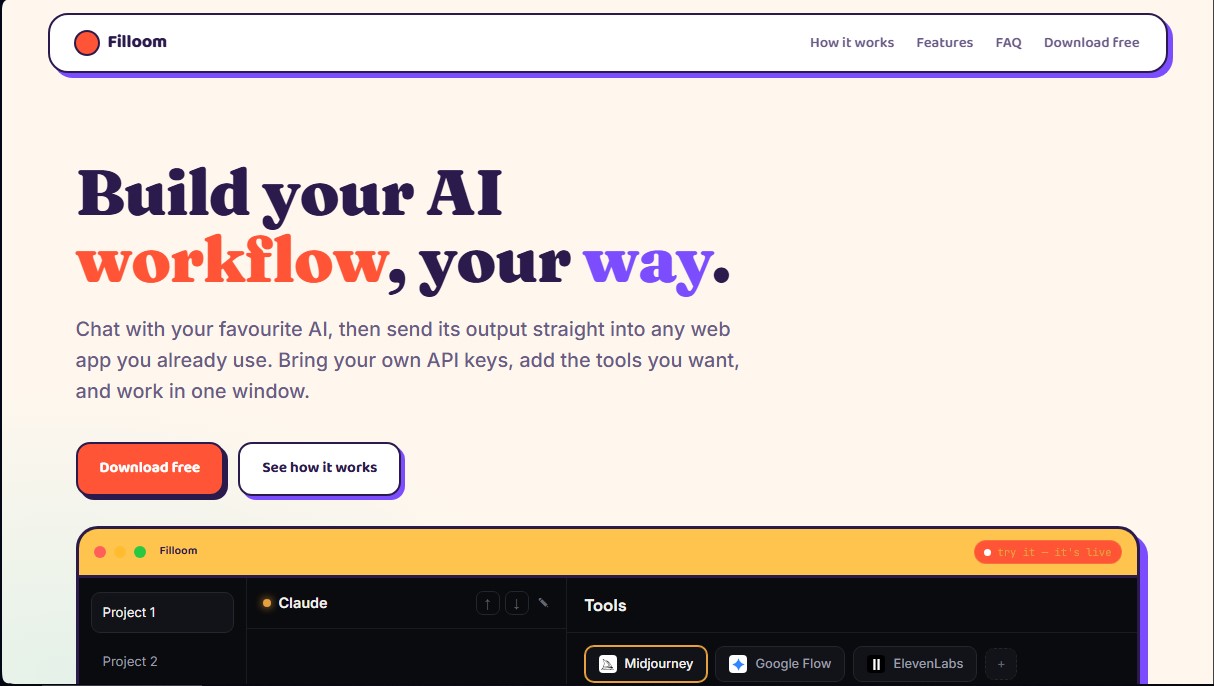
Filloom is a native macOS application designed to centralize and optimize the AI workflow through a unified and functional interface. Its primary goal is to act as a direct bridge between leading large language models (LLMs) and the web applications users typically use, allowing AI-generated text output to be automatically transferred to other tools without the need for manual copy-pasting. This solution is geared toward content creators, designers, and professionals looking to maximize their productivity through AI task automation.
Filloom’s technology is based on a local execution approach, meaning the application does not use intermediary servers or store private information in the cloud. Users integrate their own API keys from leading providers such as Claude (Anthropic), ChatGPT (OpenAI), Gemini (Google), Mistral, and Grok. This ensures direct communication with the model provider, maintaining data privacy and allowing the use of subscriptions the user already owns. Credentials are saved in encrypted form within the macOS Keychain on the computer.
The tool’s operation is structured around an agile workflow:
- Content Generation: It enables interaction with the selected AI model by pre-loading system instructions and reference documents (such as style guides or brand manuals) so the model understands the project's context.
- Block Routing: AI responses are automatically divided into individual cards or blocks. Each block includes a "Send to" button, which redirects the content to the corresponding web tool integrated into the interface.
- Web App Integration: Users can add any URL-based tool, such as Midjourney, ElevenLabs, or specific editors. These applications open as actual tabs alongside the chat, facilitating fluid interaction within a single window.
Among its practical benefits, the management of project-based workspaces stands out. Each project is independent and remembers the specific AI model configuration, linked tools, and provided knowledge files. Since it runs natively on macOS (compatible with both Apple Silicon and Intel), generated files and downloads are automatically organized into local folders by project. Filloom eliminates browser tab clutter and unifies AI orchestration in a professional, secure, and highly customizable environment.
Filloom features and use cases
How to use Filloom
Filloom FAQ
What is Filloom and what exactly is it for?
It’s a macOS app that lets you chat with various AI models and send generated content directly to other web tools without switching windows.
How much does it cost to download and use Filloom?
The tool is free and requires no registration or subscription, so you can download it and start working immediately without providing any payment information.
Where are my API keys stored in Filloom?
Your keys are stored exclusively on your Mac and encrypted using the system Keychain, ensuring the app doesn't use external servers to manage them.
Which AI models are compatible with the tool?
You can connect your own API keys for Claude, ChatGPT, Gemini, Mistral, and Grok to use them based on the specific needs of each project.
Can I integrate any web app into my workflow?
Yes, you can add any website via its URL so it appears in a sidebar and automatically receives information from the AI.
What are the technical requirements for Filloom?
The app runs locally on Macs with Intel or Apple Silicon processors and requires an active internet connection to process AI queries.
How does Filloom make managing different projects easier?
Each workspace remembers its own model settings, integrated tools, and style documents, so you don't have to reconfigure anything when switching tasks.
What happens if a website blocks direct integration in Filloom?
If a website doesn't allow embedding, the app will automatically copy the text to your clipboard so you can quickly paste it manually.
Filloom pricing and plans
Free Plan: 0 $
Unlimited projects and integrated web tools.
Connect with five AI providers (Claude, ChatGPT, Gemini, Mistral, and Grok) using your own API keys.
One-click output routing to send text directly to fields in other web apps without copying and pasting.
Runs locally on macOS: keys and data are encrypted on your device and never pass through external servers.
Support for project-specific context documents (style guides, rules, or manuals).
No account creation, registration, or credit card required.
Restrictions: Requires macOS 12 or higher and the use of third-party API keys (API costs not included).
Filloom Screenshots
Filloom user reviews
Write a review
Checking your session...
Filloom Reviews
Loading reviews...
Filloom alternatives



TriggerFlow
Automate Windows apps without APIs using computer vision and AI. Manage PC fleets, monitor processes, and provide centralized remote control.

Relevance AI
Relevance AI lets companies design AI agents that take on work in sales, customer support, marketing, HR and operations, wired into the tools they already use.

