
Share
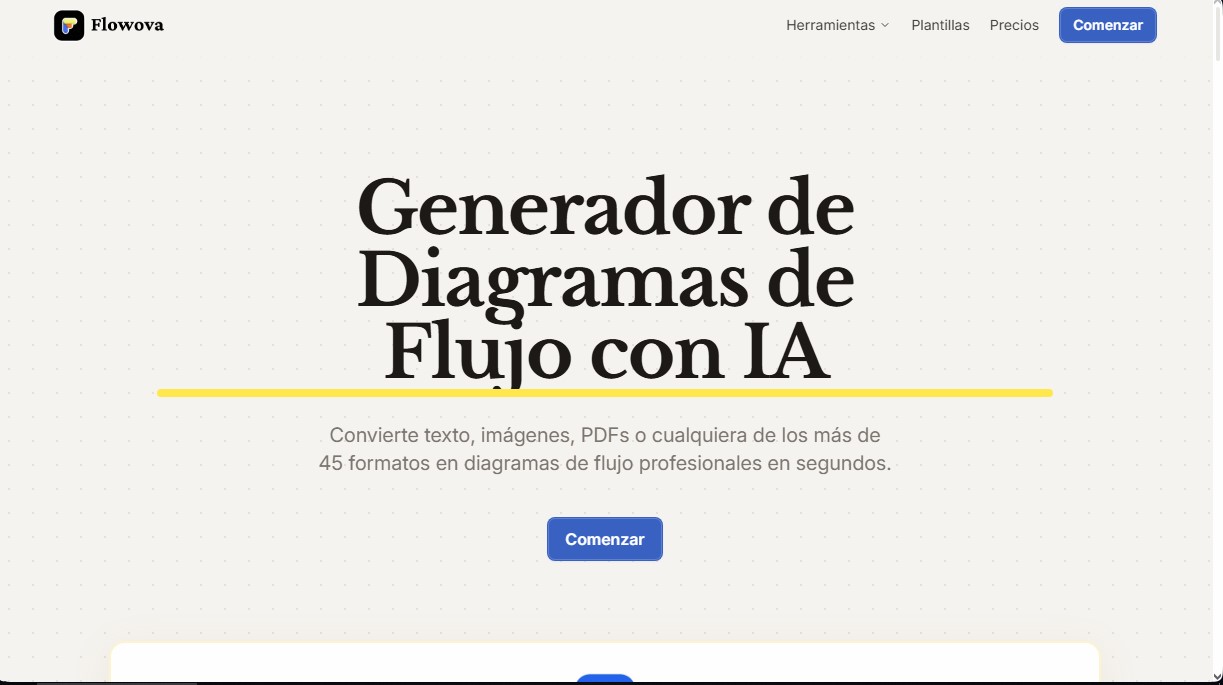
Generate professional flowcharts from text, PDFs, or images. Supports 45+ formats, AI-powered editing, and exports to PNG, SVG, or Mermaid code.
What is Flowova AI?
Flowova AI is an advanced solution designed for the automatic creation of flowcharts using artificial intelligence. Its primary function is to instantly transform text descriptions, files, or links into structured visual representations. This tool is geared toward professionals across various sectors—such as software development, human resources, and marketing—who need to visualize complex processes without relying on manual design skills. Thanks to its ability to interpret natural language, the system eliminates technical barriers in technical and operational flowcharting.
Flowova operates by processing data through AI models that analyze the hierarchy and logic of the provided information. Users can input data in more than 45 different formats, including PDF documents, Word files, Excel spreadsheets, PowerPoint presentations, programming code, and even screenshots in PNG or JPEG formats. Once the input is analyzed, the tool performs an intelligent selection of shapes and establishes automatic logical connections, generating a diagram with a clean, professional design in a matter of seconds.
Key functional capabilities include:
- AI Chat Agent: Allows you to refine the results using natural language instructions, such as adding additional steps, reorganizing the structure, or correcting flow logic.
- Intuitive Visual Editor: Includes drag-and-drop functionality, double-click node editing, and more than 18 available geometric shapes.
- Automatic Layout: A single click is all it takes to reorganize cluttered elements into a balanced and professional structure.
- Mermaid Support: The ability to import and export Mermaid code, facilitating seamless two-way integration within technical documentation environments.
- Aesthetic Customization: Access to more than 40 professional color themes optimized to ensure readability and high contrast in every diagram.
The utility of Flowova AI extends to collaboration and operational efficiency. As a web-based application, it is accessible from any computer, tablet, or mobile device with an internet connection, keeping progress automatically synced in the cloud. When it comes to delivering results, it offers multiple export options, including vector formats like SVG (for infinite scaling), images in PNG, JPEG, or WebP, and public links for external sharing.
The platform also includes a library of more than 40 free templates tailored to specific use cases and supports standard keyboard shortcuts to speed up manual editing. This AI tool’s approach prioritizes time savings, allowing users to focus on the logic of the process while the technology handles the visual arrangement and structural consistency of the flowchart.
Flowova AI features and use cases
How to use Flowova AI
Flowova AI FAQ
What is Flowova AI, and how does it help me create diagrams?
It is an AI-powered generator that automatically converts text, images, PDF documents, and other formats into professional flowcharts quickly and easily.
What types of files can I use in Flowova to generate my workflows?
The tool supports over 45 different formats, including Word, Excel, and PowerPoint documents, PDFs, high-resolution images, and even website links.
Can I modify the design once the AI has finished its work?
Yes, you have access to a full drag-and-drop editor to move elements, change shapes, adjust connections, and apply over 40 color themes to customize the result to your liking.
What export options does Flowova AI offer for my projects?
You can download your diagrams as PNG files for free, while Pro users can export in SVG, JPEG, WebP, or Mermaid code for integration into other platforms.
Do I need design skills to use this tool?
No prior skills are necessary. The AI automatically handles the logical structure and visual design with just a single click.
Can I share my Flowova diagrams with people who don't have an account?
Absolutely. You can generate a public link so any client or collaborator can view the diagram instantly without needing to register for the application.
What are the advantages of the Flowova Pro plan compared to the free version?
The Pro version offers unlimited generations, removes watermarks from exports, allows you to upload up to 20 files at once, and unlocks advanced formats like SVG and Mermaid.
Does Flowova allow me to import existing Mermaid code?
Yes, the tool allows you to paste Mermaid syntax to automatically convert it into a visual diagram that you can easily edit and customize within the editor.
Is my data safe when using this diagram generator?
Privacy is a top priority. Your diagrams are stored securely, and we ensure that only the content strictly necessary to generate your workflows is processed.
Can I use Flowova AI on my phone or tablet?
Since it is a web-based application, it works perfectly on any device with a modern browser and an internet connection, automatically syncing your progress to the cloud.
Flowova AI pricing and plans
Free Plan
- 3 AI generations.
- Storage for up to 3 diagrams.
- Access to diverse shapes and auto-layout.
- PNG export.
- Default theme and background.
- No credit card required.
Pay-as-you-go (9,99 $ - One-time payment)
- 100 AI generations (no expiration).
- AI Chat and node editing.
- Generate from 45+ formats (PDF, Word, Excel, images, and more).
- Mermaid code import and export.
- Cloud storage for all diagrams.
- Support for files up to 30 MB and 20 simultaneous uploads.
- PNG, SVG, JPEG, and WebP export without watermarks.
- Access to 40+ themes, frames, and Expert Mode.
- Faster AI processing.
Pro Plan (9 $ per month or 5,75 $ per month billed annually at 69 $)
- Unlimited AI generations.
- AI Chat and unlimited storage.
- Unlimited generation from 45+ formats.
- Unlimited Mermaid import and export.
- Support for 30 MB files and 20 simultaneous uploads.
- PNG, SVG, JPEG, and WebP export without watermarks.
- Access to Expert Mode, 40+ themes, and connector styles.
- Faster AI processing.
- Priority support and early access to new features.
- 30% discount available for students and educators.
Lifetime Pro Plan
- To check pricing and terms for this plan, please visit the official website.
Flowova AI Screenshots
Flowova AI user reviews
Write a review
Checking your session...
Flowova AI Reviews
Loading reviews...
Flowova AI alternatives
Sprite Fusion
Generate and animate professional pixel art for games using AI. Create sprites, character sheets, and normal maps with direct export to Unity and Godot.
Redditapis
API to read, post, vote, and DM on Reddit without app reviews. Pay-as-you-go pricing, no subscription, and fast setup for AI agents.

LaunchProof
Audit websites across various browsers and devices to detect security, performance, or accessibility flaws, offering reports with solutions to fix them.
ParseCrate
Open-source, self-hosted document processing API. Converts PDFs and Office files into structured content with OCR and table detection for AI applications.
Together Link
Connect coding agents to open models to cut costs. Keep your existing tools and settings while optimizing token usage in every session.
