
Share
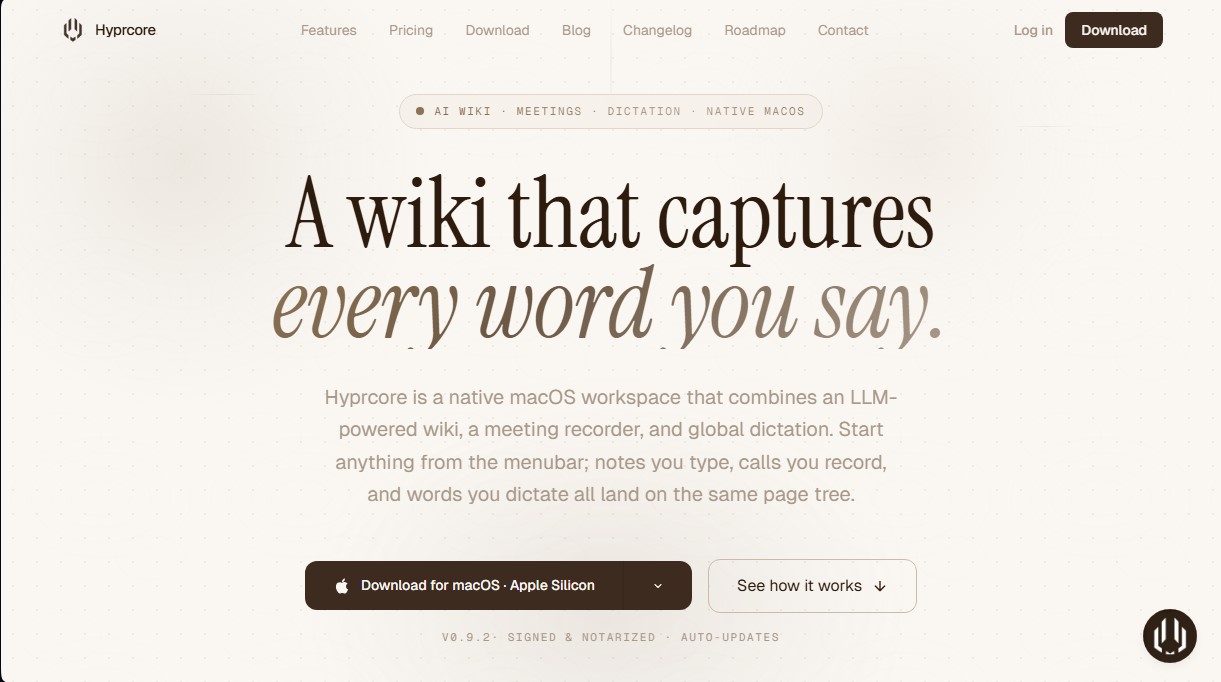
macOS workspace combining dictation, meeting recording, and AI wiki. Centralize notes, transcripts, and automated summaries in one place.
What is Hyprcore?
Hyprcore is a native macOS workspace designed to centralize knowledge management through artificial intelligence. This tool integrates three critical functions into a single interface: an LLM-powered smart wiki, an advanced meeting recorder, and a global dictation system. Its primary goal is to empower professionals and teams to capture every spoken or written word, automatically organizing it into a page tree that is accessible and searchable using natural language.
The global dictation feature allows you to write at the speed of thought in any application on your computer. By activating a keyboard shortcut, users can speak and watch their words instantly transform into text wherever the cursor is located, without needing to switch windows. From a technical standpoint, Hyprcore stands out by utilizing up to seven GPU-accelerated local speech engines, such as Whisper, NVIDIA Canary, Parakeet, or Moonshine. This ensures that processing remains private and extremely fast, even offering live translation as you speak.
Regarding session management, the app uses a floating recorder that captures both system and microphone audio on platforms like Zoom, Slack, or Google Meet. The system doesn't just transcribe; it applies speaker diarization to identify who is speaking at any given time. After the session, the AI automatically generates executive summaries, to-do lists, and key decisions, transforming every call into a structured page within the wiki.
The Hyprcore wiki acts as a digital brain where all content is indexable. It utilizes a page structure with icons and cover images, allowing information to be organized visually and hierarchically. One of its most powerful capabilities is the AI Knowledge Base, which enables semantic queries across your entire history. Users can ask specific questions about past meetings, and the tool will respond based on stored transcripts and notes, citing the original sources.
Key technical and functional features include:
- GPU-accelerated dictation with multiple local engines to ensure data privacy.
- Meeting recording with automatic generation of summaries and editable action items.
- ⌘K Universal Search to jump instantly between pages, notes, and meeting transcripts.
- MCP (Model Context Protocol) integration, allowing accumulated knowledge to connect with external AI agents like Claude or Cursor.
- Flexible post-processing, letting you choose between local models like Ollama or cloud services like GPT-4, Claude, or Gemini to refine text and summaries.
Hyprcore is optimized for Apple Silicon and is positioned as a comprehensive solution for users who need to turn conversations and spontaneous thoughts into structured, actionable documentation, while always maintaining control over their privacy by prioritizing local on-device processing.
Hyprcore features and use cases
How to use Hyprcore
Hyprcore FAQ
What exactly is Hyprcore?
Hyprcore is a native macOS workspace that integrates an AI-powered wiki, a meeting recorder, and a global dictation system into a single platform.
Does Hyprcore work offline?
Yes. The dictation feature is processed locally on your computer using built-in voice engines, and meeting transcriptions can also be handled offline to protect your privacy.
How does Hyprcore differ from other apps like Notion or Granola?
Hyprcore is the only native Mac app that combines dictation, meeting recording, and a wiki into a single page tree, allowing all your notes and calls to live in one searchable location.
Is my conversation data secure in Hyprcore?
Privacy is a core priority; dictation never leaves your Mac, and meetings are synced with end-to-end encryption to ensure that only you and your team have access to the information.
Which languages does the transcription system support?
Hyprcore transcribes most major languages and features specialized engines that can even translate your voice into another language in real time as you speak.
Is there a free version of Hyprcore available for download?
Yes. The free plan allows you to use on-device dictation, record basic meetings, and use a local voice engine indefinitely at no cost.
What additional features are included in the Pro plan?
The Pro plan unlocks access to seven local voice engines, AI-powered automatic summaries, semantic search within your knowledge base, and integrations with external development tools.
Can I use my own language models with this tool?
Yes. Hyprcore allows you to connect custom models via Ollama or use any compatible Whisper model to tailor transcription and processing to your specific needs.
Hyprcore pricing and plans
Free: 0 $ forever
Basic dictation.
1 local voice model.
Limited meeting recording.
Local transcription only.
Limited to 1 device.
Pro: 19,99 $ per month
Includes everything in the Free plan.
Access to all 7 local voice engines.
Live translation (NVIDIA Canary).
Cloud transcription (Cloud STT) with Deepgram and Groq.
Unlimited meeting recording.
AI-generated summaries and action items.
AI-powered knowledge base search.
Meeting sharing links.
MCP integration.
5 GB cloud storage.
Use on up to 2 devices.
Team: 39,99 $ per month
Includes everything in the Pro plan.
Up to 3 team members.
15 GB shared cloud storage.
2.5x monthly AI credits.
Team collaboration and sharing tools.
Role-based access control.
Shared knowledge base.
Priority support.
Hyprcore Screenshots
Hyprcore user reviews
Write a review
Checking your session...
Hyprcore Reviews
Loading reviews...
Hyprcore alternatives




Fireflies.ai
Fireflies.ai joins your meetings, transcribes them, writes summaries and action items, and lets you search or ask questions across every conversation.