

Share
Quickly integrate the official WhatsApp API into apps. Automate AI messaging, build flows, and manage communications for developers.
What is Kapso?
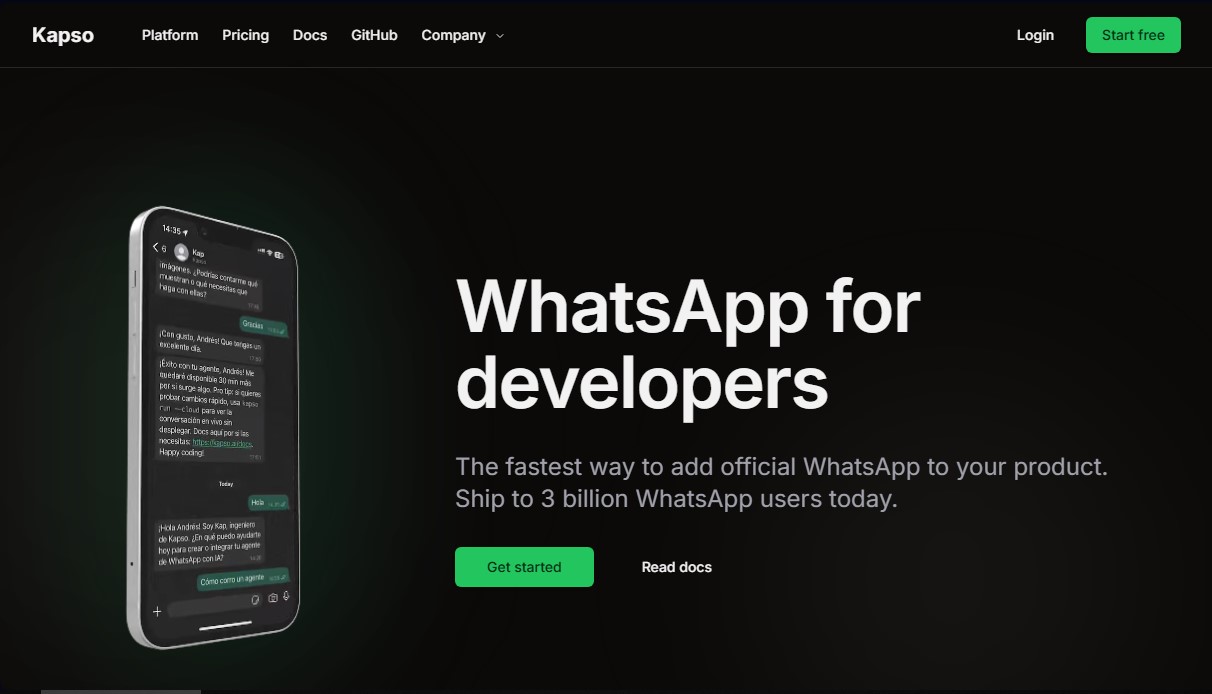
Kapso is an advanced platform designed specifically for developers and companies looking to integrate the official WhatsApp API into their products quickly and securely. As an Official Meta Business Partner, this tool streamlines high-volume and personalized communication, allowing technical teams to skip complex manual infrastructure setup processes and focus on product functionality.
The tool offers three primary connection methods: using a U.S. virtual number ready upon registration (no SIM card or verification codes required), linking your own number from any country via a one-time verification, or direct synchronization with the WhatsApp Business app to preserve message history. This flexibility allows any computer or backend system to connect to the messaging network in minutes.
From a technical standpoint, Kapso stands out for its focus on Developer Experience (DX). The system includes:
- Sandbox environment: A secure testing space to trial messaging before going to production.
- WhatsApp Webhooks: Real-time notifications sent directly to the server to manage replies and statuses.
- API logs and tracking: Detailed request logs and precise monitoring of message statuses (sent, delivered, and read).
- SDK and CLI: Command-line tools and libraries for modern languages that simplify sending text and files.
Artificial Intelligence integration is a core pillar of Kapso. The platform enables the creation of workflows and AI agents using natural language through the Kapso Agent. Additionally, it is compatible with external coding agents like Claude Code, Cursor, or Codex, facilitating the development of complex automations and the implementation of WhatsApp Flows to generate forms, booking systems, or interactive catalogs directly within the messaging app.
For operational management, it features a shared Inbox for support teams, a Broadcast system for mass campaigns, and a visual automated workflow builder that connects with over 2,700 external applications.
In corporate and SaaS environments, Kapso acts as a white-label solution that allows companies to automate customer onboarding. Through custom setup links, end users can seamlessly link their own WhatsApp accounts, enabling the primary company to manage messaging at scale through a centralized, professional infrastructure.
Kapso features and use cases
How to use Kapso
Kapso FAQ
What exactly is Kapso and what is it used for?
Kapso is a platform designed for developers to integrate the official WhatsApp API into their products quickly and easily.
How long does it take to connect a number to Kapso?
The connection can be set up in just two minutes using a number provided by the platform or by verifying your own.
Can I use my own phone number with Kapso?
Yes, you have the option to use your own SIM card from any country or use the pre-verified U.S. numbers provided by the platform.
Does Kapso offer a free plan for new projects?
The platform features a free plan that includes 2,000 messages per month and access to a sandbox environment to perform integrations at no upfront cost.
How does Kapso simplify the creation of automated workflows?
The tool features a visual flow builder and AI agents that allow you to automate conversations and connect with over 2,000 external applications.
What are the benefits of Kapso's Sandbox mode for developers?
The Sandbox allows you to safely test the WhatsApp API with a shared number before moving to a final production environment.
Does Kapso allow my clients to connect their own WhatsApp accounts?
Yes, using the platform-specific plan, you can generate setup links so your clients can easily complete the official Meta registration process.
How are official Meta fees handled in Kapso?
Kapso passes Meta's official costs directly to the user without adding any additional markup to the base message price.
What monitoring tools does Kapso provide for sent messages?
The platform offers real-time API logs and a tracking system to see exactly when messages are sent, delivered, and read.
Can I build apps within WhatsApp using Kapso?
Yes, the tool facilitates the creation and deployment of WhatsApp Flows to implement forms, bookings, or catalogs connected to any external API.
Kapso pricing and plans
Free
$0/month
2,000 messages per month.
$2 welcome credit.
1 connected phone number.
Includes Kapso sandbox number and a free pre-verified US number.
Team inbox with unlimited seats.
Unlimited AI agents and workflows.
Meta fees at cost, with no additional markup.
Pro
$25/month
Everything in the Free plan.
100,000 messages per month ($0.002 per additional message).
Ability to onboard your own clients to the platform.
3 connected phone numbers ($10 per additional number).
Pre-verified US numbers included.
Platform
$299/month
Everything in the Pro plan.
White-label client onboarding.
Centralized Meta billing for all clients.
1,000,000 messages per month ($0.001 per additional message).
50 connected phone numbers ($5 per additional number).
Pre-verified US numbers included.
Enterprise
Custom pricing
Everything in the Platform plan.
Tailored pricing and usage limits.
Dedicated support.
Priority feature requests.
Kapso Screenshots
Kapso user reviews
Write a review
Checking your session...
Kapso Reviews
Loading reviews...
Kapso alternatives

Sprite Fusion
Generate and animate professional pixel art for games using AI. Create sprites, character sheets, and normal maps with direct export to Unity and Godot.

Redditapis
API to read, post, vote, and DM on Reddit without app reviews. Pay-as-you-go pricing, no subscription, and fast setup for AI agents.

LaunchProof
Audit websites across various browsers and devices to detect security, performance, or accessibility flaws, offering reports with solutions to fix them.

ParseCrate
Open-source, self-hosted document processing API. Converts PDFs and Office files into structured content with OCR and table detection for AI applications.

Together Link
Connect coding agents to open models to cut costs. Keep your existing tools and settings while optimizing token usage in every session.
