LinaFlow
Share
LinaFlow
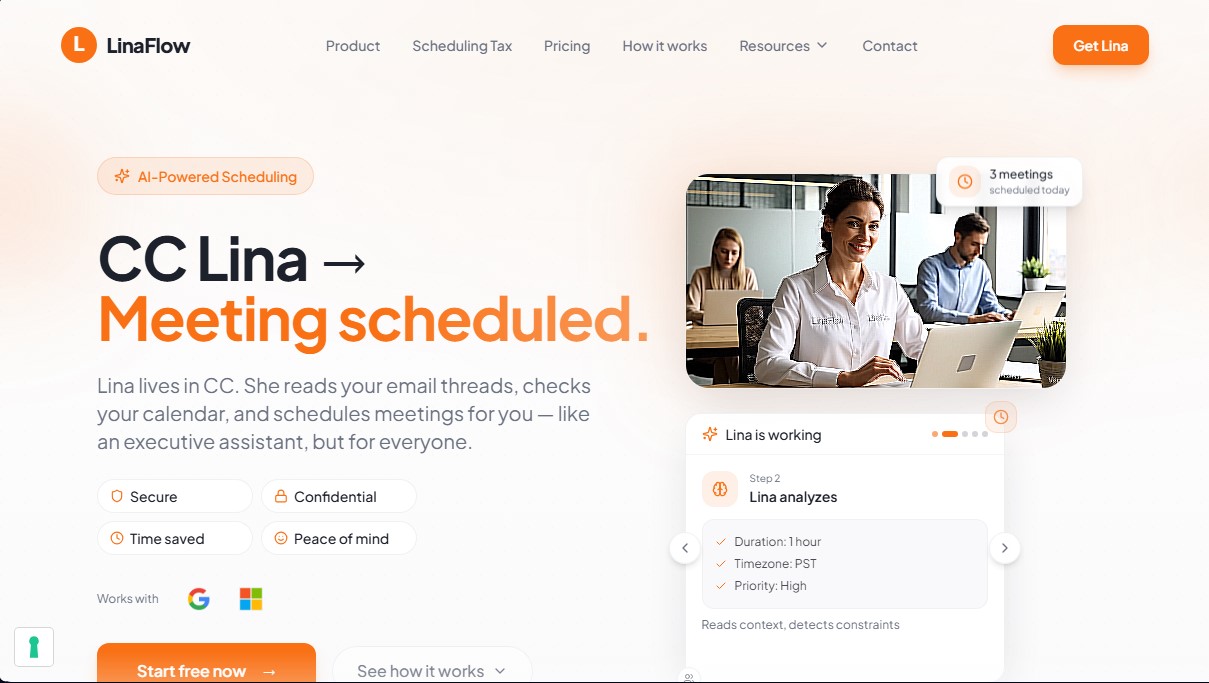
AI assistant that manages your calendar via email. Just CC it to suggest available times and automatically book your meetings.
General Information about LinaFlow
LinaFlow is an AI virtual assistant specialized in meeting management and time optimization. Its primary function is to act as a digital executive secretary that organizes the user's schedule directly through email. Unlike other platforms that require the mandatory use of booking links, this tool works natively by including the AI's address in copy (CC) on any conversation thread.
The operation of LinaFlow is based on a simplified process that eliminates the constant back-and-forth messaging needed to finalize an appointment. Upon receiving an email requesting a meeting, the user simply needs to reply naturally and CC the AI ([email protected]). The system uses natural language processing technology to understand the thread's context, check availability across linked calendars, and intelligently propose the best time slots to the recipient. Once the guest chooses an option, the tool automatically generates the calendar event and sends invitations with the corresponding video link.
Regarding its technical architecture, LinaFlow stands out for its focus on data privacy and security. The AI does not have full access to the inbox; it only processes threads where it has been explicitly included. Furthermore, to protect confidentiality, it only reads "free/busy" information from the calendar without accessing event titles, descriptions, or private content. It is a GDPR-compliant solution developed in Europe, fully compatible with Google Workspace and Microsoft 365.
Its functional capabilities and practical benefits include:
- Multi-calendar synchronization: Allows connecting personal, professional, and side project accounts to avoid double-booking.
- Automatic follow-ups: The AI follows up with guests who have not responded to time proposals, preventing meetings from being forgotten.
- Time zone management: Automatically performs time zone adjustments for international meetings without calculation errors.
- Provisional blocks: Reserves proposed slots in the user's schedule while the guest decides, releasing them if the appointment is not confirmed.
- Behavior customization: Allows for adjusting the tone of responses, the number of options offered, and setting buffer times between calls to avoid rushing.
This AI productivity tool is designed for professionals with a high management workload, such as executives, team managers, entrepreneurs, and consultants who do not have a full-time human assistant. By integrating through an Outlook extension, a desktop application, or directly via email, it allows users to delegate scheduling logistics and save up to five hours a week on administrative tasks.
Features and Use Cases of LinaFlow
How LinaFlow Works
Frequently Asked Questions about LinaFlow
What is LinaFlow and how exactly does it work?
LinaFlow is an AI assistant that manages your schedule. By CC'ing her on your emails, she suggests available slots and automatically books appointments for you.
Does LinaFlow have full access to my inbox?
No, the tool only reads the email threads where you specifically include it. It does not have permission to scan the rest of your private emails.
How does the tool check my calendar availability?
LinaFlow only sees whether you are "free" or "busy." It never accesses your event titles, descriptions, or guest lists.
Do my guests need to install any apps to use LinaFlow?
No, your guests simply reply to the email naturally. They don't need to create an account or use any third-party platforms.
Which calendar services is LinaFlow compatible with?
The system works seamlessly with Google Workspace and Microsoft 365 accounts, allowing for full integration with Gmail and Outlook calendars.
What happens if a guest forgets to reply to the meeting proposal?
LinaFlow automatically follows up with guests who haven't responded to ensure the meeting gets scheduled without you having to intervene.
Is there an option to try LinaFlow for free?
You can use the free plan, which includes managing ten meetings per month, to experience all the benefits of a virtual assistant with no commitment.
How does LinaFlow handle different time zones?
The tool automatically detects and calculates the time difference between you and your guests to suggest options that work for both parties.
LinaFlow Pricing
Free Plan (0 € per month):
- Limit of 10 scheduled meetings per month.
- Use the tool by CC'ing [email protected].
- Advanced security and privacy architecture.
- No inbox access for enhanced confidentiality.
Basic Plan (29 € per month):
- Unlimited meetings for 1 user.
- Full access to Lina’s scheduling intelligence.
- Use by CC'ing [email protected].
- Ideal for professionals with more than 3 meetings per week.
Premium Plan (49 € per month):
- Includes all Basic plan features.
- Custom actions (e.g., "Clear the rest of my day").
- Tone and behavior settings to tailor the assistant to your style.
- Advanced settings for total control over calendar preferences.
- Executive-level experience designed to maximize time savings.
LinaFlow Screenshots