Lutra
Share
Lutra
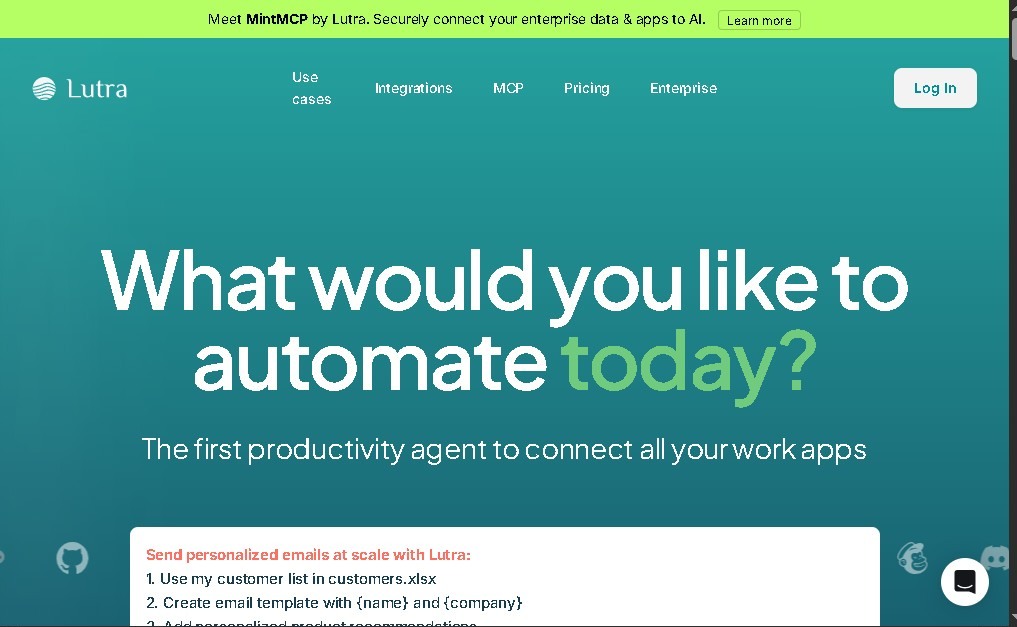
Automate tasks and workflows with natural language. Connect apps, extract data from documents, and sync information across your work tools.
General Information about Lutra
Lutra AI is an advanced AI assistant and workflow automation engine designed to execute complex tasks using natural language instructions. Unlike conventional chatbots, this tool acts as a proactive agent capable of interacting with various applications to perform specific actions, such as extracting data, processing information, or managing communications autonomously. Its primary goal is to optimize user productivity by eliminating the burden of repetitive and manual tasks in the digital workspace.
The technology behind Lutra AI allows it to translate text commands into technical execution sequences. It utilizes state-of-the-art AI models to understand the context of requests and connect with the ecosystem of computer or cloud-based tools. The system is based on the creation of Playbooks, which are automated and reusable workflows that perform multiple steps without the need for constant human intervention, ensuring seamless and coherent integration across different platforms.
One of the greatest advantages of Lutra AI is its ability to integrate multiple applications used daily in the professional sphere. The software connects natively with essential tools such as Google Workspace, Slack, HubSpot, Airtable, Outlook, and OneDrive. This allows data and actions to sync automatically across different services, ensuring that information is always up to date in the CRM or company databases, avoiding duplicate efforts and human error.
Among the most notable capabilities of this AI for business platform are:
- Data extraction and analysis: The ability to capture specific information from PDFs, websites, or databases and organize it into a structured format.
- Contact enrichment: Automatically updating customer profiles and data within sales and marketing tools.
- Intelligent email management: Analyzing incoming messages to generate responses, create to-do lists, or categorize relevant information.
- Spreadsheet synchronization: Populating data obtained from the web or other documents directly into management sheets.
This tool is particularly useful for operations professionals, sales teams, project managers, and analysts looking for intelligent automation without needing advanced programming knowledge. By delegating document processing and record updates to the AI, users can focus on higher-value strategic tasks. The versatility of Lutra AI makes it an indispensable ally for improving operational efficiency and accuracy in information management on any device or mobile platform with access to its services.
Features and Use Cases of Lutra
How Lutra Works
Frequently Asked Questions about Lutra
What is Lutra AI and what exactly does it do?
It is an AI assistant and automation engine designed to execute complex tasks and sync data using natural language commands.
How do Playbooks work in Lutra AI?
Playbooks are reusable, automated workflows that perform multi-step processes autonomously, eliminating the need for constant human intervention.
What apps can be integrated with Lutra AI?
The tool connects with popular platforms like Google Workspace, Slack, HubSpot, Airtable, Outlook, and OneDrive to automate data sharing.
Can I extract information from PDF files using Lutra AI?
Yes, the AI can analyze and extract data from PDFs, websites, or databases to organize information or automatically update your CRM.
Is there a free option to try Lutra AI?
The platform offers a free plan that includes basic access to the assistant, 15 messages per day, and approximately 200 monthly credits for performing actions.
What is the difference between the Lutra AI Essentials plan and the free version?
The Essentials plan offers unlimited messages, 2,000 monthly credits, and access to advanced features like workflow scheduling and webhooks.
How are usage credits managed in Lutra AI?
Credits are consumed based on the AI actions and live data processing performed within your automations.
What benefits does the Lutra AI Professional plan offer for businesses?
This plan provides priority unlimited messaging, 6,000 monthly credits, priority support, and the option to purchase additional credits at a discount.
Lutra Pricing
Free Plan
$0/month
- Basic AI agent access.
- 15-message daily limit.
- Approximately 200 monthly credits for AI actions and data.
- Basic integrations with apps like Google Workspace, Slack, and Airtable.
Essentials Plan
Approximately $23/month (billed annually)
- Unlimited messages.
- Approximately 2,000 monthly credits.
- Access to premium tools.
- Advanced features like workflow scheduling and webhooks.
Professional Plan
Approximately $63/month (billed annually)
- Unlimited messages with priority access.
- Approximately 6,000 monthly credits.
- Discounted additional credit purchase options.
- Priority support.
Enterprise Plan
Custom pricing (contact sales)
- Unlimited credits.
- Tailored custom integrations.
- Dedicated support.
- Advanced security and data handling policies.
Lutra Screenshots