

Max: AI Coworker in Slack
Share
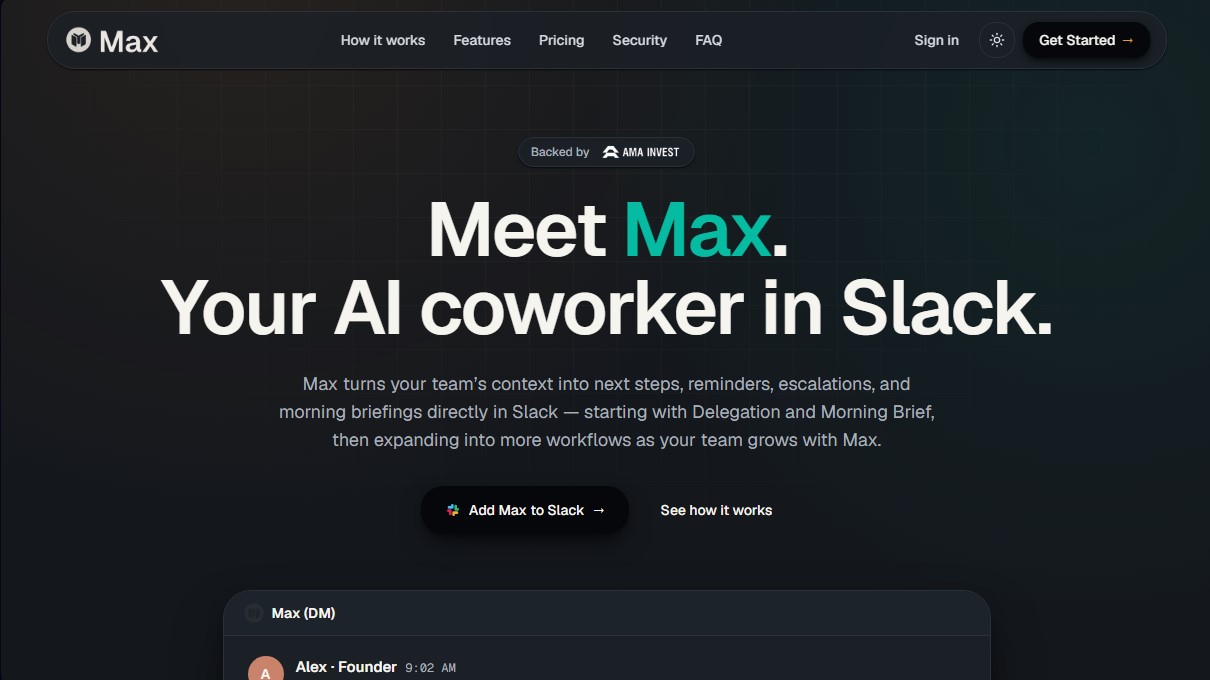
AI assistant for Slack that manages tasks, reminders, and daily summaries. Integrate your tools to automate follow-ups and coordinate your team.
What is Max: AI Coworker in Slack?
Max: AI Coworker in Slack is an AI assistant designed to integrate directly into the Slack ecosystem, acting as a digital collaborator within the team. Its primary function is to transform scattered context from conversations, emails, and management tools into concrete actions, such as reminders, follow-ups, escalations, and operational summaries. Unlike conventional chatbots, this tool focuses on generating tangible results and executing workflows that often get lost in the daily flow of messages.
Max operates using natural language processing to interpret simple, direct requests. The user indicates the desired goal, and the AI handles querying connected data sources to create a draft, report, or task. This productivity AI approach allows the tool to extract relevant information from over 25 integrated applications, including HubSpot, Jira, Notion, Google Drive, Salesforce, Asana, and Microsoft 365.
The tool deploys its capabilities through two fundamental routines:
- Morning Brief: Every morning, Max compiles updates from all linked tools to provide a personalized summary directly to your computer or mobile device via Slack. This report includes pending tasks, critical messages, the day's calendar, and focus priorities for the workday.
- Delegation and Follow-up: It allows you to assign tasks using everyday language and set escalation rules. If a milestone isn't met within the scheduled timeframe, the tool can send automatic reminders to the person responsible or notify the supervisor, ensuring nothing falls through the cracks.
The technology behind Max: AI Coworker in Slack sets itself apart from rigid automations through its ability to handle complex contexts and provide review-ready outputs. While other systems merely connect events, this virtual assistant synthesizes information from various sources to prepare the final work, always keeping the human in the decision-making loop.
Regarding security and control, the system allows you to precisely define which data the AI can access in each workspace. All sensitive actions require prior human approval before being executed, sent, or published. Furthermore, every generated result shows the information sources used, providing full traceability and activity auditing to ensure transparent and reliable AI project management in professional environments. By design, it is an ideal solution for operations teams, account managers, and project leads looking to reduce administrative overhead and improve goal tracking.
Max: AI Coworker in Slack features and use cases
How to use Max: AI Coworker in Slack
Max: AI Coworker in Slack FAQ
What exactly is Max, and how does it help my team?
Max is an AI coworker integrated into Slack that manages tasks, reminders, and daily summaries by connecting to your existing tools.
Which platforms currently support Max?
Currently, Max works exclusively on Slack, though compatibility with other tools like Microsoft Teams and ClickUp is planned for the near future.
What information is included in Max’s morning brief?
The Morning Brief provides a clear overview of your pending tasks, important messages, scheduled meetings, and daily priorities directly in your private chat.
How is Max different from a conventional AI chatbot?
Unlike generic chatbots, Max accesses the real-world context of your connected tools to deliver completed work that's ready for review, rather than just providing answers.
How many external apps can Max integrate with?
The tool connects with over 25 essential apps—such as HubSpot, Jira, Gmail, and Google Calendar—and plans to expand to 3,000 integrations.
Do I have control over the actions Max takes within my tools?
Yes. The system requires human approval for sensitive actions and allows you to set specific permissions to decide exactly what the AI can see or edit.
Can I try Max's advanced features for free?
You can enjoy full access to the Pro plan for three days to evaluate its value, with no credit card required.
How does task delegation work in Max?
Just ask Max to assign a task or reminder using natural language; he will handle the follow-up and notify you if something isn’t completed on time.
Max: AI Coworker in Slack pricing and plans
Free Trial
Full access to all Pro plan features for 3 days.
No credit card required.
Max Pro (Flat-rate pricing based on workflow, see official website)
Task delegation and reminder routines.
Morning Brief routine with priorities and schedule.
Access to all available integrations (25+ tools including Gmail, HubSpot, Jira, etc.).
Native workflow within Slack.
Human approval controls to oversee AI actions.
Recurring task management and automated follow-ups.
Context extraction from the team's connected tools.
Enterprise Plans (Contact for pricing)
Custom integrations tailored to company needs.
Detailed security reviews.
Dedicated onboarding process.
Direct support via shared Slack channels.
Max: AI Coworker in Slack Screenshots
Max: AI Coworker in Slack user reviews
Write a review
Checking your session...
Max: AI Coworker in Slack Reviews
Loading reviews...
Max: AI Coworker in Slack alternatives



TriggerFlow
Automate Windows apps without APIs using computer vision and AI. Manage PC fleets, monitor processes, and provide centralized remote control.

Relevance AI
Relevance AI lets companies design AI agents that take on work in sales, customer support, marketing, HR and operations, wired into the tools they already use.
