Mochify
Share
Mochify
Optimize e-commerce images with AI. Remove backgrounds, batch crop, and convert formats to improve loading speed and product rankings.
General Information about Mochify
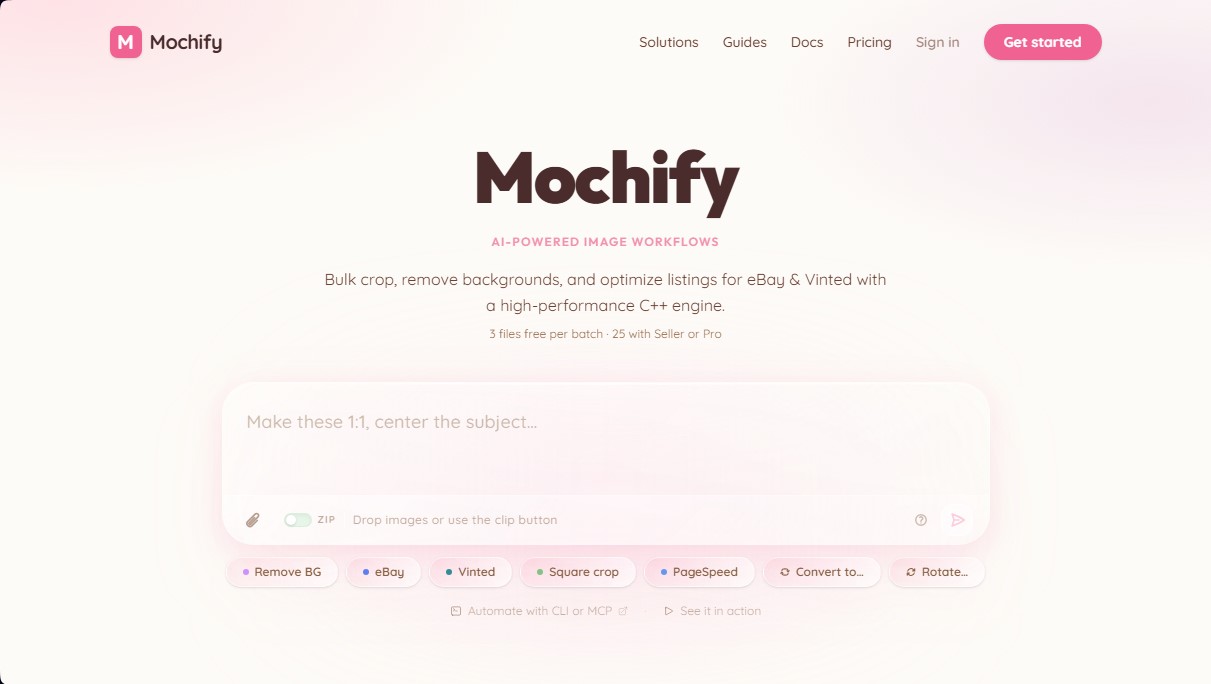
Mochify is an advanced AI image optimization platform designed to accelerate visual workflows in e-commerce and professional web development. This tool handles complex tasks such as batch processing, background removal, and smart photo cropping using a high-performance engine built on C++20. Its primary goal is to provide a superior technical solution for users who need to prepare product catalogs for platforms like eBay, Vinted, or Shopify, ensuring maximum loading speeds without compromising visual quality.
Mochify’s operation stands out through the use of cutting-edge technologies like Jpegli, which produces files up to 35% smaller than the conventional JPEG standard. Furthermore, it integrates an innovative interface called Magic Flow, based on Natural Language Processing (NLP). Thanks to this approach, users do not need to configure technical parameters manually; simply describing the desired action—such as "convert to AVIF and set to 1600px wide"—allows the AI to interpret the intent and execute the workflow automatically.
Regarding infrastructure, the tool is notable for its zero retention policy. Images are processed directly in the server's RAM and deleted immediately after download, ensuring that files are never stored on a disk. This privacy feature is essential for companies managing confidential products or prototypes from their computer.
Its core capabilities include:
- Core Web Vitals Optimization: Improves Largest Contentful Paint (LCP) by converting entire catalogs to next-generation formats like AVIF, WebP, and JPEG XL.
- Efficient Batch Processing: Allows for the management of multiple files simultaneously, applying format changes, rotations, and resizing in milliseconds.
- Developer Automation: Includes REST API access, a Command Line Interface (CLI), and native support for MCP servers, facilitating integration with AI agents.
- Modern Format Conversion: Full support for uploading HEIC, PNG, and JXL files, transforming them into optimized variants for the web or mobile device use.
Mochify is particularly useful for e-commerce sellers looking to boost their SEO rankings through lightweight images, as well as developers who require a high-performance image compression tool without the typical latencies of interpreted scripts. By centralizing editing and optimization features into a single platform, it eliminates the need for multiple applications to prepare professional visual content.
Features and Use Cases of Mochify
How Mochify Works
Frequently Asked Questions about Mochify
Can I use Mochify for free without signing up?
Yes, you can process up to three images per batch without needing to create an account or provide any personal information.
What privacy measures does Mochify apply to uploaded images?
Mochify uses a zero-retention system where files are processed directly in RAM and immediately deleted, never being saved to a physical disk.
What file formats does the tool support for conversion?
You can upload files in JPEG, PNG, WebP, AVIF, HEIC, and JPEG XL, and export them in optimized formats like AVIF or WebP to improve web loading speeds.
How does Mochify help improve an online store's search engine ranking?
By reducing image sizes by up to fifty percent without any visual loss in quality, it improves Google’s LCP metric and speeds up the loading of your product catalog.
What is the Magic Flow feature and what is it used for?
It is a natural language-based interface that allows you to apply changes to images simply by describing what you need, such as resizing files or automatically removing backgrounds.
How many images can be processed simultaneously on paid plans?
Subscribers to the Seller and Pro plans can upload and edit up to twenty-five photos at once in a single processing batch.
Does Mochify offer options for developers and workflow automation?
Yes, the platform provides access to a REST API, a command-line interface, and support for MCP servers designed for integration with AI agents.
What distinguishes the Mochify engine from other compression tools?
It uses a native engine programmed in C++20 that processes files in milliseconds, avoiding the use of interpreted scripts that typically slow down the process on other cloud platforms.
What if I need to process more images without paying for a monthly subscription?
There is an option to purchase a one-time credit pack that allows you to process one hundred images; these credits never expire and come with no renewal commitments.
Can images be optimized specifically for platforms like eBay or Vinted?
Yes, the tool includes specific features for square cropping, background removal, and optimizing product listings for these marketplaces.
Mochify Pricing
Free Plan
Price: 0 €
3 images per batch (no registration required).
25 images per month (with a free account).
Supported formats: JPG, WEBP, AVIF, PNG, JXL, HEIC (upload).
Resize, rotate, and crop features.
MCP and API access.
3-file limit per batch.
Standard processing queue.
20 MB limit per file.
Seller Plan
Price: 7,99 $ al mes (o 79,99 $ al año)
300 images per month.
All image formats available.
75 MB limit per file.
Resize, rotate, and crop features.
Background removal tool.
Up to 25 photos per batch.
Priority processing queue.
Pro Plan
Price: 24,99 $ al mes (o 249,99 $ al año)
1,200 images per month.
All image formats available.
75 MB limit per file.
Resize, rotate, and crop features.
Background removal tool.
MCP and API access.
Up to 25 files per batch.
Highest priority processing queue.
Credit Pack (No subscription)
Price: 5 $ (pago único)
100 images that never expire.
All formats, resize, and crop.
No automatic renewals.
20 MB limit per file.
Standard processing queue.
Mochify Screenshots