Moments
Share
Moments
Smart assistant for executives that organizes email, prepares meetings, and manages commitments, integrating your tools to optimize daily productivity.
General Information about Moments
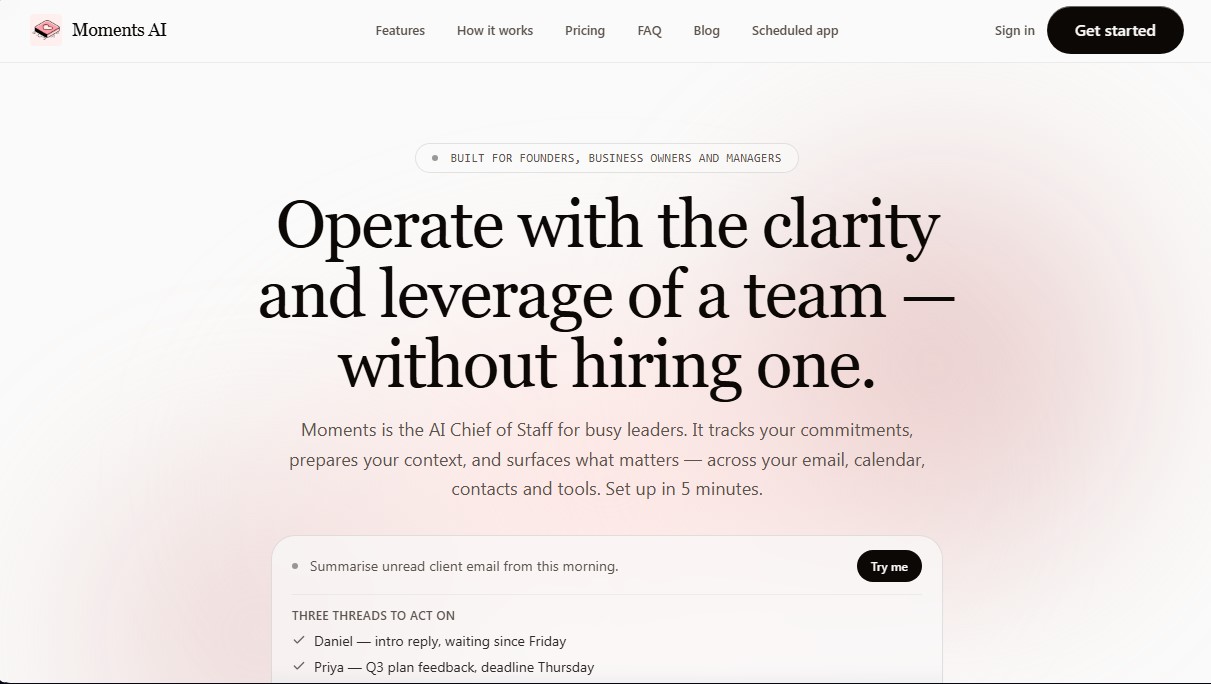
Moments is an artificial intelligence platform designed to serve as a digital Chief of Staff for founders, business owners, and executives. Unlike conventional productivity apps, this tool functions as a cognitive support layer that centralizes and manages workflow in information-heavy environments. Its primary goal is to allow leaders to manage multiple communication threads and tasks with the clarity of a full team, but without the need for new hires.
Moments AI technology integrates in less than five minutes with the user's existing digital ecosystem, securely connecting to tools such as Gmail, Outlook, Google Calendar, Notion, HubSpot, Pipedrive, and Salesforce. The system uses advanced natural language processing models to filter digital noise, track commitments, and generate relevant context in the background. Security is managed through OAuth protocols and data encryption, ensuring that private information is not used to train external AI models.
The tool's operation is based on specialized AI agents that autonomously execute recurring tasks:
- Inbox Triage: Categorizes email by prioritizing threads requiring immediate action and filtering out irrelevant content.
- Meeting Preparation: Generates detailed summaries including attendee context, last points of contact, and pending items before every appointment.
- Commitment Tracking: Monitors conversations to detect promises, tasks, and deadlines, ensuring no follow-up is forgotten.
- Operational Summaries: Provides a morning brief and a structured weekly overview of recent changes and strategic business priorities.
- Custom Agents: Allows for the creation of specific workflows by describing tasks in natural language, facilitating the delegation of complex processes.
In addition to information management, Moments stands out for its message automation capabilities. The platform allows users to draft and schedule messages via WhatsApp, SMS, and email, executing communications at the user's established cadence. This functionality is complemented by its iOS app, Scheduled, which automates messaging across various platforms to maintain fluid communication with clients and teams from a mobile device.
The practical benefit of this AI tool for business management is the ability to operate with a unified vision. By turning the clutter of multiple tabs and apps into a single, searchable layer, users optimize their time and improve their decision-making. Moments allows managers to stop reacting to notifications and move toward proactive operations, using intelligent automation to efficiently manage calendars, research, and project tracking from their computer.
Features and Use Cases of Moments
How Moments Works
Frequently Asked Questions about Moments
What exactly is Moments, and who is it for?
Moments is an AI Chief of Staff designed for founders, business owners, and executives who need to juggle multiple responsibilities without hiring additional staff.
How long does it take to set up Moments?
The initial setup process takes less than five minutes to connect your Gmail or Outlook email and your calendar.
What apps does Moments integrate with?
The platform connects directly with the tools you already use, such as Gmail, Outlook, Google Calendar, Notion, HubSpot, Pipedrive, WhatsApp, Linear, and Salesforce.
Is it safe for Moments to access my email and calendar?
Yes, security is managed via OAuth protocols with encrypted tokens, and your personal data is never used to train AI models.
How is Moments different from conventional productivity apps?
Unlike other apps, Moments acts as a cognitive support layer that tracks commitments, prepares meeting context, and organizes information across all your tools.
Do I need a credit card to start using Moments?
No credit card information is required to get started with the free plan and receive your first daily digest.
Does Moments allow me to schedule follow-up messages?
Yes, the tool allows you to draft and schedule follow-up messages via WhatsApp, SMS, and email to ensure your communications are sent at the right time.
Can I cancel my Moments subscription at any time?
You can cancel your account and export all your data whenever you like through the settings—it’s simple and frictionless.
Moments Pricing
Free
$0 per month.
Access to the first daily brief.
Lite
$9 per month.
Includes everything in the Free plan.
75 monthly credits.
Rollover up to 25 unused credits to the following month.
Starter
$19 per month.
Includes everything in the Lite plan.
150 monthly credits.
Access to all integrations.
Rollover up to 50 unused credits to the following month.
Pro
$49 per month.
Includes everything in the Starter plan.
500 monthly credits.
Custom agent creation.
Priority support.
Power
$99 per month.
Includes everything in the Pro plan.
1,500 monthly credits.
Intensive research features and browser tasks.
Usage limits for power users.
Restriction: Heavy actions (research and browser tasks) incur an additional credit surcharge.
Moments Screenshots