MP3 to Text.org
Share
MP3 to Text.org
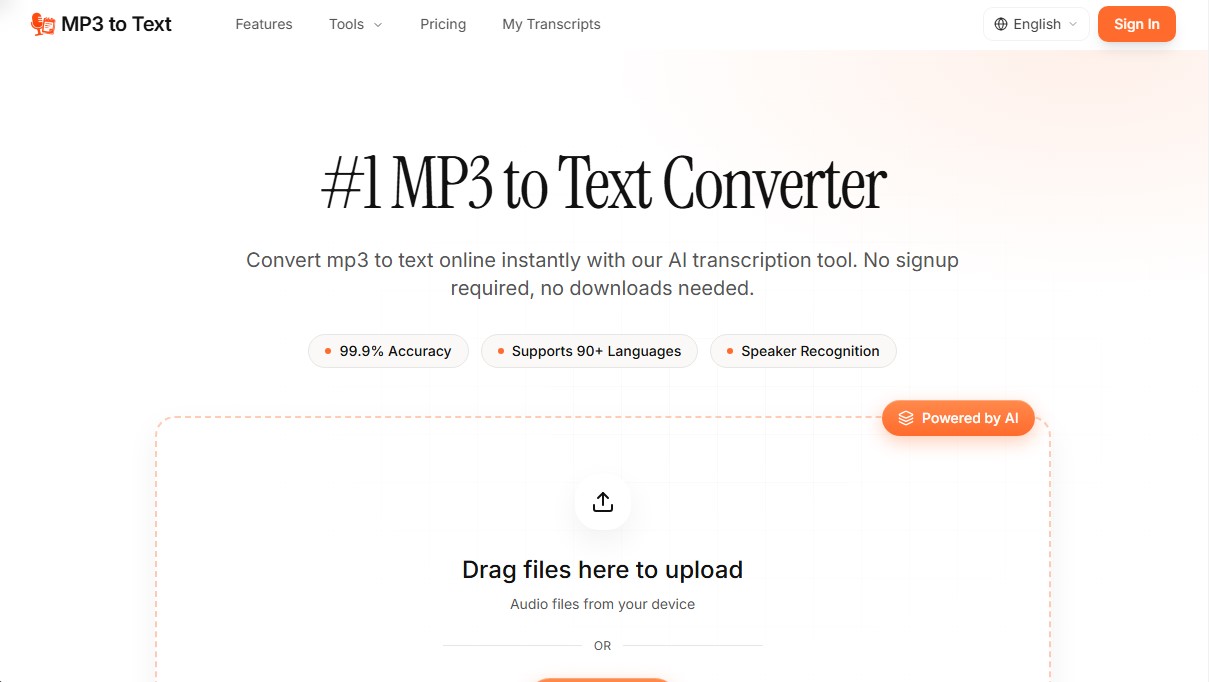
Transcribe audio to text with AI quickly and accurately. Supports 90+ languages, speaker recognition, and multiple export formats. No registration required.
General Information about MP3 to Text.org
MP3 to Text is an AI-powered transcription tool designed to convert audio files into text automatically and accurately. This web application allows you to process recordings in various formats, such as MP3, WAV, M4A, FLAC, OGG, and WebM, eliminating the need for manual transcription. Its primary function is to facilitate the documentation of audio content for users who need to transform speech into editable text with 99.9% accuracy.
The operation of MP3 to Text is based on advanced speech recognition algorithms powered by AI. The process is straightforward and requires no downloads or mandatory registration for basic use: the user uploads the file from their computer or device, the system processes the audio in just a few minutes, and generates a document ready for download. The integrated technology is capable of handling various accents and background noise, ensuring the result is faithful to the original recording. Additionally, it features batch processing, allowing you to upload and transcribe multiple files simultaneously.
Key technical capabilities and functional benefits include:
- Speaker Identification: The system automatically detects and labels different speakers, an essential feature for meetings, interviews, panels, or podcasts.
- Multilingual Support: It allows you to transcribe audio to text in more than 90 languages, including English, Spanish, French, German, Japanese, and Chinese, as well as regional dialects.
- AI Summaries: The tool can generate automatic summaries to extract key points and decisions from a recording without the need to read the entire text.
- Multi-format Export: Results can be downloaded in formats such as TXT, DOCX, SRT, VTT, PDF, and Markdown, facilitating both subtitle creation and report writing.
- File Capacity: It supports files up to 5 GB and 10 hours in length, allowing for the processing of extensive recordings of conferences or full workdays.
This solution is particularly useful for professional and academic profiles. Podcasters can quickly generate show notes and SEO-optimized articles, while researchers and journalists use it to analyze interviews with precision. In the corporate environment, teams transform calls and meetings into searchable transcripts to extract action plans. Likewise, students can convert their class recordings into structured notes, making it easier to review and locate specific data within the text.
Features and Use Cases of MP3 to Text.org
How MP3 to Text.org Works
Frequently Asked Questions about MP3 to Text.org
What exactly is MP3 to Text and what is it used for?
It is an AI-powered transcription tool that quickly and accurately converts MP3 audio files into written text.
Can I try MP3 to Text for free?
Yes, new users get sixty minutes of free transcription when they sign up and log in to the platform.
How accurate is the MP3 to Text converter?
The tool uses advanced AI technology to achieve ninety-nine percent accuracy, successfully processing various accents and background noise.
How many languages does the system currently support?
The service supports more than ninety languages, including English, Spanish, French, German, Chinese, Japanese, and many others.
Is there a size limit for audio files?
You can upload files up to ten hours long or with a maximum size of five gigabytes per individual upload.
In what formats can I export my completed transcriptions?
You can download your text in several professional formats, such as TXT, DOCX, PDF, CSV, SRT, VTT, and Markdown.
Can the tool identify different people in an audio file?
Yes, the system includes a speaker recognition feature that automatically detects and labels the different participants in a meeting or interview.
Can I cancel my MP3 to Text subscription at any time?
Yes, you can cancel your plan through your account settings whenever you like, without any penalties or questions asked.
What payment options does the platform offer?
We offer monthly and annual subscription plans, as well as one-time payment packages for those who only need transcription minutes on an occasional basis.
Does MP3 to Text offer any kind of refund guarantee?
Yes, refund requests are accepted within seven days of purchase, as stated in our refund policy.
MP3 to Text.org Pricing
Free Version: 0 $ (registration required).
60 free transcription minutes.
Basic Plan: 10,00 $ per month (or 5,00 $ per month with 60 $ annual billing).
400 transcription minutes per month.
Files up to 10 hours long or 5 GB per file.
No daily file limit.
Transcription in over 90 languages.
Export in TXT, DOCX, SRT, VTT, and Markdown formats.
Speaker identification (diarization).
AI summaries.
Batch transcription.
Priority email support.
Pro Plan: 16,00 $ per month (or 8,00 $ per month with 96 $ annual billing).
1.000 transcription minutes per month.
Files up to 10 hours long or 5 GB per file.
No daily file limit.
Transcription in over 90 languages.
Export in TXT, DOCX, SRT, VTT, and Markdown formats.
Speaker identification (diarization).
AI summaries.
Batch transcription.
Priority email support.
Ultimate Plan: 40,00 $ per month (or 20,00 $ per month with 240 $ annual billing).
3.000 transcription minutes per month.
Files up to 10 hours long or 5 GB per file.
No daily file limit.
Transcription in over 90 languages.
Export in TXT, DOCX, SRT, VTT, and Markdown formats.
Speaker identification (diarization).
AI summaries.
Batch transcription.
Priority email support.
Mini Pack: 9,90 $ (one-time payment).
250 lifetime transcription minutes.
Files up to 10 hours long or 5 GB per file.
No daily file limit.
Transcription in over 90 languages.
Export in TXT, DOCX, SRT, VTT, and Markdown formats.
Speaker identification (diarization).
AI summaries.
Batch transcription.
Priority email support.
Standard Pack: 14,90 $ (one-time payment).
500 lifetime transcription minutes.
Files up to 10 hours long or 5 GB per file.
No daily file limit.
Transcription in over 90 languages.
Export in TXT, DOCX, SRT, VTT, and Markdown formats.
Speaker identification (diarization).
AI summaries.
Batch transcription.
Priority email support.
Plus Pack: 24,90 $ (one-time payment).
1.000 lifetime transcription minutes.
Files up to 10 hours long or 5 GB per file.
No daily file limit.
Transcription in over 90 languages.
Export in TXT, DOCX, SRT, VTT, and Markdown formats.
Speaker identification (diarization).
AI summaries.
Batch transcription.
Priority email support.
MP3 to Text.org Screenshots