Nimbalyst
Share
Nimbalyst
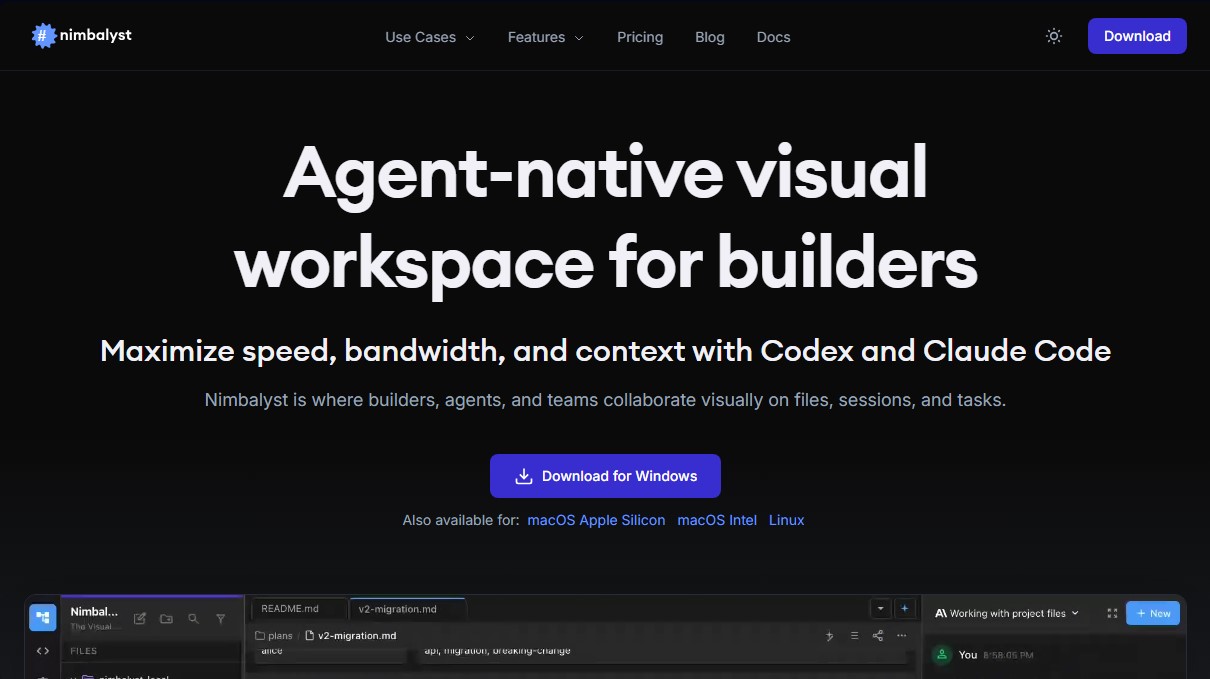
Visual workspace for collaborating with AI agents. Edit files, manage tasks, and track code changes with Claude Code and Codex integration.
General Information about Nimbalyst
Nimbalyst is an agent-native visual workspace designed for developers and teams to maximize their productivity through artificial intelligence. This tool acts as an operational hub where humans and agents collaborate seamlessly on files, sessions, and technical tasks. Its primary focus is to eliminate friction in development by integrating advanced models like Claude Code and Codex directly into the daily workflow.
The platform stands out for its AI-assisted visual editor, which supports various formats such as Markdown, CSV, Excalidraw, data models, and Mermaid diagrams. Unlike conventional editors, Nimbalyst offers full-context editing; the AI understands the overall project structure, related files, and user intent. This enables side-by-side assistance where users can interact with the agent without switching contexts. The user maintains control through an instant review system to approve, reject, or iterate on AI-proposed changes.
For work organization, the tool includes advanced session and task management capabilities:
- Session Kanban Board: Organize workflows (backlog, planning, implementation) to visualize agent progress at a glance.
- File and Git Management: Includes a sidebar to manage Git states, handle worktrees, and perform automated AI Git commits.
- Automated Task Tracking: Agents can autonomously create, edit, and move tasks between states, streamlining the tracking of bugs, feature plans, or blog drafts.
- Agent Execution Environment: Interactive windows where AI actions, questions, and outputs are displayed with full transparency.
Nimbalyst's technology is powered by the integration of the user's own API keys for Claude Code and Codex, while also offering support for MCP servers (Model Context Protocol) and extensions. This ensures a flexible and customizable environment tailored to the specific needs of every software builder.
The experience extends to mobile devices via its iOS app, allowing users to monitor active sessions, review agent progress, and stay connected to the project from their phones. It is compatible with Windows, macOS (Intel and Apple Silicon), and Linux, establishing itself as a professional, structured, multi-platform AI-assisted development environment.
Features and Use Cases of Nimbalyst
How Nimbalyst Works
Frequently Asked Questions about Nimbalyst
What is Nimbalyst and what is it used for?
It is a native visual workspace for agents where developers can collaborate with AI on file editing, session management, and task organization.
What operating systems can I install Nimbalyst on?
The tool is available for Windows, Linux, and macOS, with specific versions for both Intel and Apple Silicon processors.
Is Nimbalyst free for individual users?
Yes, the individual plan is free and includes the visual editor, session management, Claude Code and Codex integration, and support for MCP servers.
Do I need my own API key to use the AI features in Nimbalyst?
Yes, you must connect your own Claude Code or Codex subscription so the tool can perform edits and context analysis on your project.
What file types does the Nimbalyst visual editor support?
The editor is compatible with a wide variety of formats, including Markdown, source code, CSV files, Mermaid diagrams, data models, and Excalidraw sketches.
How does Nimbalyst help with task management?
It includes a tracking system where agents can automatically create, edit, and complete tasks while the user monitors the entire workflow from a visual dashboard.
Is there a mobile version of Nimbalyst?
Yes, you can download the iOS app from the App Store to monitor active sessions, review changes made by agents, and chat with the AI from your iPhone.
What additional features will the team plan include?
The upcoming team plan will feature real-time collaboration, AI session sharing, and advanced administration tools for workgroups.
How does Nimbalyst manage changes made by AI?
The tool allows you to review every modification side-by-side, giving you full control to approve, reject, or edit any changes suggested by agents before they are applied.
Nimbalyst Pricing
Individual
0 $
A native visual agent workspace designed for creators.
- Nimbalyst visual editor and WYSIWYG Markdown editor with AI change reviews.
- Session manager with search history.
- Claude Code and Codex AI integration.
- Support for MCP servers and extensions.
- File link sharing.
- Tools for mockups, diagrams, Excalidraw, and CSV editing.
- AI-powered code editor, terminal, and Git management (commits and worktrees).
- Requirement: Requires your own Claude Code or Codex subscription (bring your own API key).
Team
Pricing TBD. Check the official website for updates.
Team collaboration features (coming soon; join the waitlist).
- Includes all Individual plan features.
- Real-time collaboration within Nimbalyst.
- Shared and transferable AI sessions between members.
- Team task management and workflows.
- Admin tools for workspace access control.
Nimbalyst Screenshots