Notta Showcase
Share
Notta Showcase
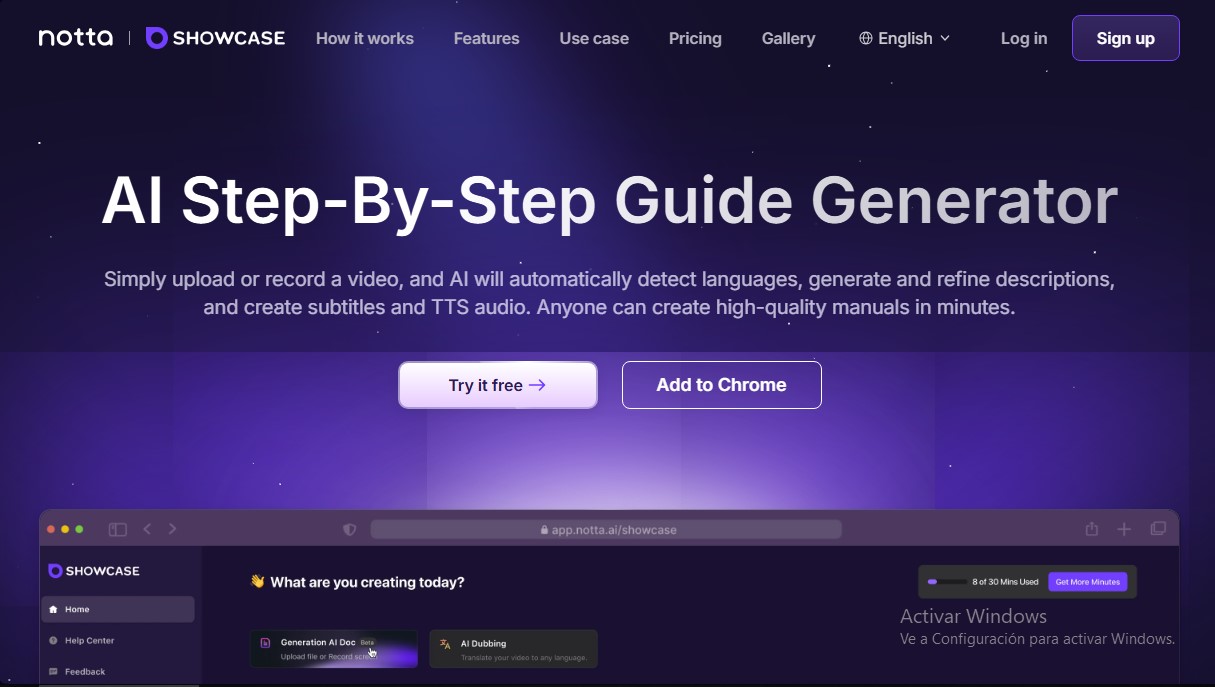
Generate AI-powered step-by-step guides and manuals. Record your screen or upload a video to automatically create subtitles, translations, and voiceovers.
General Information about Notta Showcase
Notta Showcase is an advanced AI solution designed for the automatic generation of step-by-step guides from video content. Its primary function is to simplify the creation of manuals, product tutorials, and Standard Operating Procedure (SOP) documents by automating tasks that traditionally require hours of manual editing. This tool is ideal for customer support, sales, human resources, and training teams that need to produce high-quality technical and operational documentation quickly.
The workflow of Notta Showcase is based on the intelligent processing of screen recordings or video files uploaded to the platform. Once a user captures a process via the Chrome extension or uploads a file from their computer, the AI automatically detects the language, generates descriptive titles, and writes out each step in detail. Thanks to its automatic transcription and subtitling technology, the tool eliminates the need for manual transcription, significantly improving the clarity and accessibility of the content.
Key functional capabilities of the platform include:
- AI Document Creation: Transforms visual workflows into structured, editable documents in DOCX and PDF formats.
- Video Translation and Dubbing: Allows content translation into 15 languages (such as Spanish, English, German, or Japanese) using AI dubbing, facilitating communication with global audiences.
- Text-to-Speech (TTS): Converts written descriptions into natural-sounding voiceovers to add professional narration to tutorials.
- Editing and Customization: Includes tools to adjust subtitles, edit video, and apply voice cloning to maintain brand consistency.
- Agile Distribution: Materials can be shared via direct links, embed codes for web pages, or one-click file downloads.
Using Notta Showcase provides immediate practical benefits by centralizing the creation of training manuals, support guides, and sales playbooks. By automating step-by-step writing and subtitle generation, companies ensure their documentation is uniform and easy to update. Additionally, the platform guarantees information security by complying with international standards such as SOC 2, ISO 27001, and GDPR, making it a robust choice for corporate environments looking to optimize knowledge management and team productivity.
Features and Use Cases of Notta Showcase
How Notta Showcase Works
Frequently Asked Questions about Notta Showcase
What is Notta Showcase and what is it used for?
Notta Showcase is an AI-powered step-by-step guide generator that automatically transforms video recordings into detailed manuals.
How do I install the Notta Showcase browser extension?
Click the "Add to Chrome" button on the official website and confirm the installation in the pop-up window. It will then appear in your browser toolbar.
What formats can I export my Notta Showcase manuals in?
You can download your documents in DOCX or PDF format, as well as generate a shareable link or an embed code for your website.
How many languages can Notta Showcase translate my videos into?
The tool allows you to translate content into 15 different languages, including English, Spanish, French, German, Italian, Japanese, Chinese, and Portuguese, among others.
What editing features does Notta Showcase offer to enhance my guides?
It allows you to generate automatic titles, add subtitles, use natural-sounding text-to-speech technology, and edit the video to customize the final result.
Is it safe to use Notta Showcase to manage my company’s information?
The platform ensures maximum data security and privacy by complying with international SOC 2 and ISO 27001 standards.
How are translation minutes calculated in my Notta Showcase plan?
One minute of translation equals one minute of the final generated video. For example, translating a three-minute video into two different languages will use six minutes of your plan.
Can I cancel my Notta Showcase subscription at any time?
Yes, you can cancel your subscription at any time through the billing settings in your profile. Your Pro plan will remain active until the next renewal date.
What payment methods are accepted for Notta Showcase?
We accept various credit and debit cards, including Visa, Mastercard, American Express, and Discover, all processed securely through Stripe.
What types of teams can benefit from using Notta Showcase?
It is an ideal solution for customer support teams, sales departments, human resources, and any department that needs to create tutorials or training guides.
Notta Showcase Pricing
Free
$0
- 30 total minutes of video translation.
- Up to 3 minutes per video.
- 20 MB maximum file size per video.
- Voice cloning.
- Download translated video and subtitles.
- Video sharing link.
- Auto-generated subtitles.
Pro
$35 per month (or $21 per month billed annually)
- 60 minutes of video translation per month.
- Up to 60 minutes per video.
- Up to 2 GB maximum file size per video.
- Voice cloning.
- Download translated video and subtitles.
- Video sharing link.
- Auto-generated subtitles.
Notta Showcase Screenshots