
oakleaf3d
Share
Transform images and text into print-ready 3D models. Generate detailed STL files using AI by reconstructing geometry and depth. No software installation required.
What is oakleaf3d?
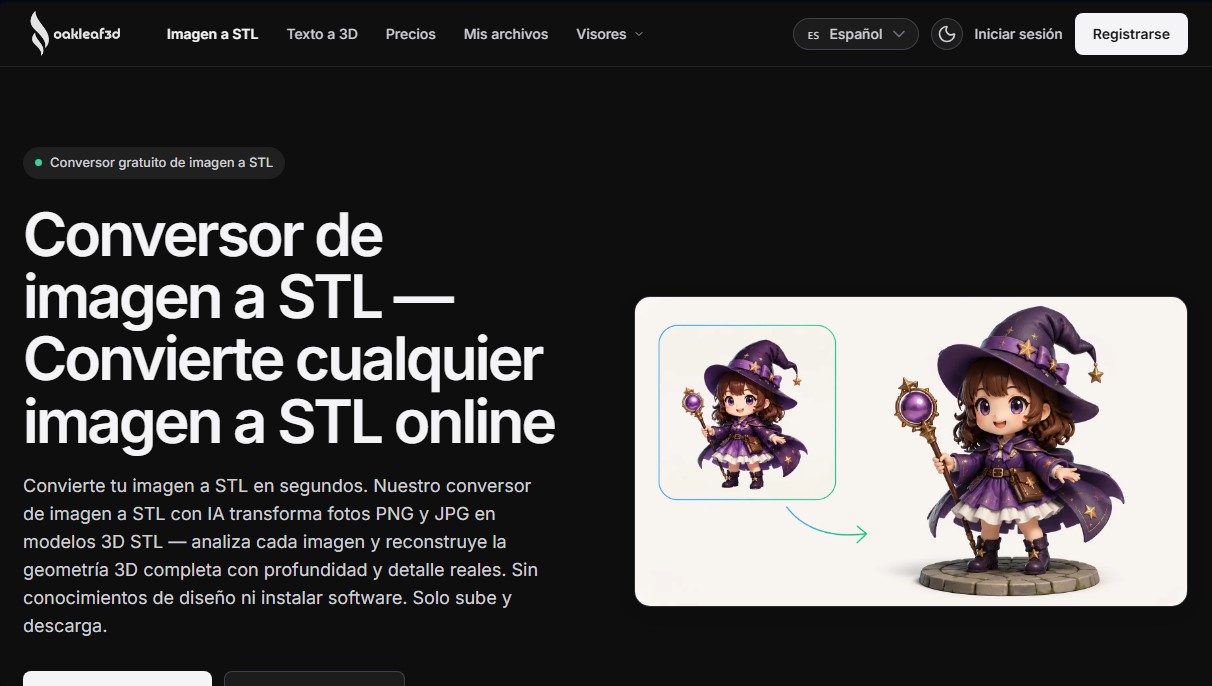
oakleaf3d is a specialized AI 3D reconstruction platform that transforms conventional 2D images into STL files ready for digital manufacturing. Unlike basic tracing tools, this system utilizes advanced algorithms to analyze the depth, geometry, and proportions of an object from photos in PNG, JPG, or JPEG formats. It operates entirely online via the browser, requiring no additional software installation on your computer or mobile device.
The conversion process in oakleaf3d is powered by an artificial intelligence engine that interprets the actual volume of objects. Users can choose to upload a single image or use multi-view mode, which allows for up to 8 different angles to achieve superior precision and minimize mesh gaps. The tool offers three processing levels (Basic, Pro, and Ultra) tailored to the project's complexity and the required level of detail for final topology and textures.
Its core capabilities include:
- Professional mesh generation with adjustable control over face count, ranging from 50,000 to 1.5 million.
- High-fidelity PBR texture creation with control over materials and visual finishes.
- File exports with watertight geometry and correct normals, directly optimized for 3D printing (FDM, SLA, and resin technologies) or CNC machining.
- Integrated real-time 3D viewer within the interface to inspect, rotate, and review the mesh before downloading the file.
- Complementary text-to-3D tools for creating three-dimensional assets through text descriptions.
This solution is ideal for a wide spectrum of users. Makers and 3D printing hobbyists can transform photos and illustrations into physical models with a streamlined workflow. Product designers and industrial professionals use it for rapid prototyping based on visual references. Additionally, content creators for video games, AR/VR, and digital environments can automate the generation of assets and placeholders. It is also a valuable tool in the education sector and e-commerce for generating 3D product views from catalog images.
oakleaf3d guarantees results compatible with editing software like Blender and is accessible from any operating system—including Windows, macOS, Linux, Android, and iOS—facilitating efficient and professional file conversion in just a few seconds.
oakleaf3d features and use cases
How to use oakleaf3d
oakleaf3d FAQ
What is oakleaf3d and what is it used for?
It is an artificial intelligence platform designed to convert 2D images and text into detailed 3D models.
What image formats does the oakleaf3d converter support?
You can use PNG, JPG, and JPEG files with a maximum size of 10 MB per upload.
Do I need to install any software to use oakleaf3d?
No, the tool runs entirely in your web browser and is compatible with Windows, macOS, Linux, and mobile devices.
Are files generated on oakleaf3d suitable for 3D printing?
Yes, models are exported in STL format with clean, watertight geometry, optimized for filament and resin printers as well as CNC machines.
How can I get free credits on oakleaf3d?
When you sign up and confirm your account, you will receive 30 free credits that you can use to test the system and complete your first exports.
Can I use my creations for commercial purposes?
Models generated through any paid plan or credit pack belong to you and include a commercial use license.
Do credits purchased on the platform expire?
Credits included in one-time purchase packs never expire, while subscription credits renew with each billing cycle.
What happens if a conversion on oakleaf3d doesn't complete successfully?
If the system detects a failure during model generation, the credits spent will be automatically refunded to your user balance.
Can I improve model accuracy by using multiple photos?
Yes, Ultra mode allows you to upload up to eight different angles of the same object, enabling the AI to perform a much more precise reconstruction.
Does oakleaf3d provide a viewer to review the model before downloading?
The platform includes an integrated 3D viewer that allows you to rotate, zoom, and inspect the object's mesh directly in your browser.
oakleaf3d pricing and plans
Free ($0):
30 sign-up credits to try the tool (expire in 30 days).
Real-time 3D viewer and model preview.
High-quality STL conversion.
Limited queue priority and 1 concurrent task.
CC BY 4.0 license (attribution required).
Starter ($9.90, one-time payment):
200 credits that never expire.
Pro+ mesh and texture quality.
Full-resolution export and unlimited downloads.
Commercial use allowed and private assets.
Maker ($29.99, one-time payment):
700 credits that never expire.
Pro+ mesh and texture quality.
Full-resolution export and unlimited downloads.
Commercial use allowed and private assets.
Pro Pack ($79.99, one-time payment):
2,100 credits that never expire.
Pro+ mesh and texture quality.
Full-resolution export and unlimited downloads.
Commercial use allowed and private assets.
Studio ($199.00, one-time payment):
6,500 credits that never expire.
Pro+ mesh and texture quality.
Full-resolution export and unlimited downloads.
Commercial use allowed and private assets.
Pro Subscription ($12.90/mo or $10.00/mo billed annually):
320 credits per month (non-rollover).
Pro+ mesh and texture quality with full-resolution export.
Priority queue and 10 concurrent tasks.
Commercial use allowed and private assets.
Plus Subscription ($24.90/mo or $19.00/mo billed annually):
720 credits per month (non-rollover).
High-priority queue and 20 concurrent tasks.
Priority human support.
Commercial use allowed and private assets.
Max Subscription ($49.90/mo or $39.00/mo billed annually):
1,600 credits per month (non-rollover).
Highest priority queue and 30 concurrent tasks.
Dedicated priority support.
Commercial use allowed and private assets.
oakleaf3d Screenshots
oakleaf3d alternatives

ImageToSTL.org
Convert JPG and PNG images into STL files for 3D printing using AI. Generate detailed 3D models ready for instant download.

Image to 3D
Convert 2D images and sketches into textured 3D models using AI. Export in GLB, STL, or USDZ for video games, 3D printing, and augmented reality.



Meshy Image to 3D
Create detailed 3D models from photos and sketches in a minute. Get high-quality meshes and PBR textures for games or 3D printing without installing any software.