

Share
WordPress visual builder that lets you build websites by chatting with AI. Offers full creative control, clean code, and advanced dynamic data management.
What is Oxygen Builder?
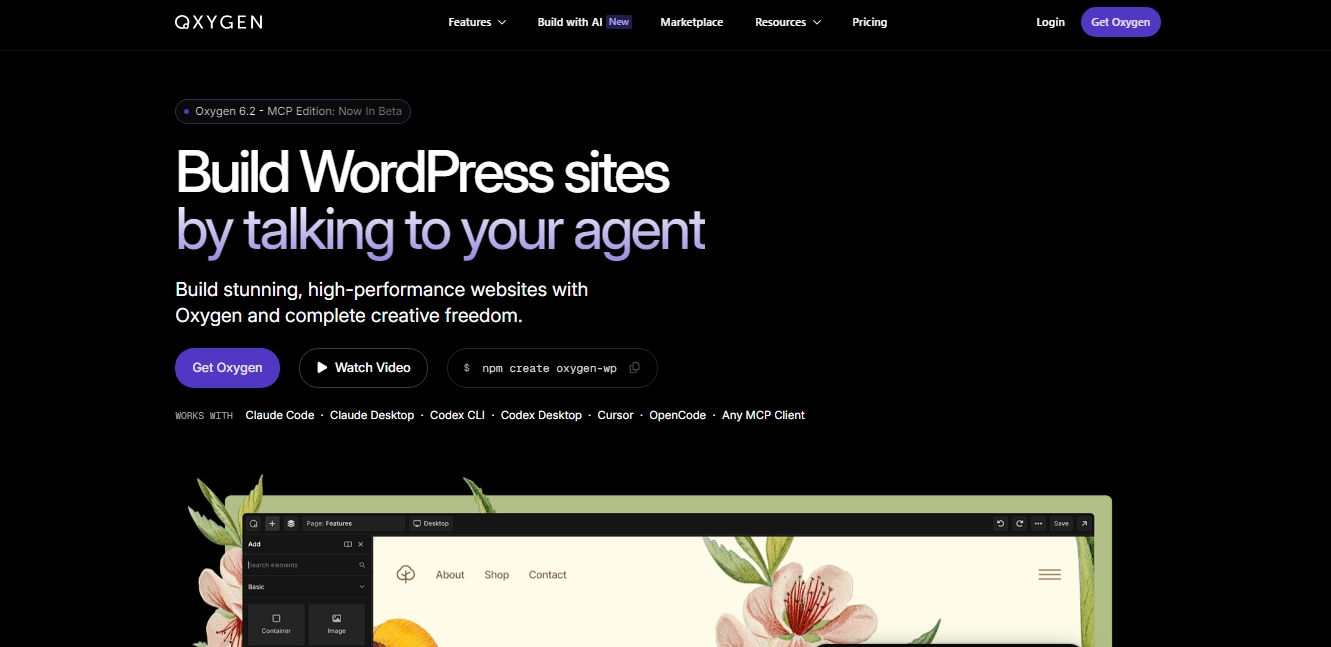
Oxygen Builder is an advanced visual construction solution for WordPress geared toward developers and professionals who prioritize performance and total code control. Its Oxygen 6.2 - MCP Edition introduces a pioneering integration with artificial intelligence through the Model Context Protocol (MCP), allowing users to build websites using natural language. This technology facilitates communication with AI agents to execute complex design and development tasks directly on the visual canvas, drastically optimizing production times from your computer.
The tool's operation stands out for its "developer-first" approach, generating clean HTML without the "bloat" common in other builders. By using compatible clients like Claude Code, Claude Desktop, Cursor, or Codex CLI, users can provide precise instructions for the AI to build entire sections, adjust styles, or configure data structures. The AI is capable of analyzing existing content—such as images in the media library or style notes—to automatically generate components that maintain the project's visual consistency.
Key capabilities and practical benefits include:
Professional visual control: A one-to-one CSS property panel that allows for absolute customization without the restrictions of predefined templates.
Dynamic data integration: Native connection with Advanced Custom Fields (ACF), WooCommerce, and custom fields to display variable content in real time.
Scalable design system: Use of global variables to manage colors, typography, and spacing centrally across the entire website, ensuring brand consistency.
Interaction engine: Tools for adding high-quality animations, scroll effects, and hover states with minimal impact on page load speed.
Query Loop management: Ability to create dynamic query loops that automatically pull information from the database, ideal for directories or complex listings.
Oxygen Builder is especially useful for technical professionals and agencies that need to develop online stores, membership sites, or blogs with optimal performance on any mobile device. By allowing AI to manage the creation of Custom Post Types and templates via commands, developers can focus on logic architecture while the AI agent handles structural execution. This combination of creative freedom and artificial intelligence automation positions the tool as a standard for high-level web projects requiring impeccable code and extensive functional flexibility.
Oxygen Builder features and use cases
How to use Oxygen Builder
Oxygen Builder FAQ
What is Oxygen Builder and what is it used for?
Oxygen Builder is an advanced visual editing tool for WordPress that allows you to build high-performance websites with complete creative freedom and clean code.
Does Oxygen offer a lifetime license?
Yes, you can purchase a lifetime access package that includes updates and permanent technical support for a one-time fee with no recurring costs.
Can I use Oxygen Builder on my clients' websites?
The license allows you to install the tool on client projects and deliver professional websites without them needing to purchase an additional license.
Is there a limit on how many sites I can install Oxygen on?
No, the license is unlimited, meaning you can use the builder on as many personal and commercial websites as you need.
Will Oxygen Classic continue to receive support?
Yes, Oxygen Classic remains a stable and functional version with ongoing official support for users who prefer that environment.
Does Oxygen offer a money-back guarantee?
The product comes with a full refund guarantee if you decide it’s not the right tool for you within the specified trial period after your purchase.
How does the AI integration work in the new Oxygen?
The MCP version allows you to build entire sections and pages by chatting with an AI agent that interprets your instructions to generate the layout.
Is Oxygen Builder suitable for users who don't know how to code?
While it is geared toward professionals and developers due to its granular CSS control, its visual interface allows any user to create complex sites without writing code.
What kind of websites can I build with Oxygen?
Thanks to its integration with the WordPress ecosystem, you can build anything from WooCommerce online stores to directories, blogs, or membership sites.
Does Oxygen include tools to ensure design consistency?
Yes, the tool features a system of global variables and reusable components that allow you to update colors, fonts, and spacing site-wide all at once.
Oxygen Builder pricing and plans
Lifetime Bundle – 199,50 $ (one-time lifetime payment)
Full access to Oxygen Classic and the new Oxygen 6 (including the MCP edition to build sites using AI commands).
Unlimited site license: can be used on personal and client projects without restrictions.
Includes lifetime premium add-ons: Breakdance Elements, Breakdance WooCommerce, and Breakdance Forms.
Lifetime software updates and professional technical support included.
No subscription fees or annual renewals.
60-day money-back guarantee.
Oxygen Builder Screenshots
Oxygen Builder alternatives

Nuclr Commander
Workspace for running multiple AI agents in parallel with a file manager. Supports local or external models and remote mobile monitoring.



StellarFirm
AI agents for founders to plan, build, and launch apps or websites. Automate technical and management tasks under your direct supervision and approval.


miniOrange MCP Server for WordPress
Securely connect AI agents to WordPress. Control permissions, protect sensitive data, monitor actions with audit logs, and manage human approvals.