
Share
What is PixVideo?
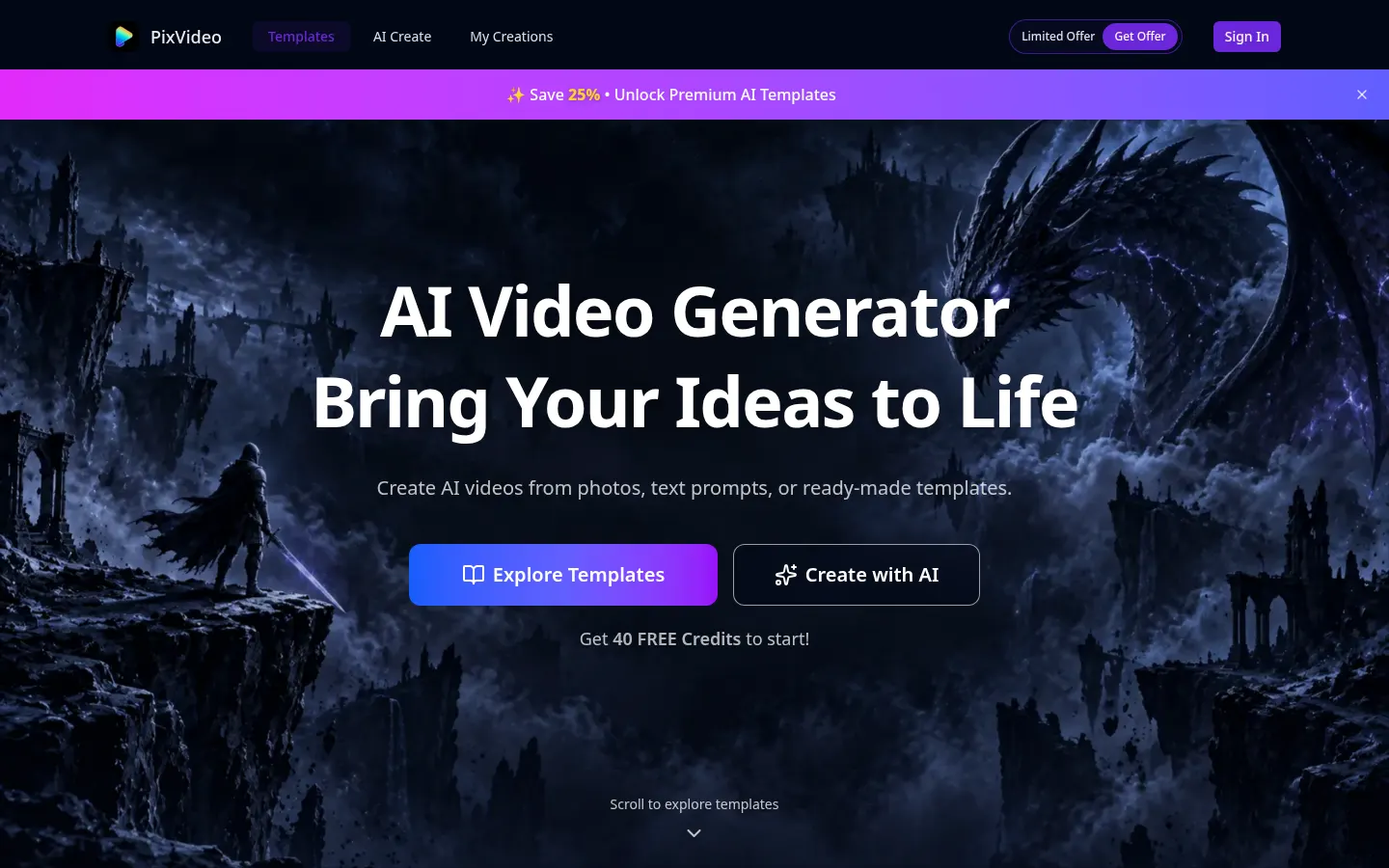
PixVideo is an AI video generator that starts from a template, a text prompt or an image and returns a clip you can download. It is meant for creators, marketers or anyone who wants to try an ad, a short or a scene without a film shoot: you pick a starting point, run the generation and review the result in your library.
What is PixVideo used for?
The site offers three entry points: templates with a style already set, generation from a text prompt and generation from a photo. The models it names include Image 2, Seedance 2.0, Veo 3.1, Sora 2, Kling and Hailuo. The paid tiers it describes include 4K output with no watermark, and a credit count that covers both videos and stills. There are also credit packs you buy once, which the site says never expire.
How do you work in the product?
You go to pixvideo.net, sign in, browse the template gallery or open AI Create, pick a model and run the job. The credit allowance and queue speed change by tier; the higher ones mention a priority queue. You can review what you made under My Creations. The site also mentions a welcome credit bundle, so you can try the tool before you commit to a recurring payment.
PixVideo pros and cons
- Pros: several models in one place, entry from a template, a prompt or a photo, and a 4K download with no watermark.
- Cons: how many clips you can make depends on credits; quality and style vary by model, and it does not replace a hand-made edit or colour grade.
PixVideo features and use cases
How to use PixVideo
PixVideo FAQ
What is PixVideo?
It is an AI video generator that starts from a template, a text prompt or an image and returns a clip, with several models and a 4K download.
How much does PixVideo cost?
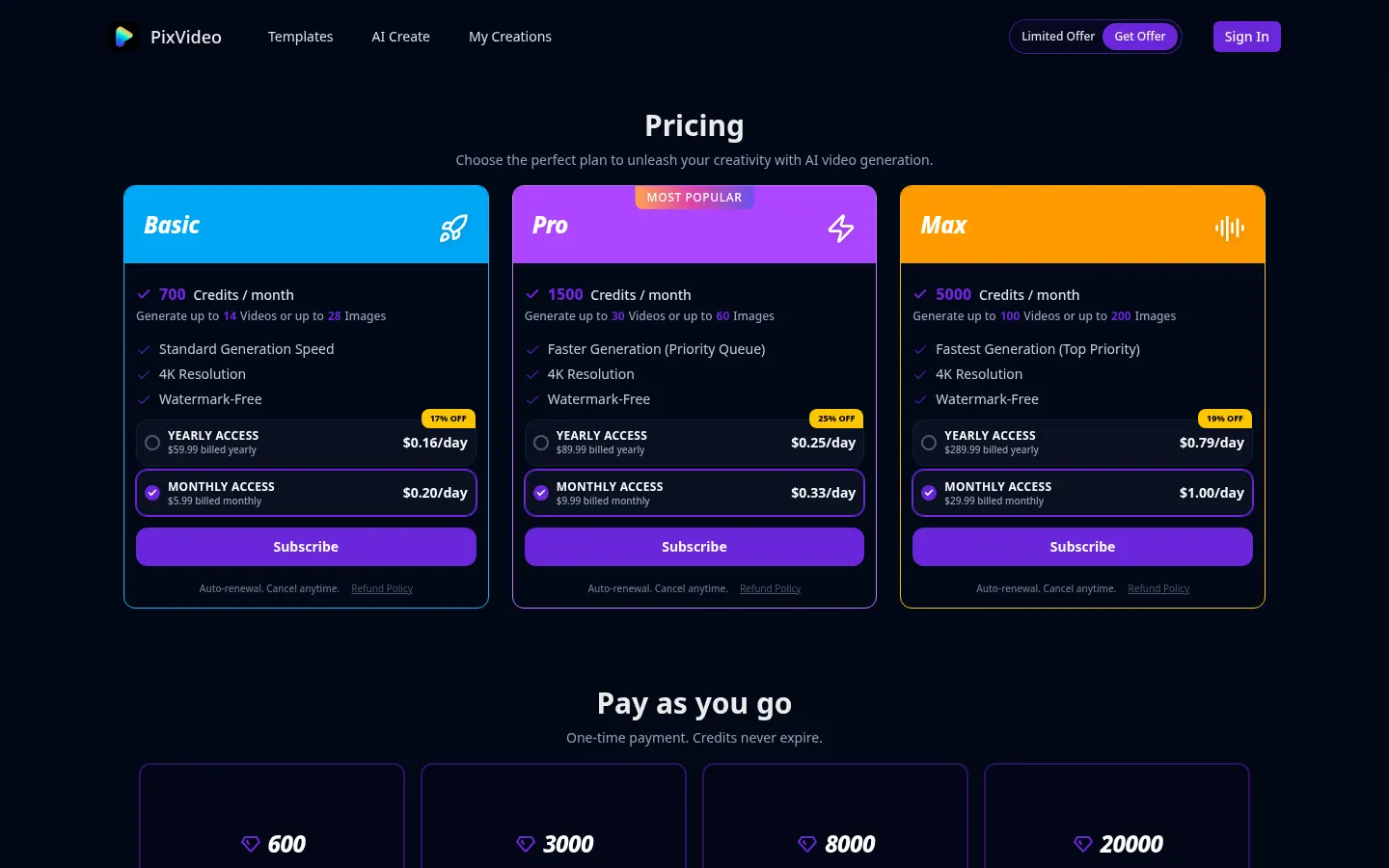
The entry paid tier is Basic, at $5.99 a month; there are also Pro, Max, yearly billing and one-time packs. The amounts are in the pricing section.
Which video models does PixVideo use?
The site names Image 2, Seedance 2.0, Veo 3.1, Sora 2, Kling and Hailuo, plus templates with a style already set.
Can I start from a photo?
Yes. You can generate from an image, a text prompt or a template, and review the result in your library.
Do the videos have a watermark?
On the paid tiers the site lists 4K output with no watermark.
What happens if I run out of credits?
You can wait for the renewal, change tier or buy a one-time pack, which the site says never expires.
Does PixVideo also cover still images?
Yes. The tiers list a credit count that covers videos and images (for example, Basic mentions up to 14 videos or 28 images).
Can I cancel at any time?
The pricing page states auto-renewal and cancellation at any time.
Are there credits to try without a subscription?
Yes. The homepage offers 40 welcome credits to start.
Is PixVideo the same tool as VideoAI?
No. PixVideo is a different site (pixvideo.net), with its own models and prices, even though both generate AI video.
PixVideo pricing and plans
Reference price: 5.99 USD / month. Source · Verified: November 27, 2026
Prices in US dollars (USD) from the official website. There are monthly and yearly subscriptions (cancellable) and one-time credit packs which, according to the site, never expire. New accounts are offered 40 welcome credits. Checked on: 27/11/2026.
Basic: $5.99/month (or $59.99 billed yearly). 700 credits a month, up to 14 videos or 28 images, standard speed, 4K and no watermark.
Pro: $9.99/month (or $89.99 a year). 1,500 credits, up to 30 videos or 60 images, a priority queue, 4K and no watermark.
Max: $29.99/month (or $289.99 a year). 5,000 credits, up to 100 videos or 200 images, top priority, 4K and no watermark.
Pay as you go: packs of 600 credits ($5.99), 3,000 ($19.99), 8,000 ($49.99), 20,000 ($99.99), 45,000 ($199.99) or 100,000 ($299.99).
PixVideo Screenshots
PixVideo user reviews
Write a review
Checking your session...
PixVideo Reviews
Loading reviews...
PixVideo alternatives

Text to Video
Text to Video is an AI video studio that puts 30+ models (Veo 3.1, Sora 2, Seedance, Runway) behind one prompt box for text-to-video, image-to-video, avatars, voice and music.

AgentDocks
AgentDocks is an AI visual production platform: templates, a multi-model studio and a node editor that turns one image or video workflow into batch runs for a whole catalog.