

Prisma Browser by Palo Alto Networks
Share
An enterprise browser that secures the workspace, manages generative AI, and blocks advanced threats to ensure data privacy on any device.
What is Prisma Browser by Palo Alto Networks?
Prisma Browser is an enterprise browser specifically designed for the era of generative artificial intelligence and agentic workflows. Developed by Palo Alto Networks, this tool functions as a modern workspace that integrates advanced security controls directly into the browsing interface. Its primary goal is to enable secure access to SaaS applications and AI tools from any computer or mobile device, eliminating risks associated with evasive threats and sensitive data leakage.
The technology behind Prisma Browser is based on an AI-powered security engine that analyzes web traffic and behavior in real time. Unlike conventional browsers, it utilizes the Advanced WildFire infrastructure to block unknown malware and highly sophisticated phishing attacks. Additionally, it implements a Zero Trust model that ensures every interaction—whether on managed or personal (BYOD) devices—is protected by isolating the corporate environment from the rest of the operating system.
Key functional capabilities and benefits include:
- Generative AI Governance: Offers complete visibility into AI application usage across the organization, enabling the detection of "Shadow AI" and controlling what information is shared with external language models.
- Data Loss Prevention (DLP): Includes over 1,000 classifiers to identify and protect sensitive data, applying "last-mile" controls such as automatic redaction of confidential information in AI prompts.
- Web Threat Protection: Scans all web page components in real time to stop evasive attacks and malicious scripts before they can execute.
- Security for Agentic Workflows: Monitors and regulates the execution of automated tasks by AI agents, ensuring that the autonomy of these tools does not compromise corporate data integrity.
- Browsing Forensics: Facilitates the work of SOC (Security Operations Center) teams through session recording and detailed analysis of incidents occurring within the browser.
This tool is ideal for large enterprises managing hybrid workforces that need to secure AI usage without hindering productivity. By consolidating security within the browser itself, organizations can reduce reliance on complex solutions like VDI and ensure business continuity in digital transformation environments. Prisma Browser is available as a standalone browser, extension, and mobile app, adapting to any existing technical infrastructure.
Prisma Browser by Palo Alto Networks features and use cases
How to use Prisma Browser by Palo Alto Networks
Prisma Browser by Palo Alto Networks FAQ
What is Palo Alto Networks Prisma Browser?
It is an enterprise browser designed to secure the modern workspace by protecting against advanced threats and controlling the use of artificial intelligence.
How does Prisma Browser differ from a standard consumer browser?
Unlike standard browsers, this tool integrates enterprise-grade security features such as malware prevention and sensitive data protection to prevent corporate information leaks.
How does Prisma Browser help manage the use of generative AI?
The browser provides full visibility into AI applications and enables granular controls to protect confidential data, preventing sensitive information from being shared in prompts.
Can Prisma Browser be used on personal devices or in remote work environments?
Yes, the browser securely enables work on unmanaged devices by isolating corporate activity from the rest of the system without requiring complex configurations.
Can Prisma Browser replace the use of Virtual Desktop Infrastructure (VDI)?
This solution reduces VDI dependency by providing secure, direct access to corporate applications, which lowers costs and improves the employee experience.
What formats is Prisma Browser available in?
The solution can be deployed as a standalone desktop browser, an extension for existing browsers, or a mobile app.
How does Prisma Browser protect against phishing attacks?
It uses an AI-powered security engine that analyzes all webpage components in real time to block evasive attacks before they can execute.
Does a user need administrator permissions to install Prisma Browser on their computer?
The browser can be easily deployed via an email link and does not require administrative privileges, providing quick access for external workers or contractors.
Prisma Browser by Palo Alto Networks pricing and plans
Visit the official website for detailed information regarding Prisma Browser pricing.
Palo Alto Networks does not provide public pricing for this tool, so you must contact their sales team to request a demo or a custom quote tailored to your organization's needs. Its key features include:
GenAI Governance: Full visibility into AI applications and granular control to protect sensitive data.
Advanced Web Protection: Real-time scanning and blocking of AI-powered threats, phishing, and malware.
Data Loss Prevention (DLP): "Last-mile" controls with over 1,000 built-in classifiers.
Zero Trust Access: Native security for managed and unmanaged devices (BYOD) without VDI complexity.
Shadow AI Visibility: Eliminating risks from the use of unauthorized AI applications.
Deployment Flexibility: Available as a dedicated enterprise browser, an extension for commercial browsers, or a mobile app.
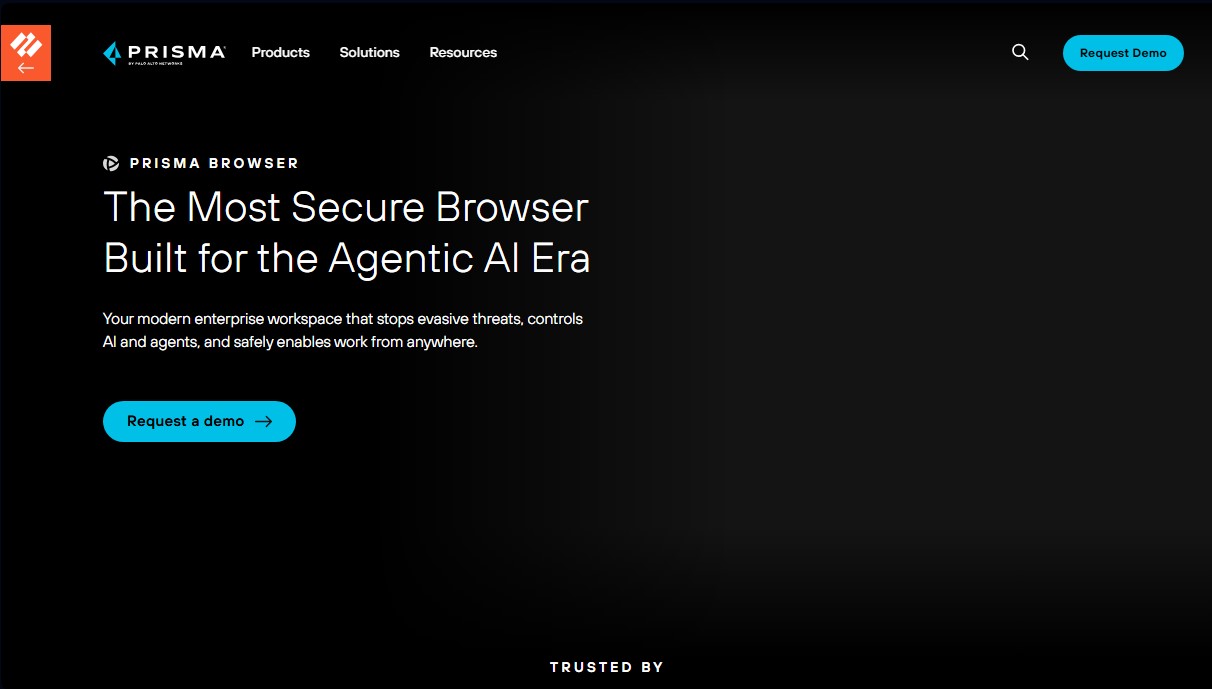
Prisma Browser by Palo Alto Networks Screenshots
Prisma Browser by Palo Alto Networks user reviews
Write a review
Checking your session...
Prisma Browser by Palo Alto Networks Reviews
Loading reviews...
Prisma Browser by Palo Alto Networks alternatives



TriggerFlow
Automate Windows apps without APIs using computer vision and AI. Manage PC fleets, monitor processes, and provide centralized remote control.

Relevance AI
Relevance AI lets companies design AI agents that take on work in sales, customer support, marketing, HR and operations, wired into the tools they already use.

