
Share
Automatically organize and rename your files with AI. It analyzes PDFs, photos, and documents to generate descriptive names that simplify organization and search.
What is Renamer ai?
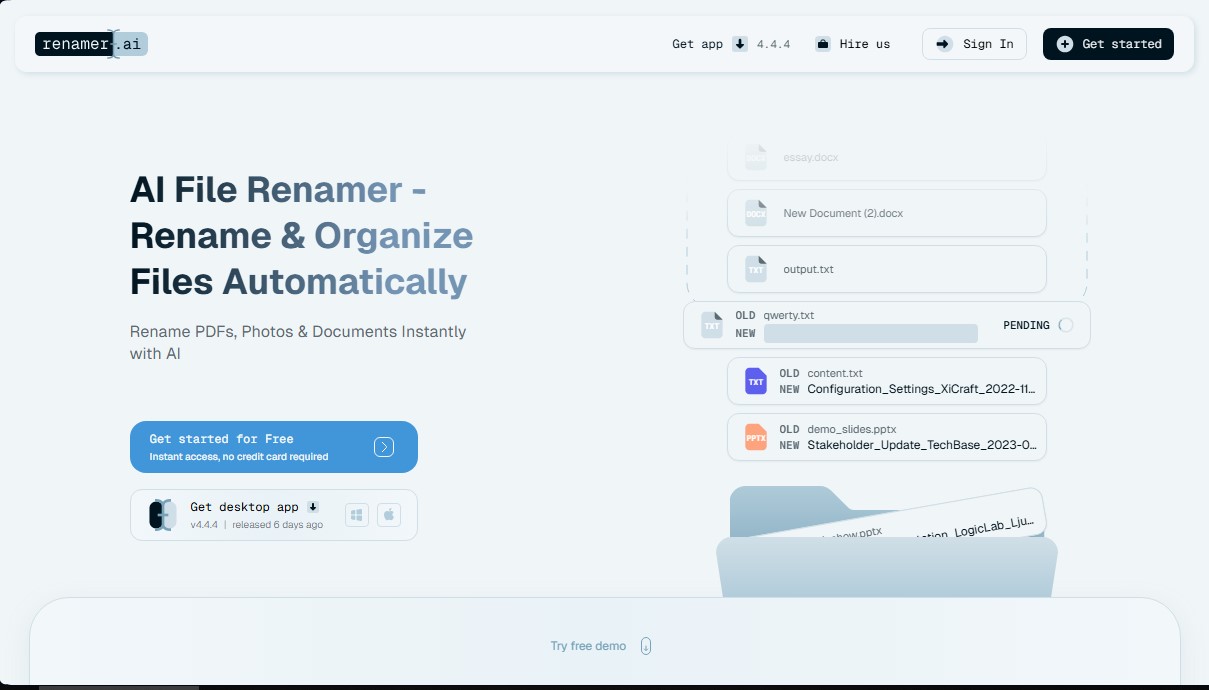
Renamer-ai is an advanced AI file organization solution designed to automate the tagging and ordering of documents, photos, and PDFs. Unlike traditional renamers based on rigid rules, this tool uses OCR technology (optical character recognition) and vision models to read the actual content of each file and generate descriptive, consistent, and structured names automatically.
The platform's operation is based on the deep analysis of text and visual data. When processing a file, the AI identifies key elements such as dates, company names, identification numbers, amounts, or document categories. For example, it can transform a generic name like "IMG_002.jpg" or "document1.pdf" into precise names like "service_invoice_march_2024.pdf" based on the extracted information. This capability is compatible with more than 30 formats, including PDF, DOCX, XLSX, JPG, PNG, and HEIC, functioning as a comprehensive photo and document renamer for your computer.
Its technical capabilities are grouped into functions oriented toward operational efficiency:
- Bulk Rename: Enables batch processing of hundreds of files simultaneously, applying mass naming configurations in seconds.
- Magic Folders: Smart folder setup that monitors directories in the background and automatically renames any new file dropped into them.
- Naming Templates: A visual editor to create custom patterns (dates, project types, search tags) that fit specific workflows.
- Smart Language Detection: Support for more than 20 languages, facilitating the management of international documentation and global teams.
This AI tool is ideal for accounting professionals, human resources departments, and legal teams that handle large volumes of documentation. By standardizing digital file management, users can locate information via keyword searches in seconds, eliminating duplication and clutter on the hard drive or in the cloud.
In terms of security, Renamer-ai employs enterprise-grade encryption. Files processed in the web version are automatically deleted after 24 hours, while the desktop application processes data directly on the device for enhanced privacy. The tool complies with data protection standards and ensures that document content is not used to train external models, guaranteeing the confidentiality of corporate information. It is a practical utility that transforms file chaos into a professional and intelligent digital filing system.
Renamer ai features and use cases
How to use Renamer ai
Renamer ai FAQ
What is Renamer-ai and how does it help organize my files?
Renamer-ai is an AI-powered tool that reads the content of your documents and photos to assign descriptive names and organize them automatically.
Do I need to provide a credit card to try Renamer-ai?
No, you can start using the service for free and get instant access without having to provide any payment information.
What file formats can Renamer-ai rename?
The tool supports over twenty-five formats, allowing you to instantly process PDFs, images, Word documents, and PowerPoint presentations.
How does Renamer-ai guarantee the privacy of my documents?
We use enterprise-grade encryption and delete files from the web after twenty-four hours, while the desktop app processes names locally without saving copies.
What are Renamer-ai's Magic Folders?
They are special folders that work in the background to automatically organize and rename your files as soon as they are saved to them.
Can I create my own naming rules in Renamer-ai?
Yes, the platform allows you to set up custom templates and specific patterns so that the final result matches your preferred organization system.
Is there a desktop version of Renamer-ai available for installation?
Yes, you can download the desktop application to manage large volumes of files more quickly and securely directly from your computer.
What languages can Renamer-ai read?
The AI features global support and is capable of processing and understanding documents in multiple languages to generate consistent names.
Renamer ai pricing and plans
Starter Plan: Free
- 15-file monthly limit.
- Access to the desktop app (Windows & Mac) and web interface.
- AI-powered bulk renaming.
- "Magic Folders" automation.
- Standard support (48-hour response time).
Pro Plan: $9.95 per month
- 200-file monthly limit.
- Access to the desktop app.
- Bulk renaming and custom templates.
- Background "Magic Folders" automation.
- Standard support (48-hour response time).
Power User Plan: $29.95 per month
- 1,000-file monthly limit.
- Access to the desktop app.
- Bulk renaming and custom naming templates.
- "Magic Folders" automation.
- Priority support (24-hour response time).
Ultimate Plan: $99.95 per month
- 5,000-file monthly limit.
- Access to the full desktop app.
- Bulk renaming for 30+ file formats.
- Advanced "Magic Folders" automation.
- Priority support (24-hour response time).
Enterprise / Custom Plan: See official website
- High-volume limit (over 10,000 files per month).
- Custom API integration with existing systems (ERP, CRM, cloud storage).
- Workflow design consulting and bulk historical file reorganization.
- Dedicated support and tailored solutions.
Renamer ai Screenshots
Renamer ai user reviews
Write a review
Checking your session...
Renamer ai Reviews
Loading reviews...
Renamer ai alternatives



TriggerFlow
Automate Windows apps without APIs using computer vision and AI. Manage PC fleets, monitor processes, and provide centralized remote control.

Relevance AI
Relevance AI lets companies design AI agents that take on work in sales, customer support, marketing, HR and operations, wired into the tools they already use.