

Share
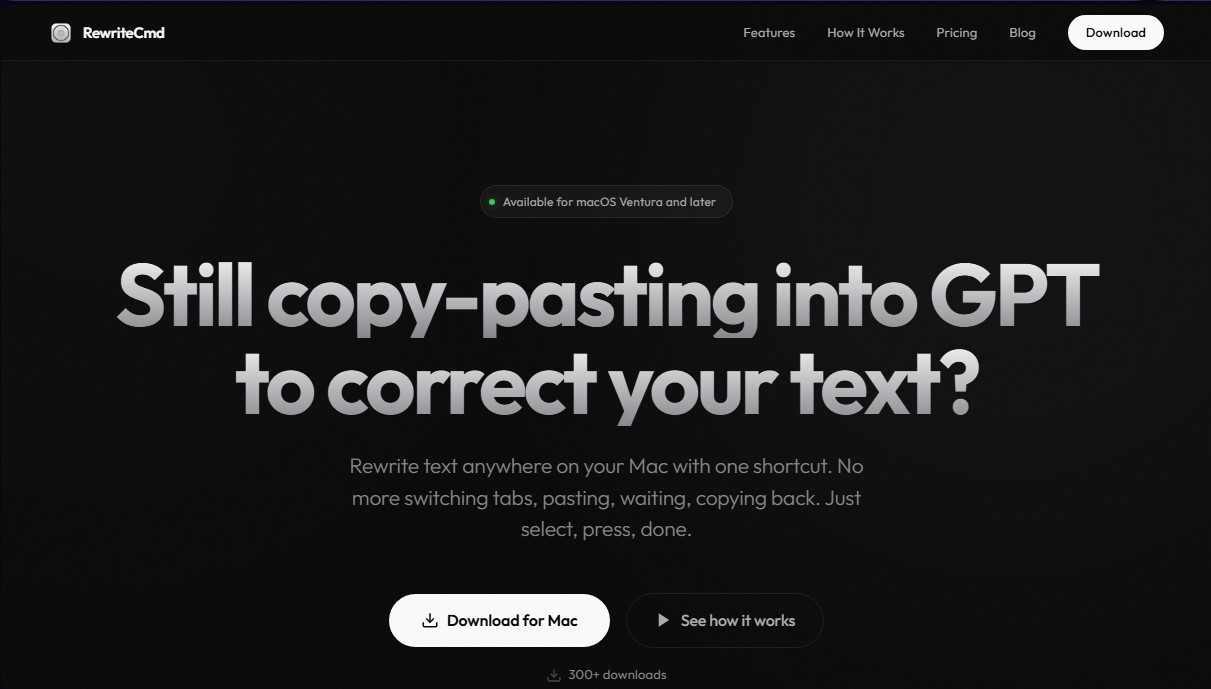
Rewrite and correct text in any macOS app using keyboard shortcuts. Use AI to change tone or translate instantly without copying and pasting.
What is RewriteCmd?
RewriteCmd is a native macOS productivity tool designed to integrate artificial intelligence directly into the user's workflow. Its primary function is to enable text editing, correction, and transformation within any application on the operating system, eliminating the traditional need to copy and paste content into browsers or external interfaces. Using a customizable keyboard shortcut (defaulting to ⌘ ⇧ R), users can select a text fragment and rewrite it instantly, staying focused on the task at hand.
The application operates on a "Bring Your Own Key" (BYOK) model, allowing users to connect the tool with leading language model providers such as OpenAI, Claude, and Mistral. By using the user's own API key, total control over costs and privacy is guaranteed, bypassing intermediaries in data processing. Security is a fundamental pillar of the tool; keys are stored encrypted in the macOS Keychain, ensuring that sensitive information is never saved to the disk in a vulnerable state.
Key features of RewriteCmd include:
- Instant rewriting: Automatic replacement of selected text with the AI-processed version in less than a second.
- Custom instructions: The ability to create specific commands tailored to particular needs, such as "translate to English," "add emojis," or "convert to a bulleted list."
- Presets: Includes autocorrect functions, tone adjustments (formal or informal), and text length modification (shorten or lengthen).
- Universal compatibility: Works with any software installed on your computer, from email clients and Slack to Notion or Integrated Development Environments (IDEs).
- Native integration: Developed in Swift for optimal performance on both Apple Silicon and Intel, the app sits discreetly in the menu bar without visual interference.
This tool is particularly useful for professionals who write content daily and want to optimize their AI workflow. By removing the friction of switching between tabs, RewriteCmd becomes an invisible writing assistant that helps improve grammar, adjust communication style, and increase text production speed on macOS 13 or later. Its practical and minimalist approach positions it as an efficient productivity solution for those requiring immediate results without technical complications.
RewriteCmd features and use cases
How to use RewriteCmd
RewriteCmd FAQ
What exactly is RewriteCmd and how does it work?
It is a Mac tool that allows you to correct or rewrite any selected text using a keyboard shortcut, eliminating the need to manually copy and paste into a browser.
What version of macOS do I need to use RewriteCmd?
The app is compatible with macOS Ventura 13 and later versions on both Intel and Apple Silicon processors.
How can I rewrite text using RewriteCmd without leaving my current app?
Just select the text you want to modify and press the default keyboard shortcut. The AI will process it and replace the text instantly.
Is it safe to enter my API keys into the tool?
Yes, because your keys are stored exclusively in the macOS Keychain with system-level encryption and are never stored on external servers.
Which AI models are compatible with RewriteCmd?
You can connect your own API keys from providers like Claude, OpenAI, or Mistral to use whichever AI engine you prefer.
Can I create my own custom instructions in the free version?
The free version allows you to set up one custom shortcut, while the Pro version offers unlimited instructions and writing styles.
Does RewriteCmd work in specific apps like Slack or Notion?
This tool works natively in any Mac application where you can select and edit text, including email clients and code editors.
Do I need to pay for an additional subscription to use the AI?
RewriteCmd uses a model where you provide your own API key, so you only pay AI providers for your actual usage without any middlemen.
RewriteCmd pricing and plans
Free Plan
$0
- Support for Claude, GPT, and Mistral models (requires providing your own API key).
- Global keyboard shortcut rewriting in any macOS app.
- Encrypted API key storage in the system Keychain.
- Limit of 1 custom instruction shortcut.
Pro Plan
$5 per month or $35 per year
- Includes all Free plan features.
- Unlimited custom instruction shortcuts.
- Create custom rewriting tones and styles.
- Priority team support.
- Early access to new features.
RewriteCmd Screenshots
RewriteCmd alternatives


EditTextInImage
Edit and replace text in any image while preserving the original font and background. Ideal for fixing typos or translating signs and screenshots.

UltraHumanizer
Transform AI text into natural, human-like content. Customize styles, process documents, and preserve the original meaning to bypass automatic detection.

ContentForge
Adapt content for eight platforms in your own style. Generate social media posts and emails while always maintaining your personal voice.


GeekArt Writing
An AI-powered writing space for authors that preserves creative control. Review edit suggestions, use annotations, and listen to your text’s rhythm with voice playback.