

Share
Automate complex workflows with natural language. Connect hundreds of apps and streamline operations without any prior technical expertise.
What is Script.it?
Script.it is an intelligent automation platform designed to create complex workflows using natural language. Unlike traditional automation tools that often require a steep technical learning curve, this solution allows users to describe their needs in plain language so that generative AI can build, connect, and execute processes autonomously. Its primary goal is to democratize the creation of functional scripts and agents for marketing, operations, sales, and customer service professionals looking to optimize tasks without relying on a development team.
The operation of Script.it is based on a "Scripting Agent" approach. Each agent has a dedicated cloud computer capable of performing any imaginable computing task within a secure environment. The architecture uses an open, file-based format where every block output is a readable document, facilitating both human oversight and editing by other agents. This system, known as human-in-the-loop, ensures that workflows are verifiable and do not act as an unpredictable "black box," allowing the user to correct and adjust logic iteratively and conversationally.
Key functional capabilities and features include:
- Extensive Integrations: Native connections with over 600 popular tools such as Slack, Gmail, Notion, HubSpot, Stripe, and Google Sheets, along with compatibility for custom APIs via webhooks.
- Custom Triggers: The ability to execute workflows based on fixed schedules, events in external applications, or specific user-defined triggers.
- Messaging and Accessibility: Direct interaction with agents through channels like WhatsApp, Telegram, or Slack. Additionally, each agent can have its own email address to receive and process information.
- Collaboration and Portability: Workflows can be shared with the team and exported as "skills" to be reused by other agents, fostering a modular work ecosystem.
- Mobile Management: An optimized interface to create new flows, start executions, and review results from a mobile device anywhere.
This workflow automation tool eliminates technical friction, allowing any professional to efficiently manage lead enrichment systems, user feedback synthesis, or social media monitoring. By combining the flexibility of custom scripts with the power of the latest LLM models, Script.it offers a robust solution for companies requiring operational efficiency and seamless AI integration into their daily processes, ensuring data integrity through isolated and encrypted environments.
Script.it features and use cases
How to use Script.it
Script.it FAQ
What is Script.it and how does it work?
It is an AI agent-based automation platform that allows you to create complex workflows simply by describing what you need in natural language.
Do I need to know how to code to use Script.it?
No coding or technical knowledge is required, as the tool is designed for any user to build and verify automations using simple instructions.
How many integrations are currently available on Script.it?
The platform offers over 600 direct integrations with popular tools like Slack, Gmail, HubSpot, and Notion, while also allowing you to connect any of your own custom APIs.
Does Script.it offer a free option to try the tool?
There is a free plan that includes 50 monthly credits to get you started, and you can currently access a beta program that offers $100 in included usage.
How is the security of my data guaranteed on Script.it?
Security is managed through the encryption of all connections, the use of isolated computing environments for each execution, and compliance with SOC 2 certification standards.
What types of triggers can I set up for my workflows on Script.it?
You can trigger your automations via scheduled times, webhooks, or specific events occurring in any of your connected external applications.
Is it possible to collaborate with other team members on Script.it?
Yes, the tool allows you to share workflows with colleagues to build automations together and leverage the skills created by your team.
What does it mean that Script.it allows for "human-in-the-loop" processing?
It means you can configure your workflows to pause and request validation or supervision from a person before completing critical actions.
Script.it pricing and plans
Free
0 $/month
50 credits included per month.
Access to all AI models.
Over 600 integrations available.
Community support.
Pro
30 $/month
300 credits included per month.
Additional on-demand credits for 0.10 $/credit.
Access to all AI models.
Priority support.
Enterprise
Custom pricing (Contact Sales)
SOC 2 Type II certification.
Self-hosting available.
SSO, audit logs, and admin controls.
Priority support and custom contract terms.
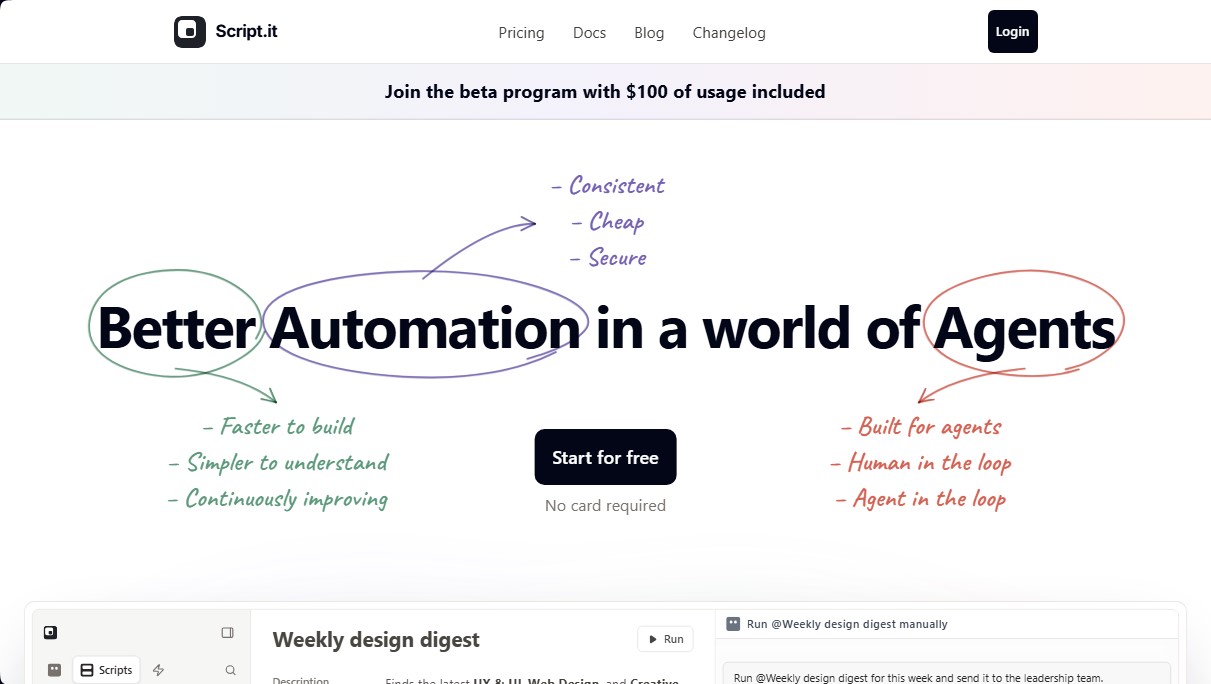
Script.it Screenshots
Script.it user reviews
Write a review
Checking your session...
Script.it Reviews
Loading reviews...
Script.it alternatives



TriggerFlow
Automate Windows apps without APIs using computer vision and AI. Manage PC fleets, monitor processes, and provide centralized remote control.

Relevance AI
Relevance AI lets companies design AI agents that take on work in sales, customer support, marketing, HR and operations, wired into the tools they already use.

