
Share
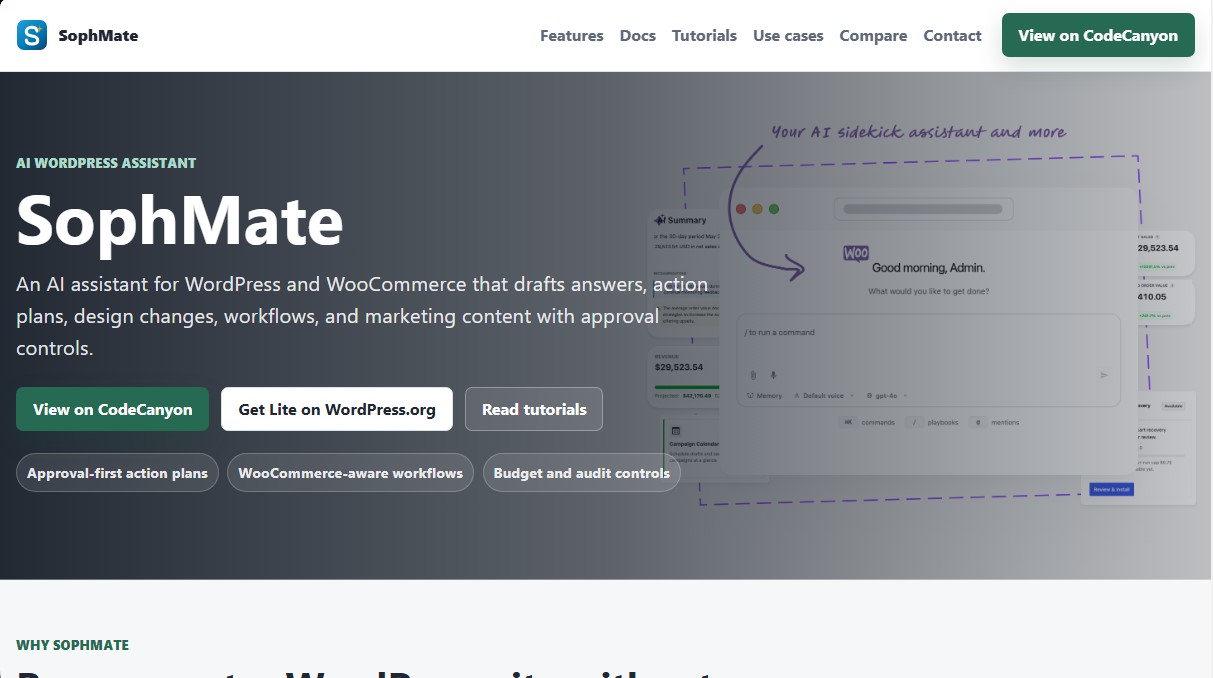
AI assistant for WordPress and WooCommerce that generates content, workflows, and support. Includes a human approval system to ensure safe changes.
What is SophMate?
SophMate is an advanced AI assistant specifically designed for WordPress and WooCommerce ecosystems. Its primary function is to assist in the editorial, technical, and commercial management of websites by generating drafts, action plans, and marketing content. Unlike other generic AI tools, SophMate operates under a human-in-the-loop model, meaning the AI proposes changes but never executes critical actions autonomously without explicit validation from a human user, ensuring site security and stability.
The application’s technology is built on the integration of state-of-the-art language models, such as OpenAI and Anthropic, allowing users to connect their own API keys to maintain full control over usage costs. It runs natively from the desktop administration dashboard and utilizes a robust technical architecture that includes support for REST API, WP-CLI commands, and AES-256-GCM encryption to protect stored credentials. It is compatible with modern versions of PHP and WordPress, ensuring smooth performance in professional environments.
Key capabilities and practical benefits include:
- AI Copilot: An interactive assistant that understands the administrator's context, allowing for queries regarding site status or the execution of quick commands for recurring tasks.
- WooCommerce Management: The ability to analyze sales data, draft technical support responses based on actual orders, generate SEO-optimized product descriptions, and plan coupon campaigns with margin reviews.
- Knowledge Base: Allows for the import of documents, brand voice guidelines, and company policies to ensure AI-generated responses are accurate and aligned with the brand identity.
- Workflows and Agents: Automation of complex workflows and the configuration of AI agents that monitor specific conditions, such as low-stock alerts or unusual drops in sales.
- Action Plans: Every proposed change generates a preview detailing the affected records and the risk level, allowing the administrator to approve or reject the execution.
For agencies and multi-site managers, SophMate offers essential governance tools, such as budget controls to limit spending per user and detailed audit logs. Additionally, it includes specialized modules like the Marketing Studio for creating multi-channel campaigns and the Theme Assistant for making design adjustments via assisted CSS. This tool is ideal for those looking to integrate AI for WordPress in a professional, scalable, and secure manner.
SophMate features and use cases
How to use SophMate
SophMate FAQ
What is SophMate and how does it help manage my website?
SophMate is an AI assistant for WordPress and WooCommerce that allows you to draft responses, create action plans, design changes, and automate workflows, all while remaining under the user's control.
Does SophMate include an API key for AI usage?
No, SophMate requires you to use your own API key from providers like OpenAI or Anthropic to activate its language processing features.
Can SophMate make changes to my site automatically and without supervision?
No, the tool is based on a pre-approval system where all AI-suggested actions must be reviewed and confirmed by a human before being executed.
Is SophMate compatible with my WooCommerce store's features?
Yes, the assistant is designed to understand your store's context and can help you with coupon creation, product management, order analysis, and drafting support responses.
What are the main differences between SophMate Lite and Pro?
The Lite version is free and limited to read-only assistance and diagnostics, while the Pro version allows you to execute changes, create complex workflows, and access marketing and design tools.
Where are my API keys stored and how are they protected?
Provider keys are stored in encrypted form in your WordPress database using the AES-256-GCM standard and are not displayed in logs or support exports.
Does SophMate allow for sending email campaigns directly?
No, SophMate only generates drafts on external platforms like Mailchimp or Klaviyo so that the administrator can review and send them from the respective provider's interface.
What are the technical requirements to install SophMate?
For the tool to function correctly, you need to have WordPress 6.0 or higher installed and a PHP version of 8.1 or higher with the OpenSSL extension enabled.
Does SophMate offer tools for privacy and GDPR compliance?
Yes, it includes data retention controls, purging tools, and personal information masking, and it integrates with native WordPress data export and erasure features.
Can agencies use SophMate to manage client sites?
Yes, agencies can standardize operations by exporting and importing workflows, agents, and custom approval policies for each client.
SophMate pricing and plans
Lite
Free
- Copilot and access to conversation history.
- Basic WooCommerce store insights and summaries.
- Safe draft playbooks and diagnostic tools.
- Privacy features and tool configuration.
Pro
Price: Check CodeCanyon for current pricing.
- Approval system, workflows, AI agents, and watchers.
- Advanced marketing tools, image generation, and theme customization.
- App Center and advanced operational controls.
- Full WooCommerce operations management (coupons, products, orders, and detailed analytics).
- Create repeatable workflows using natural language descriptions.
- Knowledge Base to train the AI on site policies and FAQs.
General Restrictions and Limits
- "Bring-your-own-key" model: Requires users to provide their own API keys from third-party providers (OpenAI or Anthropic), which incur their own usage costs.
- Set budget caps and spending controls per user or team within the tool.
- Requires WordPress 6.0 or higher and PHP 8.1 or higher.
SophMate Screenshots
SophMate user reviews
Write a review
Checking your session...
SophMate Reviews
Loading reviews...
SophMate alternatives



TriggerFlow
Automate Windows apps without APIs using computer vision and AI. Manage PC fleets, monitor processes, and provide centralized remote control.

Relevance AI
Relevance AI lets companies design AI agents that take on work in sales, customer support, marketing, HR and operations, wired into the tools they already use.