Share
Generate AI-powered SOPs with industry-specific templates and regulatory references. Create professional technical documentation in Word format.
What is SOPMaker?
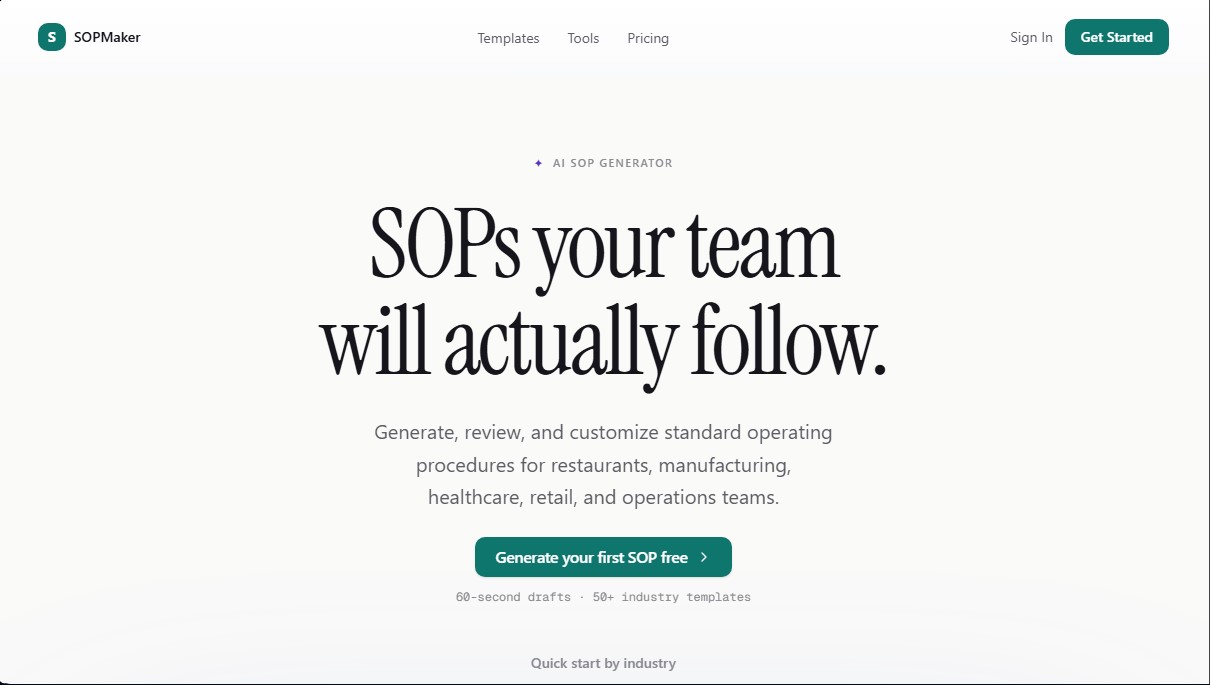
SOPMaker is an AI SOP generator designed to streamline the creation of professional standard operating procedures in seconds. This tool allows businesses across various industries to document their internal processes in a structured way, ensuring that teams follow clear and consistent guidelines. Its primary function is to transform brief descriptions into detailed documents that include responsibilities, sequential steps, safety warnings, and regulatory references.
The operation of SOPMaker is based on the use of advanced language models such as Claude Sonnet, GPT, and Gemini Pro. The workflow begins by selecting a specific industry, which allows the artificial intelligence to adapt technical terminology and compliance standards to the user's context. After describing the desired process, the AI generates a complete draft in less than 60 seconds. The platform integrates an AI assistant that enables precise edits, adding additional steps, or requesting explanations through natural language commands.
One of the standout features of this AI documentation tool is its focus on transparency and control. The editor utilizes a Track Changes system that allows users to review, accept, or reject every suggestion made by the AI, ensuring technical accuracy before implementation. Additionally, the system can integrate automatic compliance citations based on international and local regulations such as OSHA, FDA, ISO, HACCP, and HIPAA, making it easier to pass audits and maintain quality standards.
The practical benefits of SOPMaker focus on operational efficiency and standardization:
- Time reduction: Go from days of manual writing to professional drafts in just one minute.
- Industry templates: Offers more than 50 optimized templates for sectors such as hospitality, manufacturing, healthcare, logistics, and technical services.
- Professional export: Generates DOCX files with a production-ready layout, including numbering, signature blocks, and revision history.
- Task standardization: Makes it easy for all employees, from plant operators to administrative staff, to follow the same workflow.
This platform is ideal for operations leads, quality managers, and HR departments that need to manage an SOP library from their computer. By automating structure and technical content, SOPMaker helps scale any business's operations, ensuring that critical company knowledge is documented clearly and remains accessible to all personnel.
SOPMaker features and use cases
How to use SOPMaker
SOPMaker FAQ
What is SOPMaker and how does it help my business?
It is an AI tool that generates professional drafts of Standard Operating Procedures in less than sixty seconds.
Which industries can benefit from SOPMaker?
The platform is tailored for sectors such as hospitality, manufacturing, healthcare, logistics, and maintenance, adjusting the terminology and standards to each field.
Can I try SOPMaker for free?
Yes, the free plan offers twenty credits to generate your first procedures without needing to enter a credit card.
Is it possible to export procedures to other text formats?
Yes, you can download your documents in high-quality DOCX format to edit them in Microsoft Word or integrate them into your management system.
How does SOPMaker ensure compliance with international regulations?
The AI includes references to standards such as ISO, OSHA, or the FDA and adds mandatory safety sections based on the chosen industry.
What happens if I want to modify the text generated by the AI?
The editor includes a track-changes system that allows you to oversee every edit and decide whether to accept or reject the suggestions.
How many credits are needed to complete a full procedure?
Typically, it takes about five credits to complete the entire workflow, from initial generation to review and refinement.
SOPMaker pricing and plans
Free
Price: $0 (no credit card required).
- 20 credits (up to ~4 SOPs).
- Gemini Flash AI model.
- AI-powered SOP generation.
- Track changes.
- Export to DOCX format.
Pro
Price: $19/month (save 35% when billed annually). Includes a 3-day free trial.
- 500 credits per month (up to ~100 SOPs).
- Advanced AI models (Claude Sonnet, GPT-5.5, Gemini Pro) for more accurate drafts.
- Regulatory compliance citations (OSHA, FDA, ISO).
- Access to all templates.
- Revision history.
- Priority support.
Max
Price: $59/month (save 34% when billed annually). Includes a 3-day free trial.
- 2,000 credits per month (up to ~400 SOPs).
- Everything in the Pro plan.
- Highest-priority AI generation.
- Advanced AI models (Claude Sonnet, GPT-5.5, Gemini Pro).
- Priority support.
SOPMaker Screenshots
SOPMaker user reviews
Write a review
Checking your session...
SOPMaker Reviews
Loading reviews...
SOPMaker alternatives



TriggerFlow
Automate Windows apps without APIs using computer vision and AI. Manage PC fleets, monitor processes, and provide centralized remote control.

Relevance AI
Relevance AI lets companies design AI agents that take on work in sales, customer support, marketing, HR and operations, wired into the tools they already use.