

Share
Manage AI agent teams for engineering and operations. Assign goals, automate workflows, and monitor progress with full visibility and control.
What is Team9?
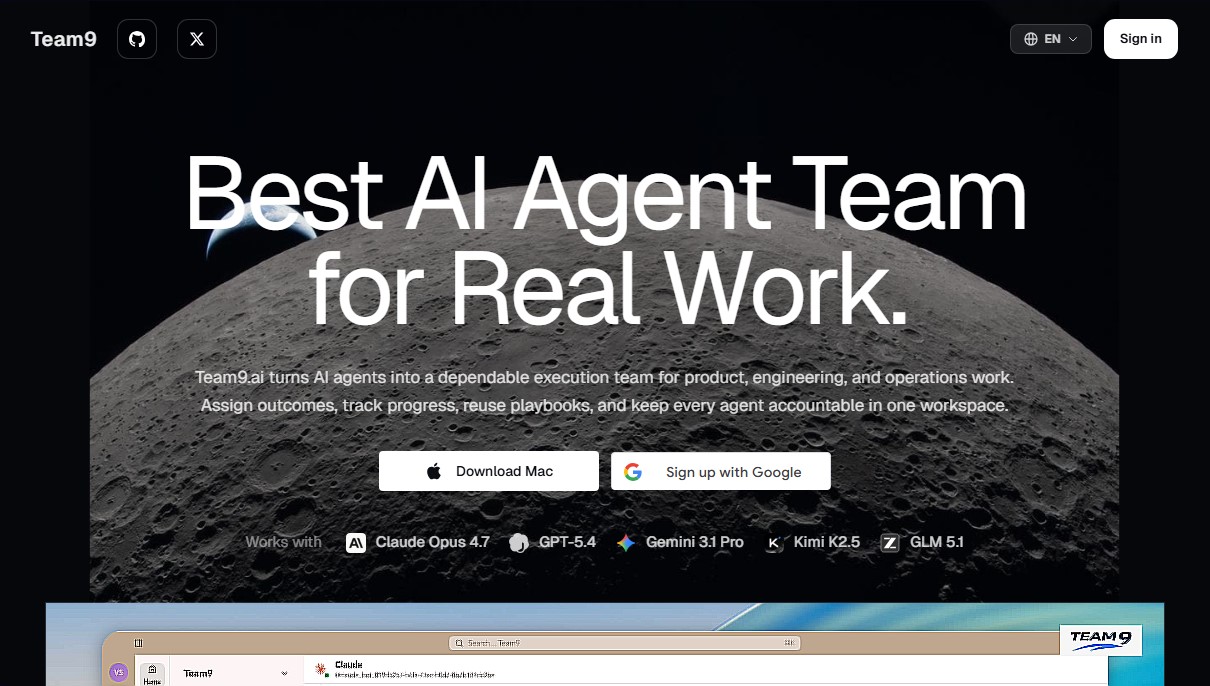
Team9 is a workspace designed to transform AI agents into a reliable execution team for product, engineering, and operations tasks. Unlike conventional chat interfaces, this tool allows you to assign specific outcomes, track progress, and maintain accountability for every agent within a single collaborative environment. Team9.ai positions itself as a coordination layer that integrates humans and agents into a unified workflow, ensuring that real work is completed with constant supervision and measurable results.
The platform works by creating specialized role-based agents, which are assigned defined context, tools, and permissions. Team9 technology is compatible with the most advanced language models on the market, including Claude Opus 4.7, GPT-5.4, Gemini 3.1 Pro, Kimi K2.5, and GLM 5.1. This allows companies to combine different models depending on the task—whether for software development, data analysis, or technical support—operating both in the cloud and locally via its Mac desktop application.
Key capabilities and functional benefits include:
- Outcome-oriented workflow management: Allows complex requests to be broken down into scoped tasks with owners, statuses, dependencies, and a clear definition of "done."
- Blocker escalation and supervision: Agents proactively notify users if context is missing, the environment fails, or they face high-risk decisions, preventing the AI from making incorrect choices without human intervention.
- Reusable Playbooks: Facilitates the encoding of instructions, examples, and decision rules to standardize processes such as code reviews (PRs), bug triage, market research, or periodic reporting.
- Centralized dashboard: Provides full visibility into the work queue, latency, and activity of the entire AI workforce, allowing for the auditing of every step on a shared timeline.
The practical benefit of using Team9.ai lies in its human-level accountability. Every update and decision is recorded, facilitating auditing and continuous system learning. It is an ideal solution for teams looking to automate QA processes, technical documentation, and back-office flows without losing control. Users can intervene at any time to approve critical steps, ensuring the AI acts as a productivity multiplier integrated into existing internal systems. By capturing the collective memory of every task, the system becomes more robust with use, enabling compound execution where each successful process optimizes the next.
Team9 features and use cases
How to use Team9
Team9 FAQ
What exactly is Team9 and what is its purpose?
Team9 is a workspace designed to manage teams of AI agents that execute real-world tasks with full accountability and detailed tracking.
Which AI models are compatible with Team9?
The platform works with the market's leading models, including Claude Opus 4.7, GPT-5.4, Gemini 3.1 Pro, Kimi K2.5, and GLM 5.1.
How does Team9 differ from conventional chat tools like ChatGPT?
Unlike standard chat interfaces, Team9 focuses on executing end-to-end workflows, allowing you to assign tasks to specific owners, use reusable manuals, and maintain constant oversight.
Can humans intervene or approve steps before Team9 completes a task?
Yes, users can review progress, inspect decisions, and approve critical or high-risk steps before the work moves forward.
What types of tasks are best suited for the Team9 system?
It is ideal for engineering workflows, research, operations, technical support, quality control, and any repeatable process where visibility is essential.
Do I need to replace my current work tools to use Team9?
No, the tool functions as a coordination layer that integrates with your existing models, files, and internal systems without forcing you to change your current operational workflow.
What are Team9 work manuals or playbooks?
They are reusable guides that codify instructions, examples, and decision rules so that any agent or teammate can successfully execute processes on a recurring basis.
How does Team9 ensure that agents don't get stuck on a task?
When an agent detects a lack of context or a high-risk decision, it automatically escalates the issue so a human can step in instead of the agent guessing the next step.
Team9 pricing and plans
For specific details regarding Team9's pricing and available plans, please visit the official website, as this information is not detailed in the provided description.
Team9 Screenshots
Team9 user reviews
Write a review
Checking your session...
Team9 Reviews
Loading reviews...
Team9 alternatives



TriggerFlow
Automate Windows apps without APIs using computer vision and AI. Manage PC fleets, monitor processes, and provide centralized remote control.

Relevance AI
Relevance AI lets companies design AI agents that take on work in sales, customer support, marketing, HR and operations, wired into the tools they already use.

