

Share
Remove and replace video backgrounds with AI—no green screen required. Apply professional-grade transparencies, colors, or images in up to 4K resolution.
What is unbg.video?
unbg.video is a specialized tool for AI-powered video background removal. Its primary function is to automatically isolate the subject from their surroundings without the need for a chroma key or green screen, delivering professional-grade results with high precision. The platform is designed for content creators, editors, and marketing professionals to replace video backgrounds quickly and efficiently from any computer, streamlining post-production workflows.
unbg.video technology is powered by advanced segmentation algorithms that identify subject edges with studio-level accuracy. To meet various quality requirements, the tool offers two processing modes: Standard Mode, ideal for quick clips and social media content, and Pro Mode, which utilizes deeper analysis to handle complex details like hair movement or the presence of transparent objects. The system supports files up to 200MB and features a real-time preview to verify results before processing the final file.
Key features and practical benefits include:
- Automated background removal: Identifies people and primary objects in videos recorded indoors, outdoors, or in studios without requiring specific physical backdrops.
- Integrated background editor: Allows you to replace the original environment with solid colors or custom images, or export the video with a transparent background.
- Format versatility: Supports uploading and processing files in MP4, MOV, and WebM, covering most current recording standards.
- High-quality export: Offers the ability to download results in professional formats like ProRes 4444, maintaining the alpha channel for use in advanced editing software such as Adobe Premiere Pro.
- Social media optimization: Perfectly handles vertical video formats, making it an effective solution for TikTok, Instagram Reels, or YouTube Shorts.
This AI video tool stands out as a functional alternative for users seeking simplicity without sacrificing technical precision. By eliminating the need for manual rotoscoping, unbg.video makes it easy for users of any technical level to replace video backgrounds for presentations, recorded video calls, or creative projects. Additionally, the platform ensures the security of processed information, allowing users to manage and delete their data at any time, guaranteeing the privacy of their video clips.
unbg.video features and use cases
How to use unbg.video
unbg.video FAQ
What is unbg.video and how does it work?
It is an advanced tool that uses artificial intelligence to professionally remove or replace video backgrounds without the need for a green screen.
Do I need a green screen to use unbg.video?
No, it isn't necessary. Our AI technology automatically identifies the subject and removes the background in any recording environment.
What file formats does the platform support?
You can upload and process videos in MP4, MOV, and WebM formats, with the option to export high-quality results, including transparency.
Can I replace the background with my own image?
Yes. Once the original background is removed, you can choose a solid color, keep it transparent, or upload your own custom image or video.
How long do credits purchased on unbg.video last?
All purchased credits are valid for one year from the date of purchase, allowing you to use them whenever you need.
What is the difference between Standard and Pro mode?
Standard mode is fast and affordable for social media content, while Pro mode offers maximum precision for complex details like hair.
Is it possible to process 4K resolution videos?
Yes, our tool allows for high-definition video processing up to 4K resolution, depending on your selected plan.
Is my data secure when using this background remover?
Privacy is a top priority, and all files are processed securely. Users can also delete their data at any time.
Can I use unbg.video to edit TikTok or Instagram videos?
The tool is perfect for content creators, as it easily handles vertical videos and standard social media formats.
What professional export options does the tool offer?
After processing your video, you can export files in ProRes 4444 or WebM format with transparency for use in professional editors like Adobe Premiere Pro.
unbg.video pricing and plans
Free Trial: Available for new users to test background removal features.
6,000 Credits: $6 (Pay-as-you-go)
- Video processing up to 4K.
- Transparent backgrounds.
- Online background editor.
- Credits expire after 1 year.
- File size limit up to 200 MB.
20,000 Credits: $18 (Pay-as-you-go)
- Video processing up to 4K.
- Transparent backgrounds.
- Online background editor.
- Credits expire after 1 year.
- File size limit up to 200 MB.
60,000 Credits: $48 (Pay-as-you-go)
- Video processing up to 4K.
- Transparent backgrounds.
- Online background editor.
- Credits expire after 1 year.
- File size limit up to 200 MB.
140,000 Credits: $98 (Pay-as-you-go)
- Video processing up to 4K.
- Transparent backgrounds.
- Online background editor.
- Credits expire after 1 year.
- File size limit up to 200 MB.
270,000 Credits: $180 (Pay-as-you-go)
- Video processing up to 4K.
- Transparent backgrounds.
- Online background editor.
- Credits expire after 1 year.
- File size limit up to 200 MB.
unbg.video Screenshots
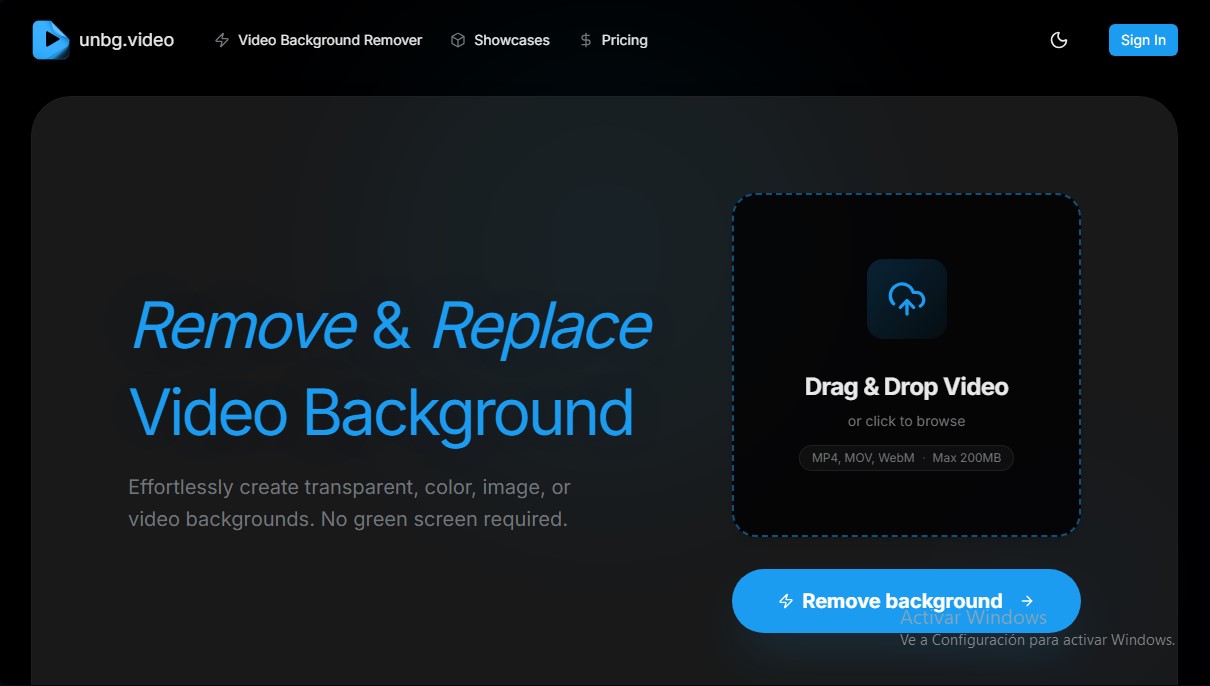
unbg.video alternatives


AI Video Text Remover
Use AI to remove subtitles, logos, and watermarks from your videos. Automatically reconstruct backgrounds for a clean, blur-free result.


KineMaster
Professional AI mobile video editor with auto captions, background removal, and object tracking. Features thousands of templates and 4K export.
Map Animation
Generate AI-powered animated route and map videos from text. Customize cinematic camera movements and export in high resolution and various formats.

Kapwing Hinglish Subtitles Generator
Generate automatic Hinglish captions for videos in 100+ languages. Includes AI-powered editing and dubbing tools to reach bilingual audiences.