
Share
Remove watermarks, text, and subtitles from videos with AI. Select specific areas, maintain original quality, and preview results instantly.
What is UnMarkAI?
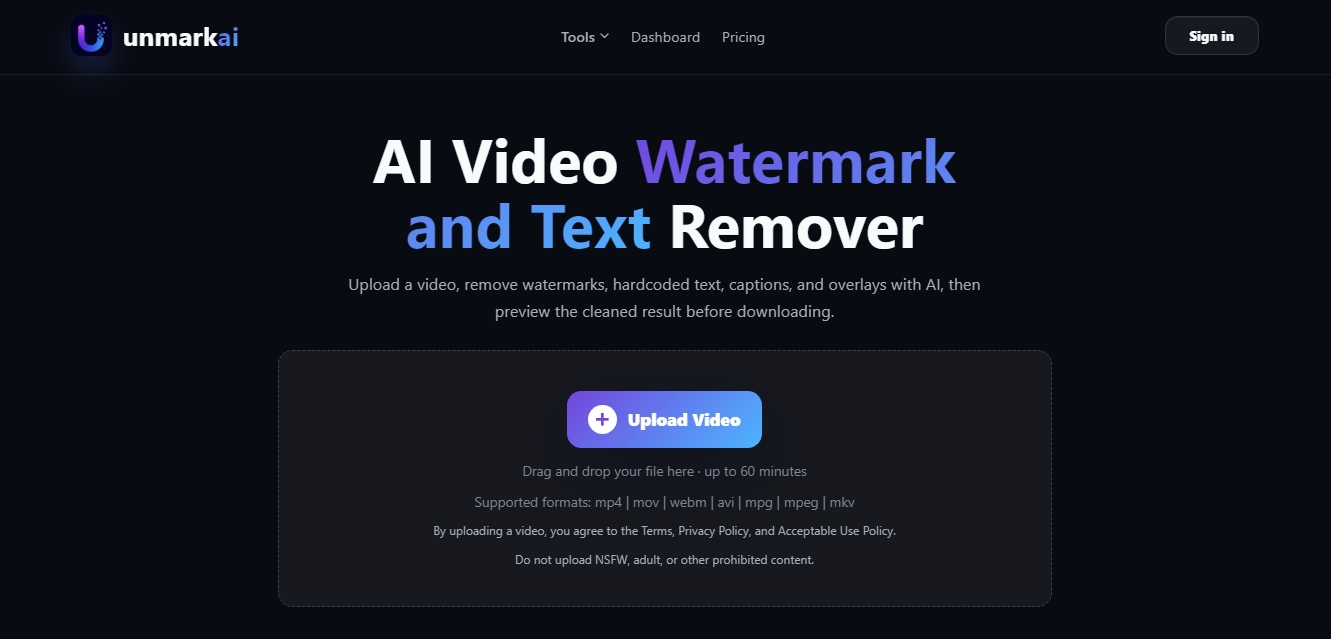
UnMarkAI is an artificial intelligence tool specialized in watermark removal, embedded text, subtitles, and overlays in video files. Its primary function is to clean visual assets so that content creators and marketing teams can reuse materials without visual distractions. This application supports common formats such as MP4, MOV, WEBM, AVI, and MPG, offering an automated solution to obtain clean clips ready for distribution across social or professional channels.
The operation of UnmarkAI is based on advanced AI inpainting and image-cleaning algorithms. After uploading a file from a computer, users can opt for full-frame cleaning or use manual selection mode to mark specific areas using a selection box. This technology analyzes surrounding pixels to naturally reconstruct the background, maintaining color fidelity, original resolution, and frame rate without generating recompression artifacts. It is especially effective for correcting errors in videos generated by other AI tools, such as malformed subtitles or text artifacts produced by models like Runway, Sora, or Pika.
Among its technical capabilities, its optimized processing pipeline stands out, delivering results in just a few minutes, depending on the file's duration and resolution. The platform allows for managing concurrent workflows, facilitating the simultaneous editing of multiple files from a single dashboard. Additionally, it includes a comparative preview feature that allows users to verify the cleaning quality before confirming the final download of the processed file.
This AI video editing tool is highly useful for various professional profiles:
Social Media Creators: To clean videos, reels, or short clips before publishing them on different platforms.
Product Teams: Useful for preparing demos, tutorials, and user guides by removing elements that distract from the main message.
Marketing Agencies: Allows for delivering clean previews to clients and standardizing brand asset quality at scale.
Educational Sector: Ideal for updating course materials, class recordings, and video tutorials by removing timestamps or old logos.
Privacy is a top priority in the UnmarkAI workflow. Content is processed via a secure connection, and files are automatically deleted from the servers after the retention period ends, ensuring that user-owned assets remain protected. As a browser-based solution, it requires no complex software installation, allowing for agile digital asset management from any device.
UnMarkAI features and use cases
How to use UnMarkAI
UnMarkAI FAQ
What is UnMarkAI and what is it used for?
UnMarkAI is an AI-powered tool designed to automatically remove watermarks, logos, subtitles, and any overlaid text from your videos.
Which video formats are compatible with UnMarkAI?
The platform supports file uploads in MP4, MOV, WEBM, AVI, MPG, MPEG, and MKV formats, always maintaining the highest possible quality from the original file.
Can I select a specific area to remove a watermark in UnMarkAI?
Yes, you can choose a full-frame cleanup or use the selection tool to precisely mark the exact area containing the element you want to delete.
Does the cleanup process affect the original quality of my videos?
No, UnMarkAI’s technology is designed to preserve the original resolution, frame rate, and color fidelity without applying compression that degrades the image.
How long does it take UnMarkAI to process a video?
Most videos are processed in just a few minutes, although the exact time depends on the file resolution, total duration, and the size of the area selected for cleanup.
Are my files safe and secure on UnMarkAI?
Privacy is an absolute priority; your videos are processed securely and are automatically deleted from the servers after a set period based on your plan.
Can I use UnMarkAI results for commercial projects?
Yes, all plans allow for the commercial use of processed files, streamlining the workflow for agencies, content creators, and businesses.
How does the credit system work in UnMarkAI?
Credits are reserved when a task starts and are consumed once the result is generated, allowing you to compare the "before" and "after" in a preview before finalizing the process.
Can UnMarkAI remove poorly generated subtitles from other AI tools?
Yes, the tool is highly effective at cleaning up incorrect subtitles or distorted text generated by other AI video creation platforms.
Does UnMarkAI allow for processing multiple videos at the same time?
Depending on your subscription plan, you can run up to four simultaneous processing tasks to speed up your workflow.
UnMarkAI pricing and plans
Free Start
No credit card required.
Test the watermark removal workflow and preview results.
Starter: 3,42 $ per month (billed annually) or 4,90 $ (monthly payment)
1,200 points/credits per year.
Up to 500 MB per file.
Maximum duration of 5 minutes per video.
1 simultaneous processing task.
Creator: 8,42 $ per month (billed annually) or 12,90 $ (monthly payment)
4,800 points/credits per year.
Up to 1 GB per file.
Maximum duration of 30 minutes per video.
2 simultaneous processing tasks.
Pro: 17,92 $ per month (billed annually) or 29,90 $ (monthly payment)
14,400 points/credits per year.
Up to 2 GB per file.
Maximum duration of 60 minutes per video.
4 simultaneous processing tasks.
UnMarkAI Screenshots
UnMarkAI alternatives

Osmo Studio
AI animation studio for professional motion graphics and videos. Control every detail, collaborate with teams, and export with transparent backgrounds.

AI Video Text Remover
Use AI to remove subtitles, logos, and watermarks from your videos. Automatically reconstruct backgrounds for a clean, blur-free result.