VideoProc Converter AI
Share
VideoProc Converter AI
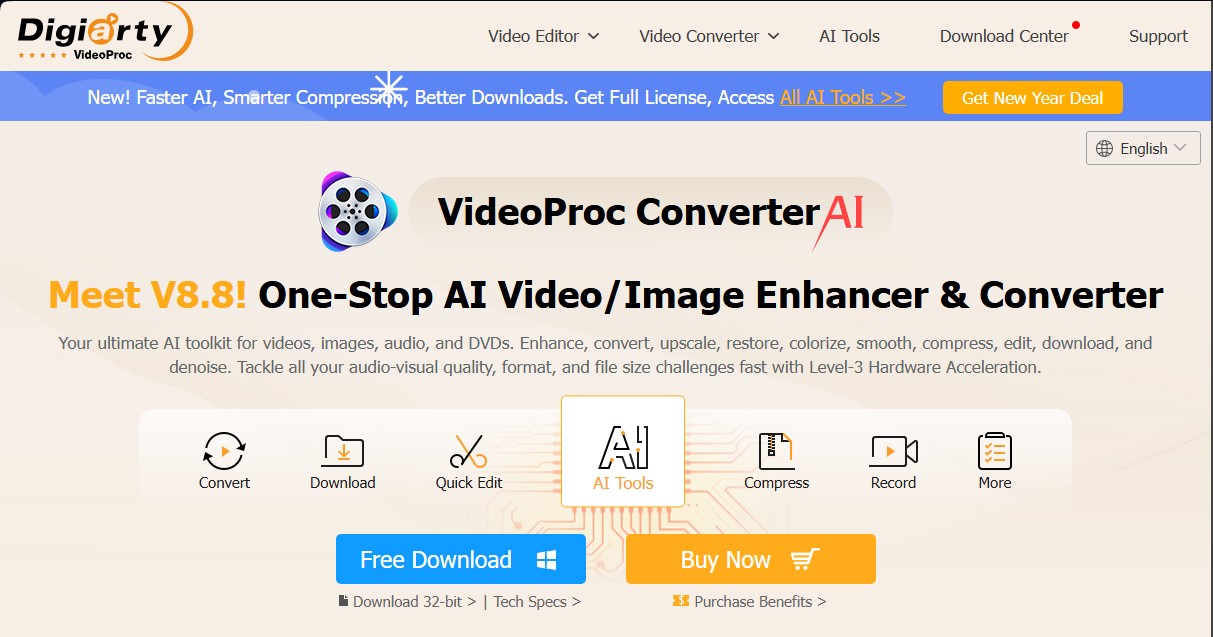
Optimize videos and images with AI. Upscale resolution, stabilize, denoise, convert, compress, download, and digitize DVDs with professional speed and quality.
General Information about VideoProc Converter AI
VideoProc Converter AI is a comprehensive multimedia processing solution designed for computers that combines traditional editing tools with advanced artificial intelligence algorithms. This application allows you to efficiently optimize the quality of videos, images, and audio files, catering to content creators and vloggers as well as home users seeking professional results without technical headaches.
The tool's core technology is powered by Level-3 hardware acceleration, leveraging the performance of NVIDIA, AMD, and Intel GPUs, as well as Apple chips (M1 through M4). This approach ensures processing speeds up to 47 times faster than real-time while maintaining minimal CPU usage, allowing for the smooth handling of large files in 4K and 8K resolutions.
Within its artificial intelligence ecosystem, VideoProc Converter AI offers specialized capabilities for media restoration and enhancement:
- Super Resolution: Allows you to upscale low-resolution videos and images to 4K, 8K, or 10K by reconstructing lost details, removing digital noise, and fixing blur using specialized AI models.
- Frame Interpolation: Generates new frames through motion estimation to convert low-FPS recordings into smooth sequences of up to 480 FPS, which is ideal for creating cinematic slow-motion effects.
- Video Stabilization: Automatically corrects shakes in recordings from smartphones, drones, or action cameras, providing precise control over cropping and output quality.
- Image AI: Includes face restoration features for old photographs and automatic colorization for black-and-white images.
- Audio AI: Features tools for vocal or instrument removal and background noise suppression for podcasts, vlogs, and interviews.
Beyond its AI functions, the tool excels as a versatile format converter supporting over 370 input formats and 420 output formats, facilitating the transcoding of MP4, HEVC, MKV, or DVD files. Its compression engine can reduce file sizes by more than 90% via an intuitive slider, optimizing storage without sacrificing visual fidelity.
VideoProc Converter AI also integrates a quick-editing kit for cutting, merging clips, adding subtitles, applying effects, and correcting fisheye lens distortion. Finally, it includes a powerful media downloader for thousands of websites and a screen recorder with webcam support and chroma key mode, solidifying its position as a multi-purpose tool for digital asset management.
Features and Use Cases of VideoProc Converter AI
How VideoProc Converter AI Works
Frequently Asked Questions about VideoProc Converter AI
What is VideoProc Converter AI and what does it do?
It is an all-in-one multimedia solution that uses artificial intelligence to enhance, convert, compress, edit, download, and record video, audio, images, and DVDs.
Is VideoProc Converter AI free?
The software offers a free trial version to explore its core features, but it requires the purchase of a license to unlock its full capabilities and remove processing time limits.
How does VideoProc Converter AI's artificial intelligence improve video quality?
It utilizes super-resolution models to upscale videos to 4K, frame interpolation for smoother motion, and stabilization tools to fix shaky footage from cameras or smartphones.
Can I restore old photos with VideoProc Converter AI?
Yes, the Image AI tool allows you to upscale images to 10K, restore faces, remove visual noise, and automatically colorize old black-and-white photographs.
What are the benefits of Level-3 hardware acceleration?
This technology enables you to process and convert multimedia files up to 47 times faster than traditional methods by harnessing the full power of NVIDIA, AMD, and Intel graphics cards.
Can I remove background noise or vocals from an audio file?
VideoProc Converter AI includes Audio AI features designed to suppress unwanted noise or separate vocals from instruments in songs, podcasts, and interviews without losing quality.
What file formats does VideoProc Converter AI support?
The software supports over 370 input and 420 output formats, allowing you to work with MP4, HEVC, AVI, MKV, and MOV files, as well as device-specific content from GoPro or DJI drones.
Is it safe to download and install VideoProc Converter AI on my computer?
Yes, it is safe, malware-free software developed by Digiarty Software, a company with nearly twenty years of experience that guarantees local and private file processing.
Does the software allow me to download videos and music from the internet?
It includes a download engine compatible with over 1,000 popular websites, allowing you to save videos, entire playlists, and live streams in various formats and resolutions.
What quick editing features does VideoProc Converter AI offer?
It features tools to cut, merge, crop, rotate, add subtitles, apply cinematic effects, and correct fisheye lens distortion.
VideoProc Converter AI Pricing
Free Trial
Price: 0 €
- Video AI tools (Super-resolution, Frame Interpolation, and Stabilization): limited to files under 5 minutes.
- Image AI tools (Super-resolution, Face Restoration, and Colorization): limited to a maximum of 5 images.
- Audio AI tools (Noise Reduction and Vocal Remover): limited to files under 5 minutes.
Premium 365 (1-Year Subscription)
Price: 34,95 $ per year
- License valid for use on 3 PCs.
- Unlimited use of all AI tools (video, image, and audio) for one year.
- Full access to conversion, editing, downloading, and recording features.
- Software updates (major and minor) included throughout the subscription year.
- 30-day money-back guarantee.
Lifetime License
Price: 54,95 $ (one-time payment)
- License valid for 1 PC.
- Permanent, unlimited use of all current and future AI tools.
- Watermark-free video and image exports.
- Free lifetime updates included.
- Includes bonus gifts: 6-month license for Aiarty Image Matting and a full license for DearMob iPhone Manager.
Family License (Lifetime)
Price: 79,95 $ (one-time payment)
- License valid for use on 3 to 5 PCs.
- Includes all features and benefits of the Lifetime License.
- Permanent access to all AI, conversion, download, and recording features.
- Free lifetime updates and technical support.
VideoProc Converter AI Screenshots