

Share
What is Clarpex?
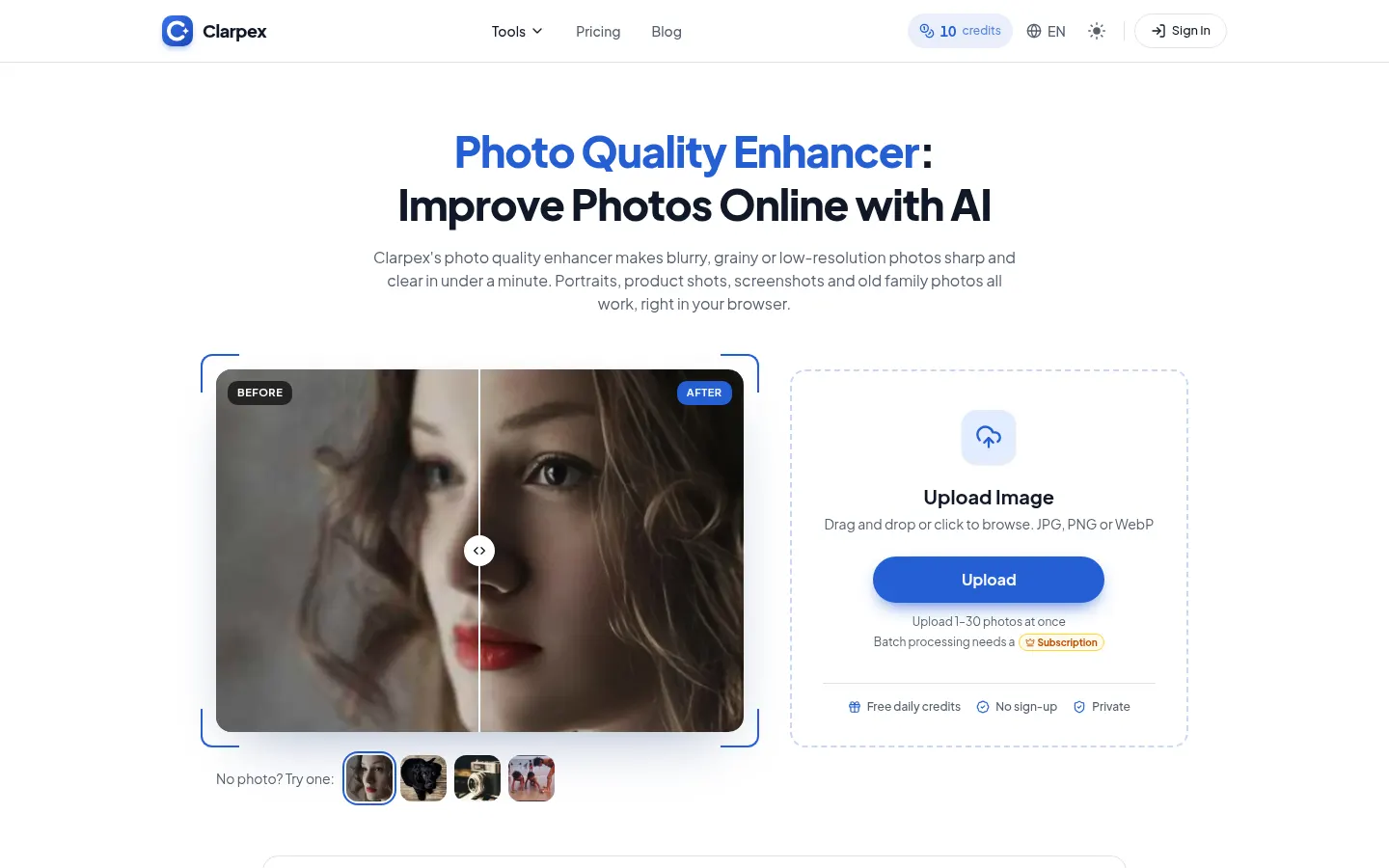
Clarpex is an AI tool that improves photo quality, turning blurry, grainy or low-resolution images sharp and clear in under a minute. It runs in your browser and handles portraits, product shots, screenshots and old family photos.
What does Clarpex do to a photo?
Instead of boosting edge contrast like a sharpening filter, the AI rebuilds detail that blur, noise or compression wiped out. It brings back eyes, fur or small text in slightly soft shots, adds missing pixels to small images, cleans blocky artifacts from screenshots and removes grain without the plastic look of heavy noise reduction. Before you download, a slider compares the result with the original.
What other tools does it include?
Beyond the enhancer there is an upscaler to 2K, 4K or 8K, an HD converter, tools to fix heavy blur or pixelation, make blurry text readable and restore old photos with scratches or stains. It also colorizes black and white photos, brightens dark shots, removes glare, shadows or red eye, swaps backgrounds and erases people or text from images.
Who is Clarpex for?
- Online sellers who need sharp product photos.
- Creators reusing small images on big screens or in print.
- Families restoring old scanned photos.
Clarpex pros and cons
You can use it without signing up, it adds no watermark, and paid accounts can process up to 30 photos at once. Photos are used only to create your result, never to train AI, and are deleted after 24 hours without an account. On the downside, heavy motion blur or a subject that covers only a few pixels cannot be fully recovered, and very small faces may change slightly, so check the result. For precise retouching or color grading of RAW files, a manual editor is still the better choice.
Clarpex features and use cases
How to use Clarpex
Clarpex FAQ
What is Clarpex?
Clarpex is an AI photo enhancer that brings back detail in blurry, pixelated, noisy or old images right in your browser.
Is Clarpex free?
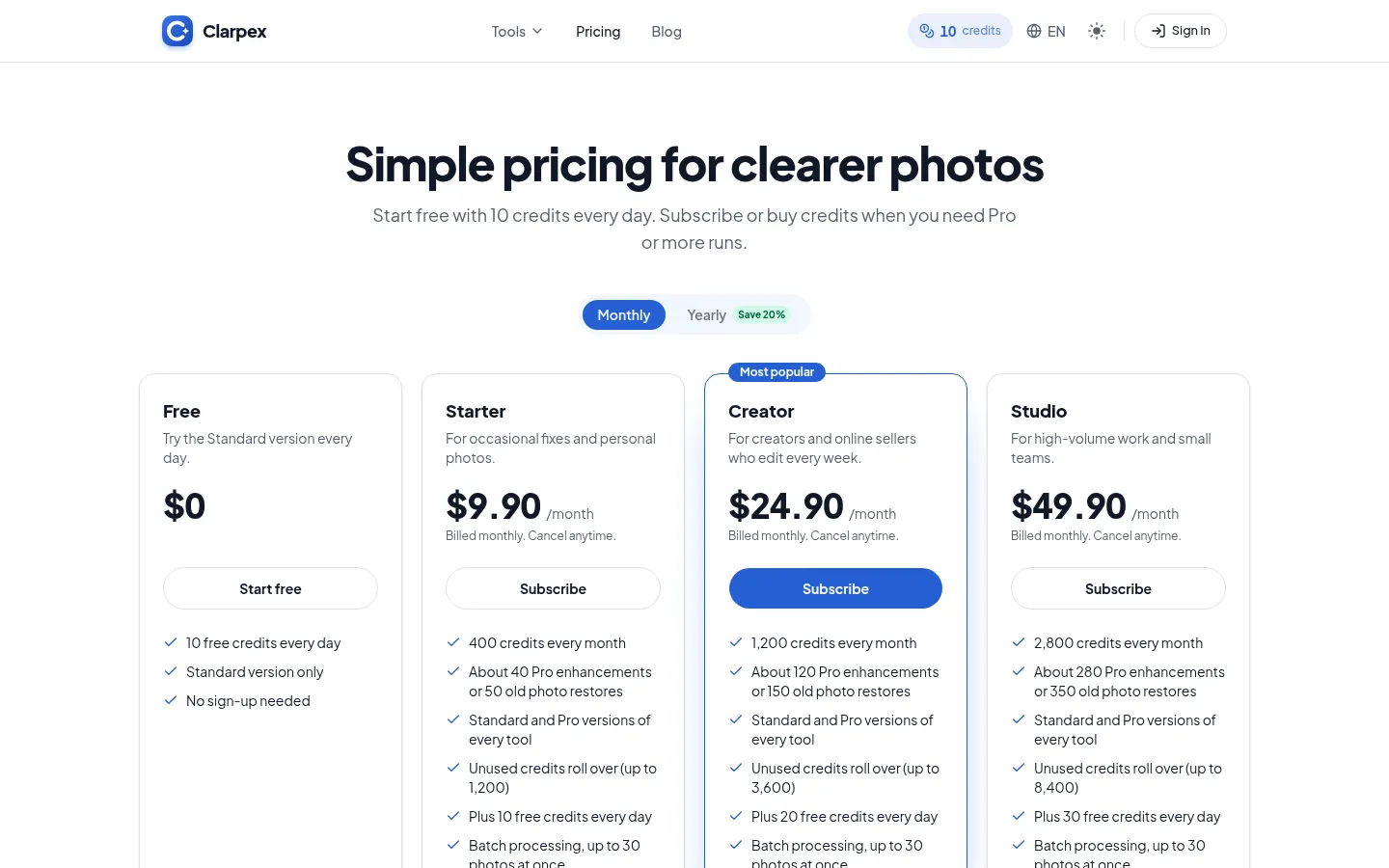
It gives 10 free credits a day with no sign-up for the Standard version; Pro and heavier use need a subscription or credit pack. See the pricing section.
Do I need an account?
No. You can enhance photos right away; an account is only needed to keep your history or buy credits.
What is the difference between Standard and Pro?
Standard suits everyday photos and faces; Pro rebuilds badly blurred or pixelated photos and keeps more detail from large images.
Can it upscale a photo to 4K?
Yes, its image upscaler lets you pick 2K, 4K or 8K.
What happens to my uploaded photos?
They are used only to create your result and never to train AI. Without an account they are deleted after 24 hours.
Does Clarpex have an API?
The official site does not mention a public API; it runs in the browser.
Is Clarpex available in Spanish?
The site and interface are in English, but it works with any photo regardless of language.
What are the alternatives to Clarpex?
On GptZone you can compare it with Upscayl, Topaz or Krea, which also enhance and upscale images with AI.
Clarpex pricing and plans
Reference price: 9.9 USD / month. Source · Verified: November 15, 2026
Prices in US dollars (USD) as listed on the official site. Checked on: 15/11/2026.
Free: 10 free credits every day with no sign-up, Standard version only (2 credits per photo). No watermark.
Subscriptions from $9.90/month (20% off with annual billing): Starter, 400 credits a month; Creator, 1,200; Studio, 2,800. They include Standard and Pro versions (10 credits per Pro run), rollover credits and batch processing of up to 30 photos.
Credit packs (one-time, never expire): 150 credits for $4.99; 550 for $14.99; 1,200 for $29.99.
Clarpex Screenshots
Clarpex user reviews
Write a review
Checking your session...
Clarpex Reviews
Loading reviews...
Clarpex alternatives

Cutout.pro
Cutout.pro is an AI visual editing platform to remove backgrounds, enhance and upscale photos, make passport photos and generate images and videos, with an API.




BeautyPlus
BeautyPlus is an AI photo editor for web and mobile that retouches portraits, sharpens photos, removes backgrounds and objects, tries on hairstyles and makes images.