

Share
Remove subtitles, watermarks, logos, and objects from videos with AI. Reconstruct backgrounds naturally for a professional finish without blurring or visible seams.
What is VideoTextRemover.com?
Video Text Remover is an AI-powered online tool designed to clean up video clips by removing unwanted visual elements such as subtitles, captions, logos, and watermarks. Unlike traditional solutions that apply an unsightly blur over the affected area, this video text removal software uses advanced algorithms to reconstruct the original background of the scene. Thanks to this generative AI approach, the final result maintains visual integrity and environmental consistency, making the edit virtually seamless.
The platform’s operation is straightforward and optimized for a fast browser-based workflow, with no need to install heavy software on your computer. The process begins by uploading a video file in common formats like MP4, MOV, or WEBM, with a size limit of up to 500MB. Once uploaded, the user uses a marker to select the area of the text or element they wish to remove. The tool allows you to generate a free preview to check the quality of the cleanup before processing the full video, providing precise control over the final result.
This application is especially valuable for content creators, editors, and marketing agencies working with short-form video. Its key capabilities include:
Social media watermark removal: Easily clean clips from platforms like TikTok, Instagram Reels, or YouTube Shorts for redistribution without distracting elements.
Hardcoded subtitle removal: Ideal for recovering original footage from tutorials or videos where the text is no longer needed.
Object and person removal: The AI engine doesn't just detect text; it also functions as a retouching tool to remove people, products, or any distraction from the frame.
Natural background reconstruction: Instead of just hiding the object, the technology fills the empty space by analyzing surrounding pixels.
Account history: Projects and results are stored in the user’s profile, making it easy to compare versions or resume previous edits.
Video Text Remover is positioned as a practical solution for those who need videos ready to publish in minutes. Optimized for both desktop and mobile access, it offers the versatility to professionally manage digital marketing and social media content. The system is designed to handle everything from quick previews to high-quality exports, ensuring the resulting footage is smooth and free of elements that disrupt the viewer experience. It is an effective alternative to complex manual editing, allowing even users without technical experience to achieve professional-level results through AI applied to video.
VideoTextRemover.com features and use cases
How to use VideoTextRemover.com
VideoTextRemover.com FAQ
What types of elements can Video Text Remover remove from my files?
The tool allows you to automatically remove subtitles, watermarks, logos, and any overlaid text using AI-powered technology.
Does the tool use a blur effect to remove content?
No, Video Text Remover uses advanced technology to reconstruct the background behind the text, achieving a clean and seamless result.
Can I see a preview before the full export?
Yes, you can generate a short preview to check the quality of the removal before deciding whether to process the final video.
How does the Video Text Remover credit system work?
The service offers subscription plans or one-time payments that provide credits for processing previews and high-resolution exports.
What video formats and file sizes are supported by the platform?
You can upload MP4, MOV, and WEBM files with a maximum size of up to 500 MB per clip.
Can I use Video Text Remover to remove people or objects in addition to subtitles?
Yes, the editor includes a specific mode to remove distractions, people, or products while maintaining the visual consistency of the original background.
Is this tool suitable for cleaning up TikToks, Reels, or Shorts?
Yes, it is optimized for creators who need to quickly remove social media watermarks and captions for reposting.
Do I need to install any software to use the service?
No installation is required, as the entire editing and removal process is handled directly online through your web browser.
VideoTextRemover.com pricing and plans
Basic
Price: 100 $ per year (billed annually).
400 credits per month.
AI video text removal.
Subtitle and caption cleanup.
Logo and watermark removal.
Up to 1080p export quality.
Fast processing queue.
Pro
Price: 200 $ per year (billed annually).
1,000 credits per month.
AI-powered text, logo, and watermark removal.
Priority processing queue.
Batch processing-ready credit allocation.
High-quality full video exports.
Commercial use license.
Improved results for complex scenes.
Agency
Price: 500 $ per year (billed annually).
3,000 credits per month.
Includes all Pro plan features.
High-volume processing capacity.
Priority export queue.
Priority support.
Early access to new cleanup models.
VideoTextRemover.com Screenshots
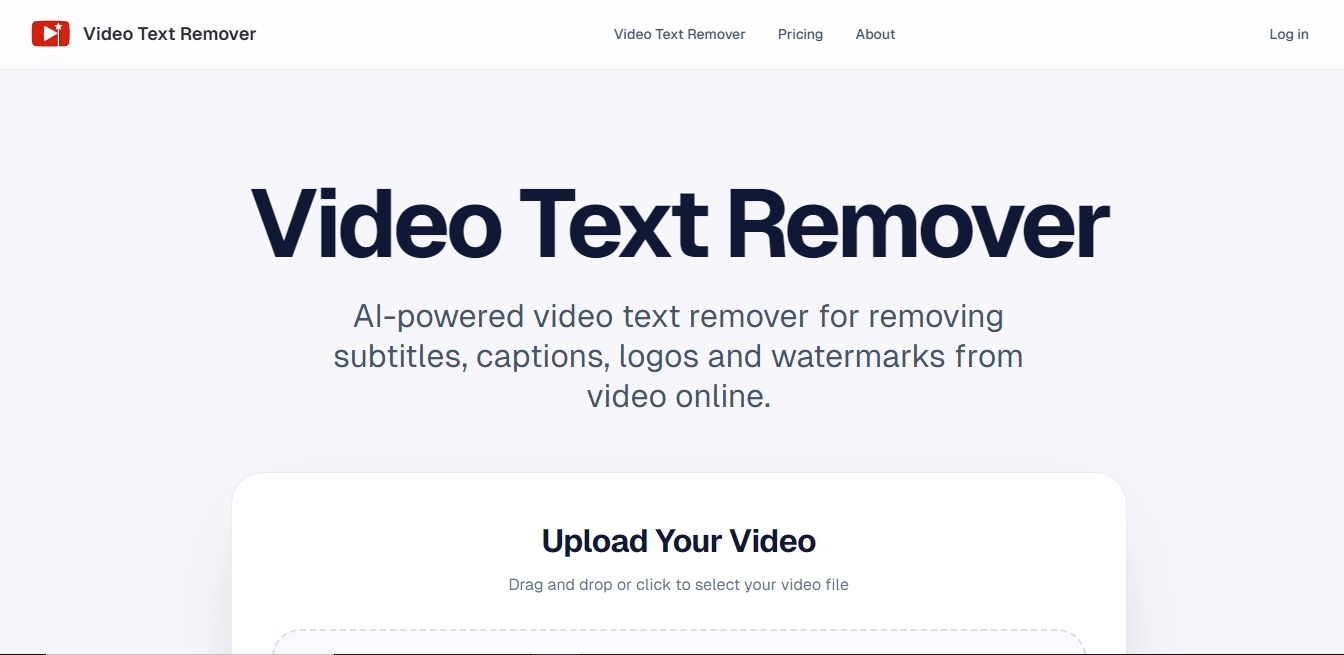
VideoTextRemover.com alternatives



Osmo Studio
AI animation studio for professional motion graphics and videos. Control every detail, collaborate with teams, and export with transparent backgrounds.



AI Video Text Remover
Use AI to remove subtitles, logos, and watermarks from your videos. Automatically reconstruct backgrounds for a clean, blur-free result.