Share
Accurate meeting transcription and voice dictation. Identify speakers, generate summaries, and connect notes with AI tools to streamline your workflow.
What is Wispr Flow?
Wispr Flow is a comprehensive AI-powered productivity solution designed to transform voice into structured, professional text. This tool is built on two core pillars: an intelligent dictation system and an advanced meeting note-taking assistant called Notetaker. Its primary purpose is to eliminate friction in document drafting and information management, allowing professionals, developers, and executives to capture ideas and agreements with greater precision than conventional transcription systems.
The dictation feature in Wispr Flow enables users to type in any desktop or mobile application using their voice. It supports more than 100 languages and employs AI models that learn the user's specific vocabulary, proper nouns, and technical jargon. Unlike basic dictation tools, this software refines speech in real-time, removing repetitions and grammatical errors to deliver polished text ready for use in emails, messages, or code editors.
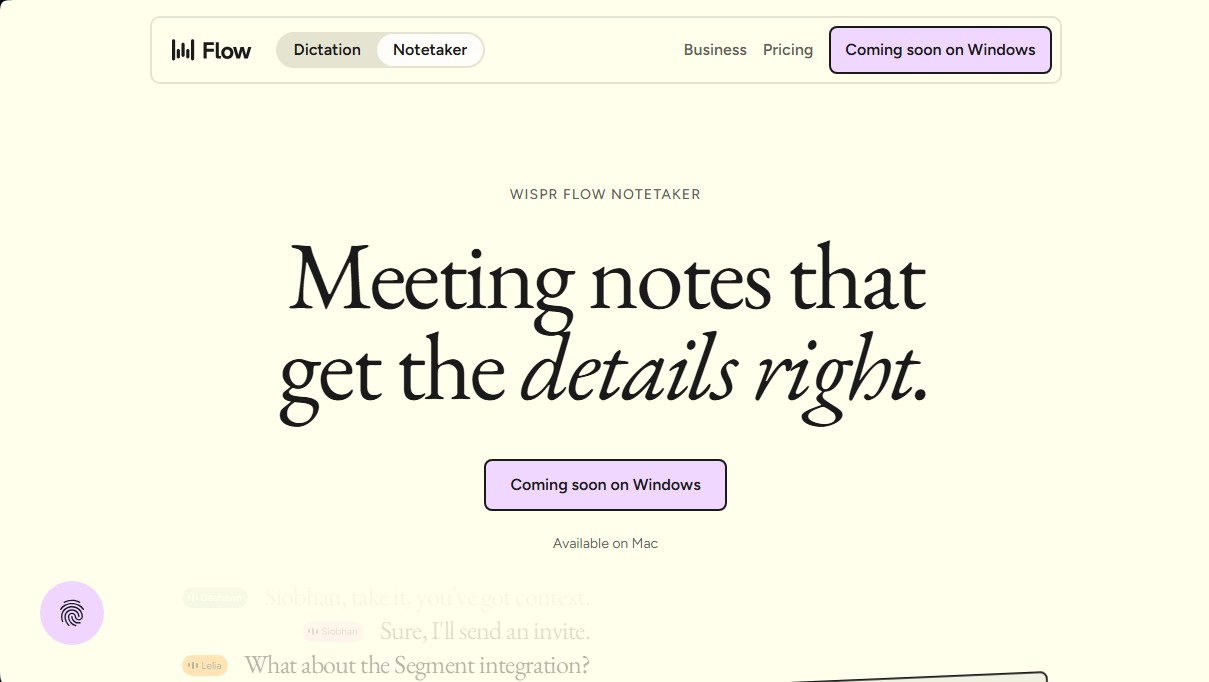
The Wispr Notetaker component is specialized for managing both virtual and in-person meetings. One of its most significant functional advantages is that it does not require intrusive external bots to join video calls; it captures audio directly from the system or microphone, ensuring compatibility with platforms such as Zoom, Microsoft Teams, Google Meet, and Slack Huddles.
Key technical capabilities and practical benefits include:
- Speaker Identification: It uses calendar context and custom dictionaries to assign accurate names to every participant in the conversation.
- MCP Integration: It allows users to connect meeting notes with external AI tools like ChatGPT, Claude, or Cursor, facilitating the creation of executive summaries and task follow-ups.
- Enterprise-Grade Privacy: The system is HIPAA-ready and complies with security regulations such as SOC 2, guaranteeing that audio and transcripts are handled under strict encryption protocols.
- Semantic Search: It enables users to search through their entire meeting history to retrieve specific decisions or data mentioned in the past.
This AI tool is especially valuable for professionals who manage high communication volumes and need to optimize their workflow. By integrating natively into the operating system, Wispr Flow serves as a cross-functional intelligence layer that enhances writing speed and ensures no relevant detail from a conversation is lost, fostering a more efficient and organized work environment.
Wispr Flow features and use cases
How to use Wispr Flow
Wispr Flow FAQ
What devices is Wispr Flow currently available on?
The dictation tool is available on Mac, Windows, iOS, and Android, while the Notetaker feature is currently available on Mac and is coming soon to Windows.
Can I use Wispr Flow for free?
Yes, there is a free version for individuals that includes dictation in over 100 languages, speaker identification, and integration with AI tools.
How does Notetaker ensure the accuracy of my meeting transcripts?
The system uses context from your calendar and your own custom vocabulary to correctly spell proper names and technical terms specific to your industry.
Can I integrate my Wispr Flow notes with ChatGPT or Claude?
You can connect your meeting notes with these AI models via MCP to ask questions about past conversations or draft follow-up emails.
How is my data privacy handled in Wispr Flow?
Your meetings are private, your data is encrypted, and you have the option to request that your information not be used to train AI models.
Can I import my previous notes from other apps into Wispr Flow?
If you are switching from tools like Granola, you can transfer your entire note history directly to the platform with a single click to keep your workflow moving.
Does Notetaker work for in-person meetings or just video calls?
The tool captures audio through your computer's microphone, so it works perfectly for Zoom or Teams calls as well as face-to-face conversations.
Wispr Flow pricing and plans
Free
For individuals
0 $ per month
Speech-to-text conversion across all your apps in over 100 languages.
Available on Mac, Windows, iOS, and Android.
Personalized learning for names and technical jargon.
Notetaker for meetings and voice notes (available on Mac only).
Speaker identification in meeting notes.
Ability to ask questions about a single meeting or all of them.
Integrate notes with Claude, ChatGPT, and other AI tools (MCP).
Calendar and Slack integrations.
Data privacy with HIPAA readiness and model training opt-out.
Pro
For individuals and teams
15 $ per user per month (12 $/mo billed annually)
Includes all Free plan features.
Unlimited dictation.
Higher meeting capacity and longer storage duration.
Access to advanced AI reasoning models.
Early access to the latest models and new features.
Priority technical support.
Centralized billing and user management.
Enterprise
For teams with advanced security and support needs
Contact sales for pricing
Includes all Pro plan features.
Enterprise-grade security and admin controls.
SOC 2 Type II and ISO 27001 compliance, plus HIPAA BAA.
Free seats for IT admins.
Audit logs, MDM, and domain management.
SAML SSO and SCIM authentication.
Dedicated support and volume discounts.
Advanced usage analytics.
Model training opt-out for all team members.
Restriction: The Notetaker feature is coming soon to this plan.
Wispr Flow Screenshots
Wispr Flow user reviews
Write a review
Checking your session...
Wispr Flow Reviews
Loading reviews...
Wispr Flow alternatives



Fireflies.ai
Fireflies.ai joins your meetings, transcribes them, writes summaries and action items, and lets you search or ask questions across every conversation.