

Share
What is Wordtune?
Wordtune is an AI paraphrasing tool built by AI21 Labs that rewrites sentences, fixes grammar, adjusts tone and summarizes documents so you can write clearer, more natural English. It has more than 10 million users and its Chrome extension is rated 4.7 out of 5.
What is Wordtune used for?
Wordtune helps you polish emails, essays, articles and messages. Highlight a sentence and it offers several context-aware rewrites, switches between casual and formal tone in one click and lengthens or shortens your text to hit a word count. Its grammar checker flags spelling and grammar mistakes and suggests other ways to phrase the same idea.
Does Wordtune support other languages?
Wordtune only writes in English, but its Smart Translate feature translates into English from 10 languages, including Spanish, French, German, Portuguese and Mandarin. That makes it handy for non-native speakers who want to sound fluent.
What else can Wordtune's AI do?
It continues your text when you get stuck, suggests ways to explain, emphasize or wrap up a paragraph, offers smart synonyms, humanizes AI-generated content and summarizes documents, web pages and YouTube videos. The company says it checks at least 5 sources before treating a fact as credible. It runs on the web, as a Chrome and Edge extension and on iOS.
Wordtune pros and cons
- Pro: natural rewrites with several options per sentence.
- Pro: summarizes articles and YouTube videos in seconds.
- Con: it only writes and proofreads in English.
- Con: the basic version caps daily rewrites.
Wordtune features and use cases
How to use Wordtune
Wordtune FAQ
What is Wordtune?
It is an AI paraphrasing tool and writing assistant by AI21 Labs that rewrites, proofreads, switches tone and summarizes English text.
Does Wordtune write in languages other than English?
No. It only generates and proofreads English, but Smart Translate translates into English from 10 languages such as Spanish, French or German.
Who makes Wordtune?
AI21 Labs, a company that builds large language models.
Does Wordtune check grammar?
Yes. It flags spelling and grammar errors and suggests alternative ways to phrase the sentence.
Can Wordtune summarize YouTube videos?
Yes. Its summarizer works with documents, web pages and YouTube videos.
Where can I use Wordtune?
On the web, as a Chrome and Microsoft Edge extension and in the iOS app.
Is Wordtune good for academic writing?
Yes. It helps paraphrase sources, adjust length to a word count and adds cited sources to the information it generates.
Can Wordtune humanize AI text?
Yes, it includes a feature that makes AI-generated content sound more natural.
Is there a free version of Wordtune?
Yes, the Basic tier with daily and monthly limits. Paid tier prices are in the pricing section of this page.
What are the alternatives to Wordtune?
In the directory you can compare QuillBot, Grammarly and ProWritingAid.
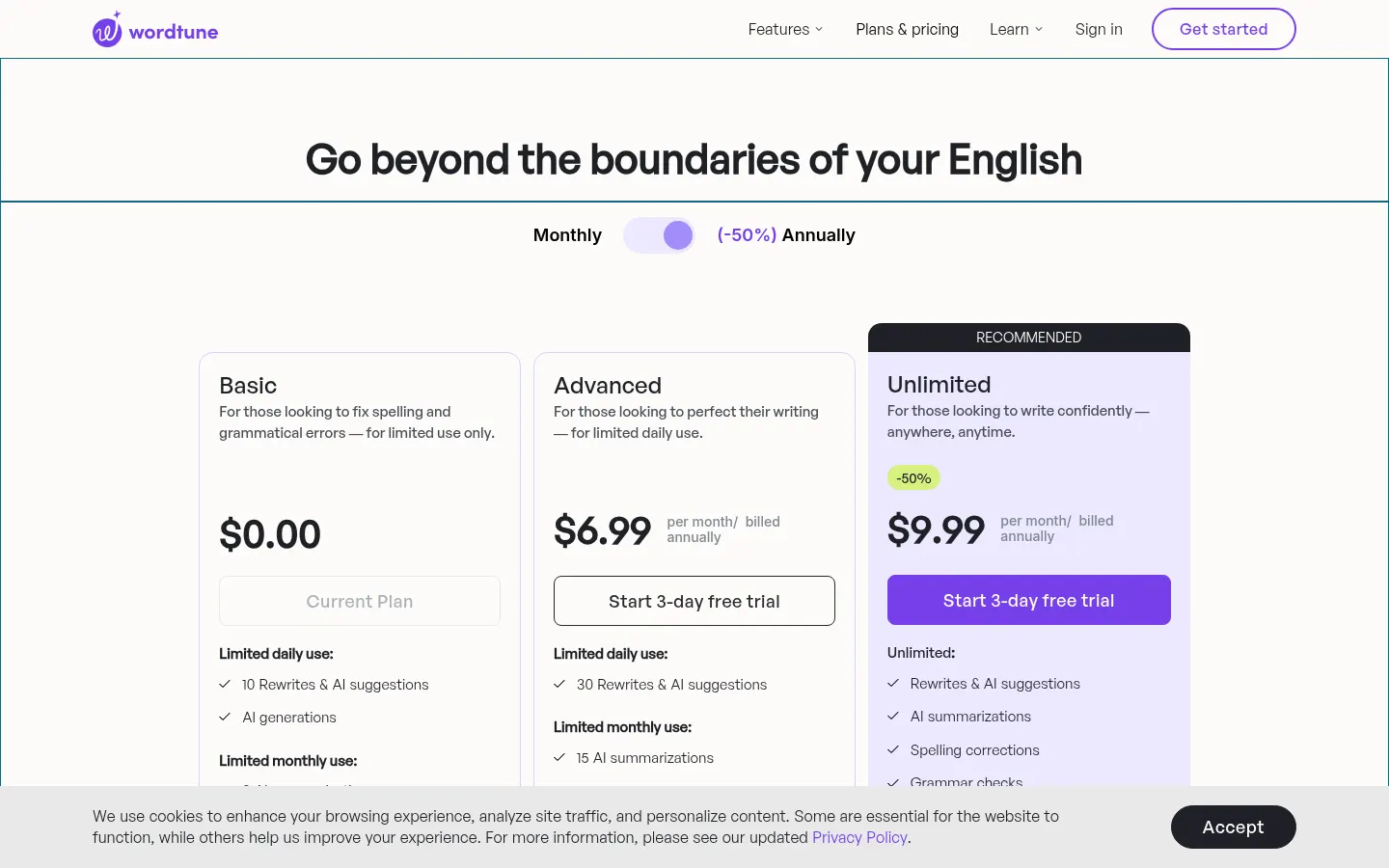
Wordtune pricing and plans
Reference price: 4.89 USD / month. Source · Verified: October 29, 2026
Prices in US dollars (USD). Checked on: 29/10/2026.
Basic: $0; 10 rewrites and AI suggestions per day, 3 summaries per month and unlimited spelling and grammar checks.
Advanced: $4.89/month billed annually ($6.99 list price); 30 rewrites per day and 15 summaries per month.
Unlimited: $6.99/month billed annually ($9.99 list price); unlimited rewrites, summaries and vocabulary enhancements plus premium support.
3-day free trial on paid plans. Student discount available, and a business option with SAML SSO.
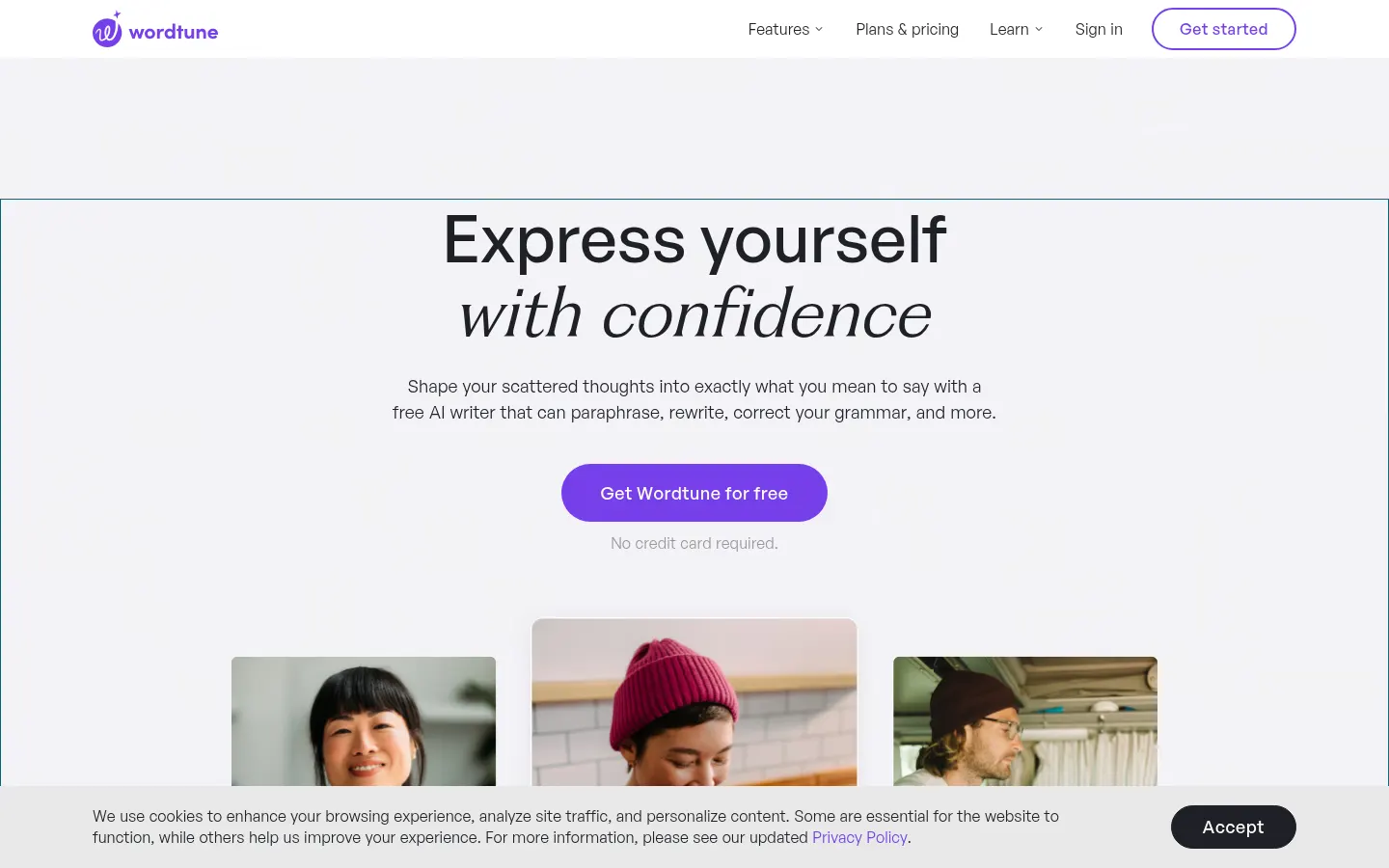
Wordtune Screenshots
Wordtune user reviews
Write a review
Checking your session...
Wordtune Reviews
Loading reviews...
Wordtune alternatives

LanguageTool
AI grammar, spelling and style checker that reviews text in 30+ languages, including Spanish, and suggests rewrites.


UltraHumanizer
Transform AI text into natural, human-like content. Customize styles, process documents, and preserve the original meaning to bypass automatic detection.

RewriteCmd
Rewrite and correct text in any macOS app using keyboard shortcuts. Use AI to change tone or translate instantly without copying and pasting.

Humanize Max
Transform AI text into natural, human-sounding content. Customize styles, adjust length, and rewrite sentences for free with no sign-up required.