Workflow Machine
Share
Workflow Machine
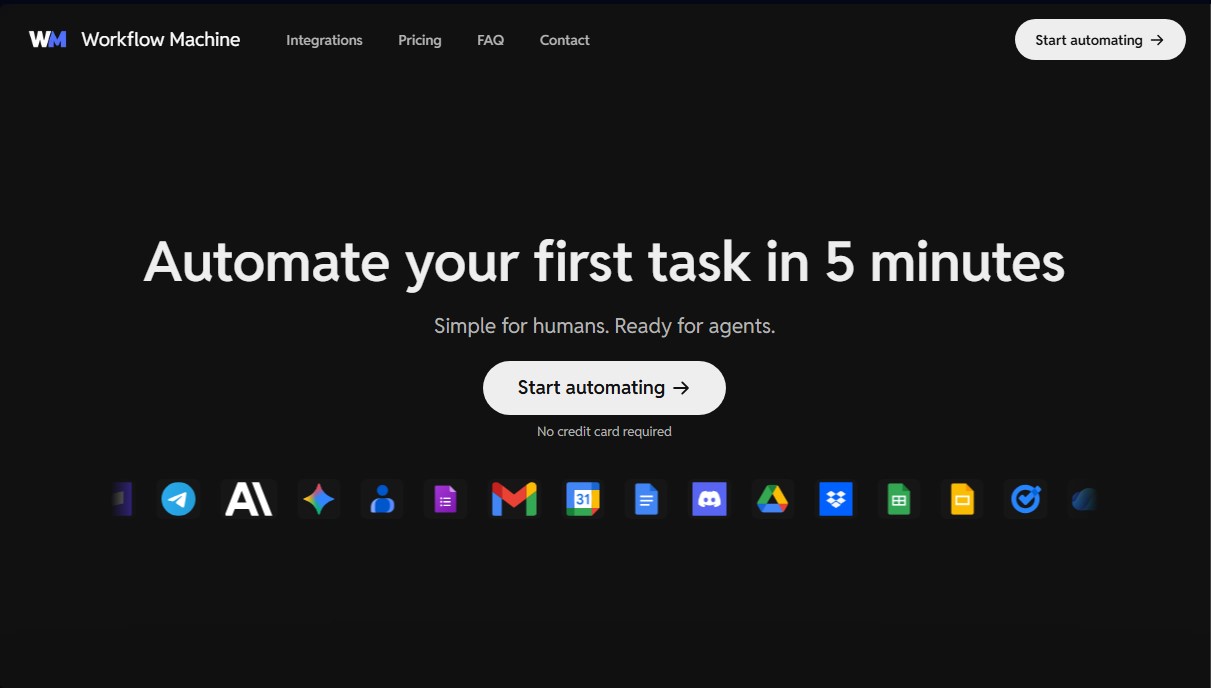
Automate tasks by connecting apps with AI. Build visual, no-code workflows to streamline marketing, support, and operations.
General Information about Workflow Machine
Workflow Machine is a workflow automation platform designed to connect applications and execute tasks autonomously with quick setup. Its primary focus is operational simplicity, allowing users to deploy complex processes in just a few minutes without needing to write code. The tool acts as a bridge between human logic and execution through AI agents, facilitating the creation of structures based on triggers, conditions, and action blocks.
The platform's technology is powered by native integrations with advanced language models such as Claude (Anthropic), Google Gemini, and ChatGPT (OpenAI). This architecture ensures that workflows are not limited to simply transferring data, but also incorporate intelligent processing capabilities. The AI can step in to summarize content, classify incoming requests, extract structured data, or automatically generate text drafts. Thanks to its visual interface, users can debug errors and manage system logic using reusable patterns, which accelerates the iteration and testing cycle with real data.
Workflow Machine's functional capabilities are diverse and aimed at improving efficiency across marketing, operations, and support departments. Key features include:
- Visual process builder: Allows for building workflows using clear trigger and action blocks that any team member can oversee.
- Native integrations: Direct connection with essential tools like Slack, Gmail, Notion, Google Drive, Microsoft OneDrive, Stripe, and Telegram.
- Agent and CLI management: Includes a command-line interface so technical users can execute flows and review execution logs directly from their terminal.
- Detailed execution logs: Provides full visibility into every execution, allowing users to retry failed tasks and analyze version history.
- Customizable templates: Access to common automation patterns that can be adapted to each company's specific processes.
From a practical standpoint, using Workflow Machine allows for the centralization of tasks that previously required manual intervention. For example, the system can be configured so that when a document is approved in Notion, files are automatically saved to the cloud and a notification is sent to a Slack channel. It also facilitates email classification in Gmail by using AI to sync relevant information into Google Sheets. The tool ensures reliable background execution, providing a stable environment for both individual users and teams looking to scale their digital operations through intelligent automation.
Features and Use Cases of Workflow Machine
How Workflow Machine Works
Frequently Asked Questions about Workflow Machine
What is Workflow Machine and what is it used for?
Workflow Machine is an automation platform that allows you to connect different apps to run tasks automatically without the need for manual intervention.
Do I need programming knowledge to use Workflow Machine?
No, the tool is designed so that any user can easily create visual workflows using trigger and action blocks.
Can I use Workflow Machine for free?
Yes, there is a permanent free plan that allows you to run up to 100 executions per month and activate two different workflows at no cost.
What apps can be integrated with Workflow Machine?
The platform lets you connect tools like Gmail, Slack, Notion, Google Drive, Microsoft OneDrive, and AI services like ChatGPT or Claude.
How are execution credits calculated in Workflow Machine plans?
Each workflow execution consumes one credit for every block of ten actions performed, allowing for predictable usage control.
Is it possible to integrate artificial intelligence into my automations?
Yes, you can add AI-powered steps to summarize content, categorize requests, extract structured data, or automatically generate text drafts.
What happens if an automation fails?
Workflow Machine records every execution in a detailed history where you can review errors, check activity logs, and retry failed tasks.
Do I need a credit card to sign up?
No, you don't need to enter any payment method to start automating your first tasks with the platform's free plan.
Does Workflow Machine offer templates to get started faster?
Yes, we provide common workflow patterns that you can quickly reuse and customize to fit your team's specific processes.
Workflow Machine Pricing
Free Plan
$0 per month (Free forever)
- 100 executions (every 10 actions count as 1 execution credit).
- 2 active workflows.
- 15-minute polling interval.
- Up to 5 minutes of duration per execution.
- 5 days of execution logs.
- 3 days of version history.
- Agent and CLI access.
Starter Plan
$23.8 per month
- 1,000 executions (every 10 actions count as 1 execution credit).
- 20 active workflows.
- 5-minute polling interval.
- Up to 30 minutes of duration per execution.
- 30 days of execution logs.
- 14 days of version history.
- Agent and CLI access.
Pro Plan
$61.3 per month
- 3,000 executions (every 10 actions count as 1 execution credit).
- 100 active workflows.
- 5-minute polling interval.
- Up to 30 minutes of duration per execution.
- 60 days of execution logs.
- 30 days of version history.
- Agent and CLI access.
Workflow Machine Screenshots