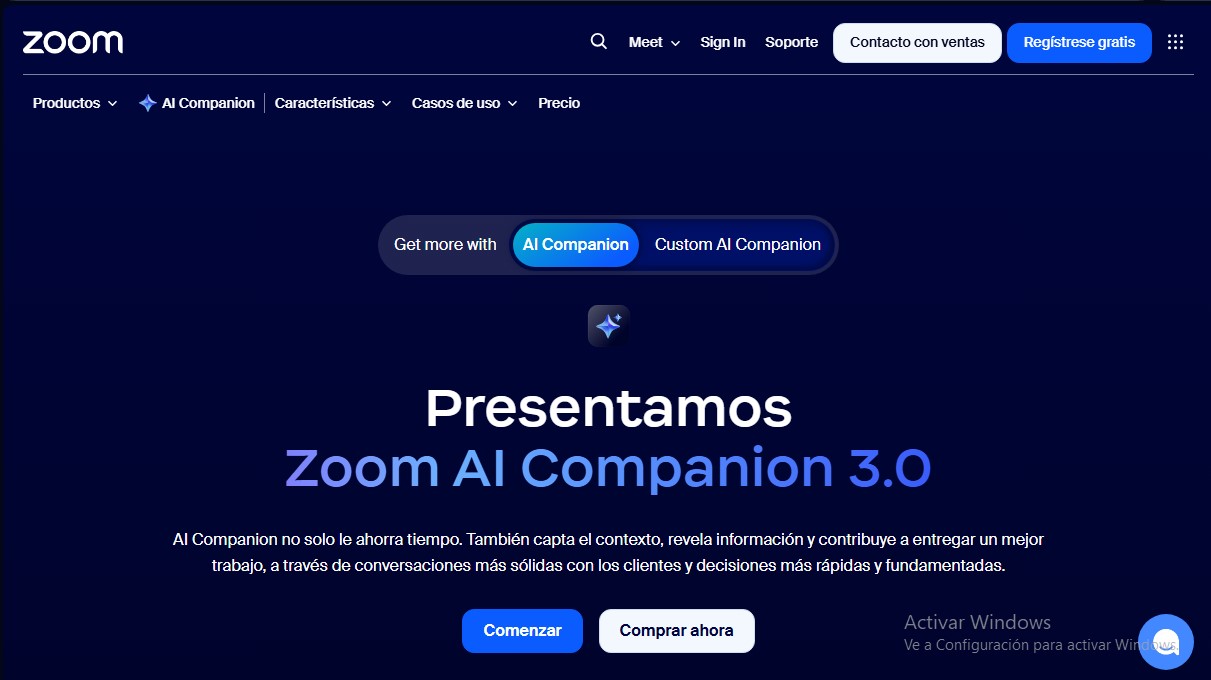
Zoom AI Companion
Share
Zoom AI Companion
AI assistant that summarizes meetings, drafts content, and automates tasks to boost workplace productivity and streamline decision-making.
General Information about Zoom AI Companion
Zoom AI Companion is an artificial intelligence assistant integrated into the Zoom Workplace ecosystem, designed to optimize productivity and collaboration in the modern work environment. This tool functions as an intelligent collaborator that synthesizes information, captures conversational context, and helps users complete tasks proactively. Its primary purpose is to save time by automating repetitive processes and generating actionable insights based on data exchanges within the platform. It is a versatile solution that benefits both small businesses and large corporations, allowing employees to focus on high-value strategic tasks from their computer or mobile device.
The technology behind this assistant is powered by generative AI models and agentic retrieval capabilities. Unlike other AI tools that operate in a fragmented way, Zoom AI Companion uses a contextual approach that allows it to access real-time data and understand each organization's unique workflow. A fundamental aspect of its architecture is privacy: the tool does not use audio, video, chat, or shared file content to train Zoom’s or third-party AI models, ensuring a secure and professional work environment.
Key functional capabilities and practical benefits include:
- Meeting Summaries: Automatically generates detailed minutes in Zoom Meetings, allowing participants to focus on the conversation without needing to take notes manually.
- Real-time Queries: Users can ask questions during a session to catch up if they join late or to clarify specific points discussed earlier.
- Content Generation: Includes a writing mode that helps draft messages, respond to emails, and instantly polish communications.
- Smart Note-taking: The My Notes feature works for both virtual calls and in-person meetings and is even compatible with other external meeting platforms.
- Global Accessibility: Offers real-time transcription and language detection, facilitating inclusion and collaboration within international teams speaking different languages.
This tool adapts to various professional roles. In sales, it helps identify leads and manage relationships; in customer support, it provides real-time information to agents to resolve issues more quickly. IT and product managers use it to monitor infrastructure and coordinate strategies based on technical data analysis. Furthermore, Zoom AI Companion allows for advanced customization for specific sectors such as education, healthcare, or manufacturing, tailoring its skills to each industry’s unique needs. Its direct integration into the standard Zoom interface eliminates constant app-switching, centralizing workday management on a single platform.
Features and Use Cases of Zoom AI Companion
How Zoom AI Companion Works
Frequently Asked Questions about Zoom AI Companion
What exactly is Zoom AI Companion?
It is an intelligent assistant integrated into Zoom Workplace that helps synthesize information, summarize meetings, and boost daily productivity.
Is there an extra cost to use Zoom AI Companion?
This tool is included at no additional cost with most paid Zoom Workplace plans to help teams work more efficiently.
How can I enable AI features on my Zoom account?
You need to access your account settings and enable the desired options within the specific AI Companion tab.
Does Zoom AI Companion use my conversations to train its AI models?
No, Zoom does not use audio, video, chat content, or shared files to train its artificial intelligence models or those of third parties.
What advantages does Zoom AI Companion offer over other assistants on the market?
It provides integrated contextual AI that understands your unique workflow and seamlessly connects your meetings, conversations, and business data.
Can I generate notes for meeting platforms other than Zoom?
The My Notes feature allows you to work during both in-person meetings and virtual calls held on other external meeting platforms.
When will the new version 3.0 features be available?
The advanced features and functionality of Zoom AI Companion 3.0 are scheduled to begin rolling out in November 2025.
Can I receive meeting summaries automatically?
Yes, summaries generated by the assistant can be sent automatically to Slack channels to make it easier to follow up on tasks.
Zoom AI Companion Pricing
Basic
Free
Limited AI Companion use in meetings (includes summaries and in-session questions).
Limited queries in the side panel and web surface.
Agentic retrieval with limited resources per query.
Meetings up to 40 minutes long.
100-participant limit per meeting.
Instant messaging via Zoom Chat.
AI Companion
8,33 $ per month per user (billed annually)
AI Companion access across Zoom Workplace and the web.
Meeting summaries and Q&A in Zoom Meetings.
Automatic meeting summary delivery to Slack.
Side panel and web surface queries.
AI-assisted writing mode.
Pro Workplace
14,16 $ per month per user (billed annually)
Includes all AI Companion plan features.
Meetings up to 30 hours long.
100-participant limit per meeting (capacity can be increased with the Large Meeting add-on).
Clips Plus: unlimited clip creation and custom avatars (3 min/month).
Access to Zoom Mail and Zoom Calendar.
Custom AI Companion (Add-on)
Check official website for pricing
AI tailored specifically to organization, industry, or role needs.
Ability to add new skills or customize existing ones.
AI for Business Services (Expert Assist, Virtual Agent, and Revenue Accelerator)
Check official website for pricing
Specialized AI tools for customer service and sales.
Real-time customer insights and agent coaching across voice, chat, and video.
Zoom AI Companion Screenshots