
Share
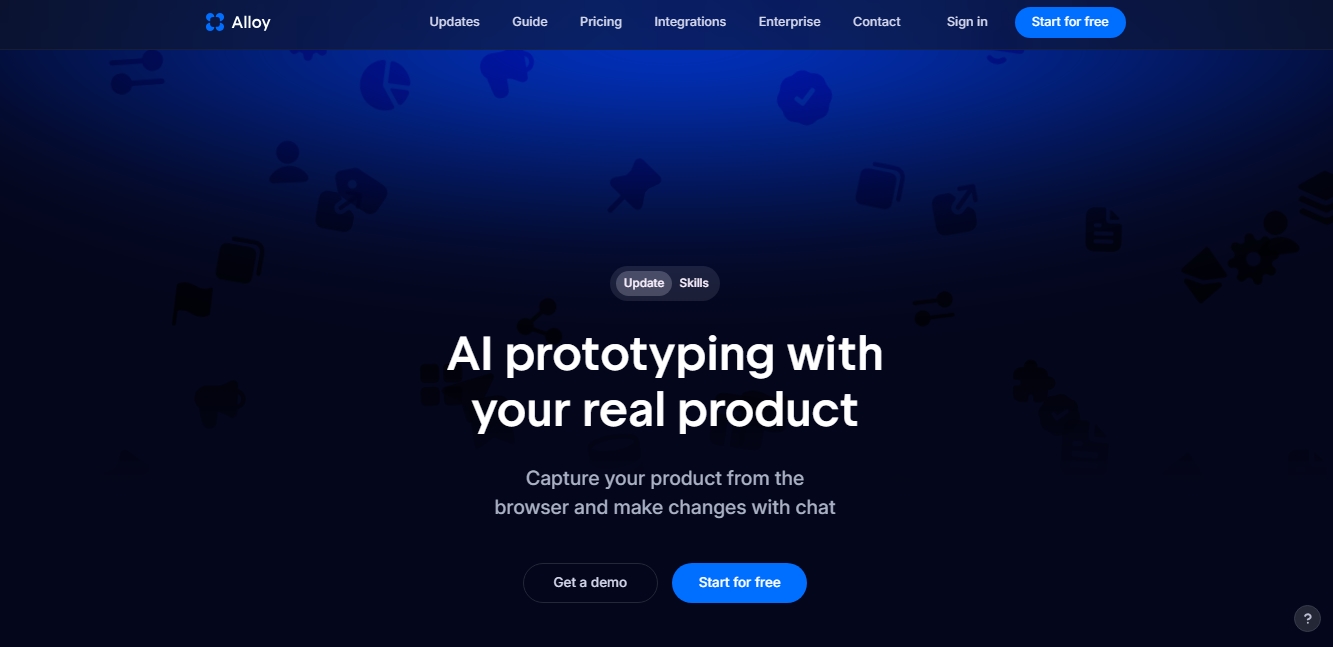
Prototype with AI on your real product. Capture your site or connect code to make changes via chat and instantly generate production-ready code.
What is Alloy?
Alloy is an advanced AI prototyping platform designed to work directly on real products and production environments. Unlike traditional design tools that operate in isolation using static screenshots, this solution leverages a web application's existing codebase, components, and pages to explore new features. Its primary goal is to bridge the gap between ideation and implementation, allowing product teams to make changes and conduct tests through chat instructions in a functional, dynamic environment.
The way Alloy works is based on technology that deeply understands a company's design system and technical architecture. To get started, users can choose to capture their product via a browser extension or connect their code repository directly. By linking the codebase, the tool runs the application in a cloud sandbox, enabling real-time visualization of changes while interacting with the AI. This approach ensures that results are not just simple visual mockups, but production-ready code that respects the logic and standards of the original project, avoiding generic results that don't align with the brand.
The tool's key capabilities facilitate an agile and collaborative workflow from any computer:
Pull Request Generation: Work sessions can be automatically converted into code proposals on GitHub or accessed via the MCP protocol, streamlining the transition from prototype to deployment.
Cloud Collaboration: As a centralized solution, any team member can start a session without setting up complex local environments, sharing progress with clients or colleagues via an instant link.
Integration Ecosystem: It connects with more than 20 platforms, such as Slack, Jira, Linear, and Intercom, allowing direct user feedback to be transformed into functional prototypes in just a few minutes.
Figma Interoperability: It allows prototypes created with AI to be exported to the design tool for additional aesthetic adjustments if necessary.
This tool is especially valuable for product leaders and developers who need to accelerate the product development cycle and validate ideas with end-users quickly and realistically. By eliminating the need to recreate interfaces from scratch, Alloy optimizes technical resources and ensures that every new proposal is technically viable. Its focus on security and scalability, complying with standards like SOC 2, makes it a robust option for enterprise environments looking to implement generative AI for code in a professional and secure manner.
Alloy features and use cases
How to use Alloy
Alloy FAQ
How do I get started with my existing product in Alloy?
You can connect your codebase directly or install our browser extension to instantly capture your pages.
How is Alloy different from other app-building tools?
Alloy uses your actual code and design system rather than screenshots, ensuring that any changes always stay true to your brand’s visual identity.
Does the tool require any complex setup?
The browser extension requires zero configuration, while connecting your codebase takes about fifteen minutes and requires admin permissions.
Can I export generated code to my repository?
Yes, you can export each session, use the MCP protocol, or turn changes directly into a GitHub pull request.
Can I import my designs directly from Figma?
Direct import from Figma isn't available yet, but we're working on it. In the meantime, you can export your Alloy prototype to Figma whenever you need.
What advantages does Alloy have over tools like Claude Code?
Alloy lets you start cloud-based sessions without setting up local environments, making team collaboration easier and allowing for direct integration with tools like Slack.
Is there a free plan to test Alloy’s features?
We offer a free plan that includes unlimited users, unrestricted sessions, and access to over thirty integrations to help you start prototyping.
Is Alloy a secure platform for managing my company's data?
Security is a core engineering standard for our platform, and we maintain SOC 2 Type II compliance to ensure your information is fully protected.
Alloy pricing and plans
Free
$0
Unlimited users.
$5 in credits per user per month.
Unlimited sessions and viewers.
30+ integrations available.
External sharing.
Pro
$20 per user per month
Includes all Free plan features.
$20 in credits per user per month.
Workspace credit top-ups.
Code export.
Early access to new features.
Enterprise
Custom pricing (Contact sales)
Includes all Pro plan features.
API access.
Dedicated account manager.
Custom terms and conditions.
Advanced security with SAML and SCIM.
Alloy Screenshots
Alloy user reviews
Write a review
Checking your session...
Alloy Reviews
Loading reviews...
Alloy alternatives
Together Link
Connect coding agents to open models to cut costs. Keep your existing tools and settings while optimizing token usage in every session.

Optimus by Iacon Autonomics
Autonomous researcher designing experiments and evaluating algorithms to train AI models. Automates improvement cycles for LLMs, robotics, and various complex systems.


Nuclr Commander
Workspace for running multiple AI agents in parallel with a file manager. Supports local or external models and remote mobile monitoring.