Share
Terminal AI agents automating code reviews, testing, and issues with full repository context and integration into workflows and CI environments.
What is Auggie CLI?
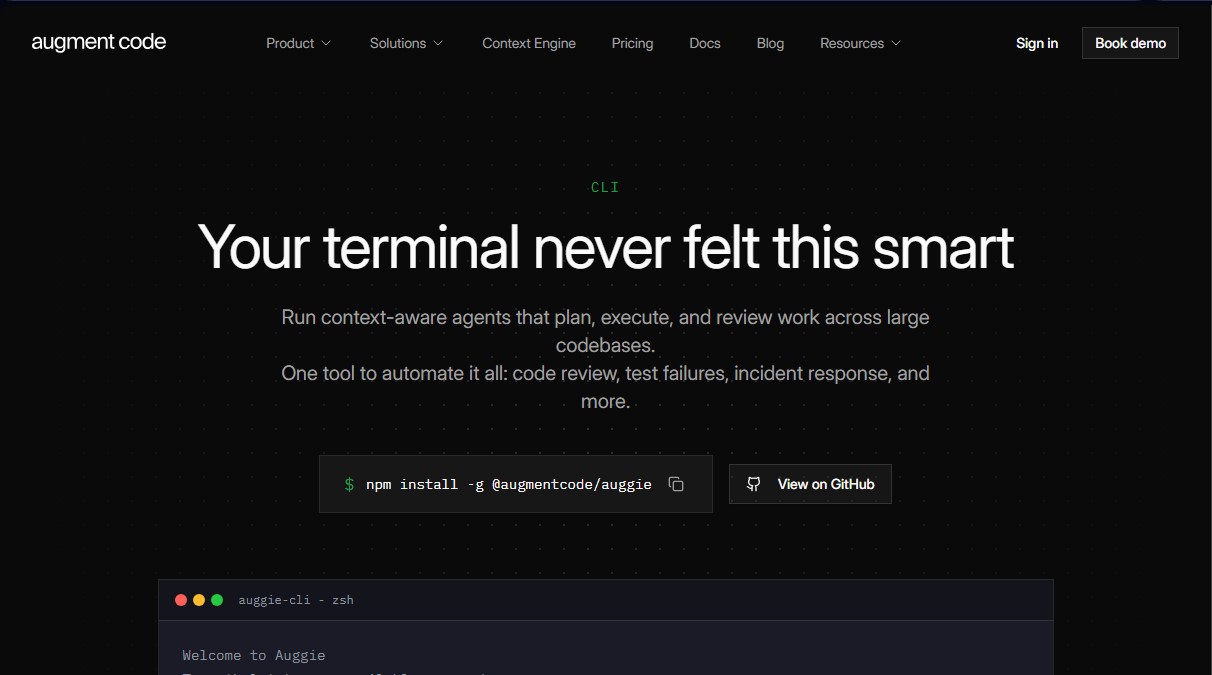
Auggie CLI is a command-line interface designed to integrate AI agents directly into a developer's workflow on their local machine. Unlike conventional search tools based on text patterns, this application uses a semantic context engine that understands the entire codebase. This enables the execution of complex software planning, execution, and review tasks in either an automated or interactive manner within the terminal.
The tool stands out for its operational versatility through two primary approaches. In interactive mode, developers enjoy an immersive experience featuring real-time streaming, visual progress tracking, and personalized prompt suggestions based on context. Conversely, automation mode allows Auggie CLI to be integrated into CI/CD pipelines, continuous integration processes, and cron jobs, facilitating the execution of one-step commands via data piping.
Key technical and functional capabilities of Auggie CLI include:
- Parallel agents and sub-agents: Delegate specialized tasks—such as security audits, test generation, or data analysis—to agents operating simultaneously in isolated contexts.
- Resumable sessions: Conversation history and task status persist across different terminal sessions, allowing you to pick up exactly where you left off.
- Prompt optimizer: Transforms brief instructions into optimized prompts to maximize accuracy without requiring advanced prompt engineering skills.
- User and repository rules: Define team standards and personal preferences that agents apply automatically to maintain code consistency.
- Dependency management: The ability to review package updates, evaluate the risk of breaking changes, and verify compatibility with existing code.
Auggie CLI’s approach to development lifecycle automation is both practical and functional. It facilitates issue triaging, incident response, and documentation synchronization. Because it is compatible with the Model Context Protocol (MCP) standard, it can connect with external tools like GitHub, Jira, or Linear. Furthermore, it supports multiple language models, allowing users to choose between Claude, GPT-4, or proprietary models.
For professional environments, the tool offers a headless mode and support for service accounts, which decouples automations from individual user accounts. Its compatibility with the Agent Client Protocol (ACP) ensures it can be used alongside editors and tools such as JetBrains, Neovim, Zed, or Emacs, making it a central component of the modern development stack for the efficient management of large-scale codebases.
Auggie CLI features and use cases
How to use Auggie CLI
Auggie CLI FAQ
How do I install Auggie CLI on my computer?
Run the command npm install -g @augmentcode/auggie in your terminal to perform a global installation using the Node.js package manager.
What features does Auggie CLI’s interactive mode offer?
This mode provides an immersive experience with real-time data streaming and visual progress, allowing you to build features or debug errors with an agent that understands your entire codebase.
Can I automate tasks in my CI/CD pipeline with Auggie CLI?
Yes, you can use automation mode with the --print flag to execute single-step tasks in CI pipelines, serverless functions, or scheduled jobs.
How does the Auggie CLI context engine differ from traditional search?
Unlike keyword-based searches, the context engine leverages deep semantic understanding of your entire codebase to provide accurate, reasoned results.
Can I resume a session if I close the terminal in Auggie CLI?
The tool supports resumable sessions that save your conversation history and task state, allowing you to pick up exactly where you left off at any time.
Which AI models are compatible with Auggie CLI?
You can choose from various leading models like Claude or GPT-4, and you also have the option to connect and use your own model based on your specific needs.
How does Auggie CLI assist with managing GitHub pull requests?
It offers official integrations to automatically generate change descriptions and perform context-aware code reviews that run directly within your GitHub Actions workflows.
How much does the Business plan for development teams cost?
The Business plan has a flat rate of $100 per month, which includes up to 50 team seats and $100 of cumulative usage for the context engine and compute.
Does Auggie CLI support connections to external tools like Jira or Linear?
Thanks to support for the MCP protocol, you can connect the tool to GitHub, Linear, Jira, and any other application compatible with this open standard.
What level of control do I have over tool permissions in Auggie CLI?
You have full control to enable or restrict what the agent can do in each environment by defining specific user and repository rules that are applied automatically.
Auggie CLI pricing and plans
BUSINESS
$100/month (flat rate with no per-seat costs).
Includes up to 50 seats for the entire team.
Includes $100 of monthly usage for LLM, Context Engine, and compute.
CLI access and support for MCP and native tools.
Pay-as-you-go top-up system.
SOC 2 Type II certification.
Guarantee that AI models are not trained on user data.
ENTERPRISE
Custom pricing (contact sales).
Custom per-user pricing and tailored usage limits.
Annual volume discounts.
Support for SSO, OIDC, and SCIM.
Advanced security reporting and CMEK and ISO 42001 compliance.
Dedicated support.
Guarantee that AI models are not trained on user data.
Auggie CLI Screenshots
Auggie CLI user reviews
Write a review
Checking your session...
Auggie CLI Reviews
Loading reviews...
Auggie CLI alternatives
Together Link
Connect coding agents to open models to cut costs. Keep your existing tools and settings while optimizing token usage in every session.


Optimus by Iacon Autonomics
Autonomous researcher designing experiments and evaluating algorithms to train AI models. Automates improvement cycles for LLMs, robotics, and various complex systems.


Nuclr Commander
Workspace for running multiple AI agents in parallel with a file manager. Supports local or external models and remote mobile monitoring.