Share
Build and publish native Apple apps with AI. Generate Swift code and Xcode projects from text, automating App Store submission.
What is Bitrig?
Bitrig is a software development platform designed by the co-creators of SwiftUI to streamline the creation and publishing of native Swift applications using artificial intelligence. This tool enables developers and designers to transform text descriptions into functional, professional-grade code optimized for the Apple ecosystem. By utilizing advanced agents based on Claude Code and Codex, it integrates the latest language models from Anthropic and OpenAI directly into the programming workflow.
The application stands out by generating complete Xcode projects using the official toolchain and the latest SDKs. This ensures the code is fully editable and compliant with professional development standards. One of its competitive advantages is the Bring Your Own Subscription (BYOS) connectivity model, which allows users to link existing ChatGPT or Claude accounts to manage API consumption without additional per-token costs within the platform.
Core Capabilities and Technical Features:
- Integrated 3D Simulators: Run and test applications in a photorealistic environment directly on your computer, enabling immediate visual interaction.
- Automated Debugging: The tool performs UI testing, simulating scrolls and taps to identify and autonomously fix errors.
- GitHub Integration: Facilitates collaboration by allowing users to sync changes and contribute to the team workflow natively.
- Backend Support: Implements data synchronization solutions through CloudKit and Supabase, managing data schemas without leaving the interface.
- Native Monetization: Configure in-app purchases, subscriptions, and paywalls using StoreKit or RevenueCat via simple commands.
- System Extensions: Ability to develop Widgets, Live Activities, and controls compatible with Siri, Shortcuts, and Spotlight.
In terms of distribution, Bitrig automates App Store Connect tasks, including build archiving, code signing, and provisioning. It also simplifies marketing management by automatically capturing screenshots across various devices and locales for App Store listings.
For mobile development, it features Bitrig Remote, which allows you to connect an iPhone or iPad to your computer to program and test remotely. The software is optimized exclusively for modern hardware, requiring a system with macOS 15 or higher and an Apple Silicon processor. It is a comprehensive solution for teams looking to accelerate the software development life cycle (SDLC) while maintaining the quality of a high-performance native application.
Bitrig features and use cases
How to use Bitrig
Bitrig FAQ
What is Bitrig, and how can it help me build apps?
Bitrig is a development tool that uses artificial intelligence to transform your descriptions into real Swift code, allowing you to easily create and publish native apps for Apple platforms.
What are the system requirements to run Bitrig?
To use this tool, you need a Mac with an Apple Silicon processor and macOS 15 or a later version installed.
Can I export my Bitrig projects to open them in Xcode?
Yes, Bitrig generates full Xcode projects that use the latest toolsets and SDKs, allowing you to open and edit your code in Xcode at any time.
Do I have to pay for each AI message or token in Bitrig?
No, there’s no need to pay per-token fees, as Bitrig allows you to connect your own Claude or ChatGPT subscriptions to leverage the power of their models.
Is it possible to publish my app to the App Store directly from Bitrig?
With the Pro plan, you can manage your app registration, upload builds to TestFlight, and handle your App Store listing without ever leaving the tool's interface.
What data storage and backend options does Bitrig offer?
The platform supports integration with CloudKit and Supabase to securely and natively sync user data across all their Apple devices.
Is there a way to use Bitrig from a mobile device?
Yes, using the Bitrig Remote app, you can connect your iPhone or iPad to your Mac to develop and test your native apps from anywhere.
How can I add monetization to my app with Bitrig?
You can add native in-app purchases, subscriptions, and paywalls using simple text prompts, automatically integrating services like StoreKit or RevenueCat.
What is the difference between Bitrig's free and Pro plans?
The free plan allows for ten daily messages and code exporting, while the Pro plan offers unlimited messages, priority support, and direct App Store distribution tools.
Does Bitrig help fix code errors automatically?
Yes, the tool tests apps by performing actions like tapping or scrolling to detect bugs and fix any programming errors it encounters.
Bitrig pricing and plans
Free
$0 per month
10 daily messages.
Use your own Claude or ChatGPT subscription (Bring Your Own Subscription).
Build native Swift apps for Apple platforms.
Access Bitrig Remote to build from iPhone or iPad.
Export code at any time.
Pro
$25 per month
Unlimited daily messages.
Direct distribution to TestFlight and the App Store.
Install on devices via Bitrig Remote.
Priority support and feature requests.
Includes all features from the Free plan.
Teams & Enterprise
For pricing and features regarding this plan, please visit the official website.
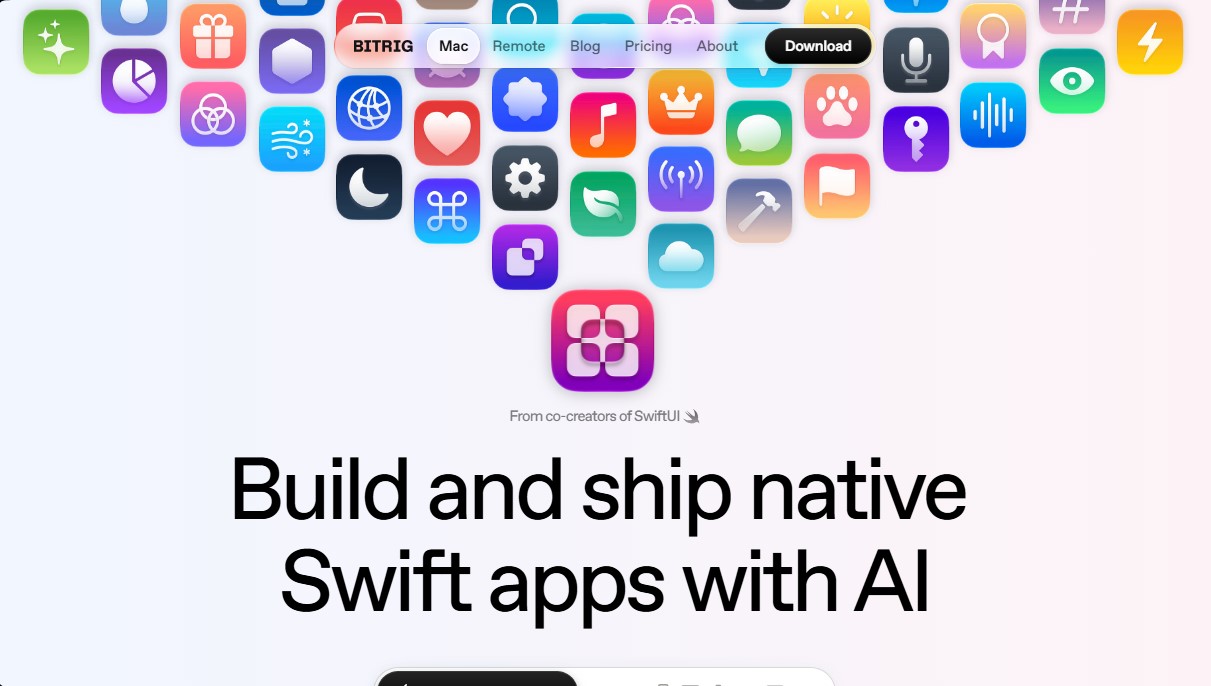
Bitrig Screenshots
Bitrig alternatives


Optimus by Iacon Autonomics
Autonomous researcher designing experiments and evaluating algorithms to train AI models. Automates improvement cycles for LLMs, robotics, and various complex systems.


Nuclr Commander
Workspace for running multiple AI agents in parallel with a file manager. Supports local or external models and remote mobile monitoring.