
Share
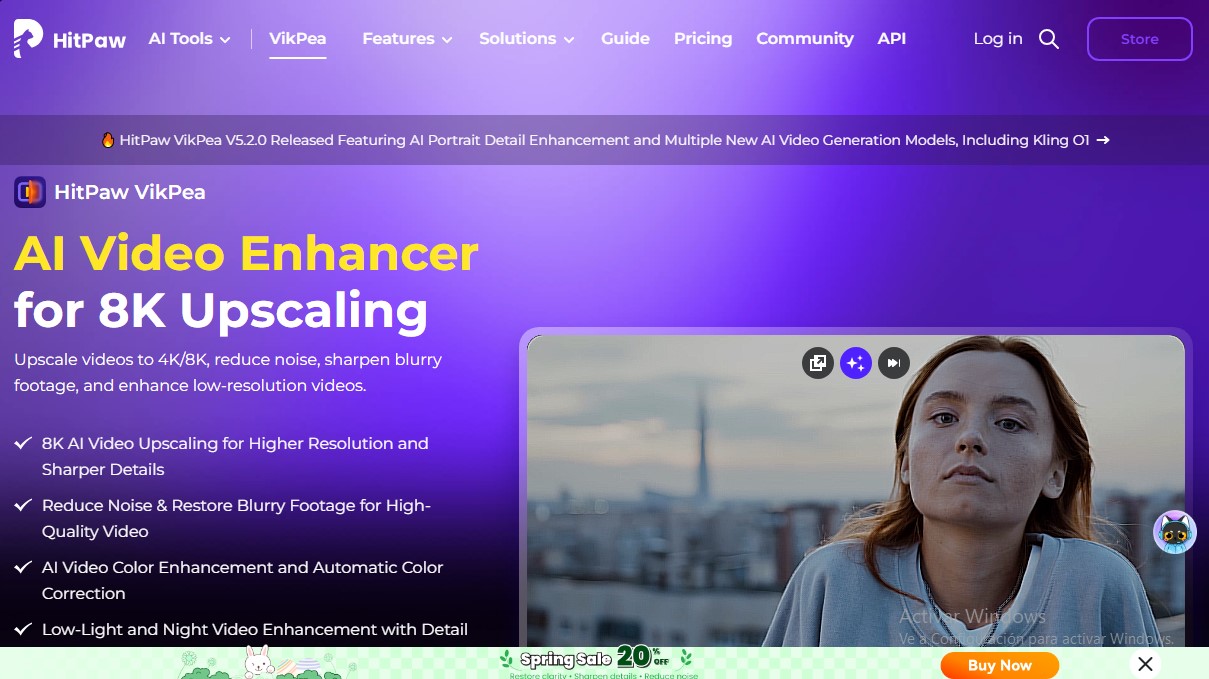
Enhance your video quality with 8K upscaling, noise reduction, and sharpening. Stabilize footage, repair damaged files, and apply AI-powered color correction.
What is HitPaw?
HitPaw VikPea is a professional AI video enhancement solution designed for 8K upscaling and advanced restoration of visual files. This tool, representing the technical evolution of HitPaw Video Enhancer, utilizes next-generation neural models to reconstruct lost pixels, eliminate digital noise, and correct blurry or low-resolution recordings. Its practical approach makes it ideal for content creators, video editors, e-commerce sellers, and users looking to restore family memories from legacy formats.
The software stands out for its GPU cloud processing architecture, which allows for rendering up to 10 times faster than a conventional computer, eliminating the need for high-end hardware. HitPaw VikPea employs deep learning algorithms to analyze adjacent frames and generate realistic textures, avoiding the visual artifacts common in traditional upscaling.
Key Capabilities and Features:
- AI Video Upscaling up to 8K: Increases file resolution to 4K and 8K, reconstructing sharp details in low-quality videos.
- Specialized AI Models: Includes the Portrait Model for enhancing facial textures, the UHD Restoration Model for extreme clarity, and specific models for animation and landscapes.
- Noise Reduction and Sharpening: Eliminates grain in nighttime or low-light recordings and corrects blur in action shots.
- Frame Stabilization and Interpolation: Its AI Video Stabilizer removes camera shake, while interpolation allows for converting 30 FPS videos into smooth 60 or 120 FPS sequences.
- Color Restoration: Features the ability to automatically colorize black-and-white videos and convert SDR content to HDR for greater visual vibrancy.
- Repair Damaged Files: Instantly fixes corrupted videos or playback errors in formats such as MP4, MOV, and AVI.
- AI Video Generation: Integrates support for advanced models like Kling O1 and Seedance, allowing for the creation of scenes from text or images.
In addition to these features, the tool streamlines workflow through batch processing and smart editing tools such as background and watermark removal. It is compatible with a wide range of formats, from drone footage to digitized VHS tapes, offering a video enhancement API for developers who need to integrate these capabilities into professional environments. HitPaw VikPea automatically optimizes the visual quality of any file, transforming mediocre recordings into cinematic-quality pieces.
HitPaw features and use cases
How to use HitPaw
HitPaw FAQ
What’s the difference between HitPaw VikPea and the previous version of the program?
HitPaw VikPea is the official successor to HitPaw Video Enhancer, featuring an advanced architecture with cloud rendering and support for 8K models.
Can HitPaw upscale my videos to 4K or 8K resolution?
Yes, this tool uses artificial intelligence to reconstruct pixels and enhance sharpness, achieving professional-grade 4K and 8K resolutions.
Can HitPaw repair old or damaged videos?
The software allows you to restore old recordings by removing digital noise, correcting color, and instantly repairing corrupted files.
What are the benefits of HitPaw’s cloud processing?
By utilizing powerful cloud-based GPUs, rendering is up to ten times faster than on a local computer and prevents your system from slowing down.
Can HitPaw stabilize shaky footage?
The tool includes specialized image stabilization and frame interpolation models to turn shaky videos into smooth, fluid shots.
Which video formats does HitPaw support?
This optimizer supports most popular formats, including MP4, MOV, MKV, AVI, FLV, and WMV, with no prior transcoding required.
Is it safe to install HitPaw software on my computer?
The official HitPaw installer is completely safe and free of malware or spyware, ensuring your device remains secure.
Is there a free version to try out HitPaw’s features?
You can download a free trial to preview the AI enhancement results before committing to a subscription plan.
Can HitPaw improve the quality of videos recorded in low light?
Yes, the software features a low-light enhancement model that recovers details and improves visibility in nighttime scenes.
How does HitPaw help e-commerce sellers?
The tool enhances the clarity of textures and product colors in mobile recordings, boosting the visual quality of your advertisements.
HitPaw pricing and plans
Free Trial
0 $
- Unlimited previews of AI enhancement results on your own videos.
- Access to explore all tool features and models.
- No time limit to test rendering capabilities and quality.
1-Month License
43,19 $ (plus tax)
- Video resolution upscaling up to 8K.
- Enhanced edge definition and noise/grain removal.
- Access to over 10 specialized AI models (Portrait, Repair, UHD, etc.).
- Repair of corrupt or damaged videos.
- Colorization of black and white videos and SDR to HDR conversion.
- AI video generator from text or images.
- Background removal and image stabilization.
- Batch processing for multiple files.
- Free updates throughout the subscription period.
1-Year License
99,99 $ (plus tax)
- Includes all monthly plan features (8K upscaling, 10+ AI models, repair, colorization).
- Video generation using advanced models (Kling, Seedance, etc.).
- Video stabilization and watermark removal.
- Cloud-based GPU accelerated processing.
- Free updates for all major versions throughout the year.
Perpetual License
350,39 $ (one-time payment, plus tax)
- Lifetime access to all video enhancement and editing tools.
- 8K upscaling and all AI restoration and generation features included.
- Batch processing and support for universal formats (MP4, MOV, MKV, etc.).
- Restriction: Includes free updates only within the current major version.
Team & Business Plan (5 PCs)
459,95 $ per year
- Annual license for use on 5 simultaneous devices.
- Commercial use license for businesses.
- Priority free technical support.
- Multi-user control panel and flexible payment options.
- Includes all AI video enhancement, repair, and generation features.
HitPaw Screenshots
HitPaw alternatives

breme | AI Video Generator
Generate and edit professional videos from text or images. Add synced audio, adjust formats, and upscale to 4K using cutting-edge AI models.


Any Video Converter
Enhance and upscale videos to 4K with AI. Restore old footage, remove noise, convert formats, and edit files easily.

VideoUpscale.net
Upscale videos to 1080p or 4K using AI. Sharpen, reduce noise, and restore old footage online without installing software.

TotalMedia Video Enhancer
AI video enhancement platform. Upscale to 8K, boost smoothness to 120 fps, and auto-optimize quality online without installing any software.

Wondershare Repairit
AI-powered software to repair damaged videos, photos, audio, and documents. Enhance image quality, restore old photos, and recover corrupt data quickly.