Opus Clip
Share
Opus Clip
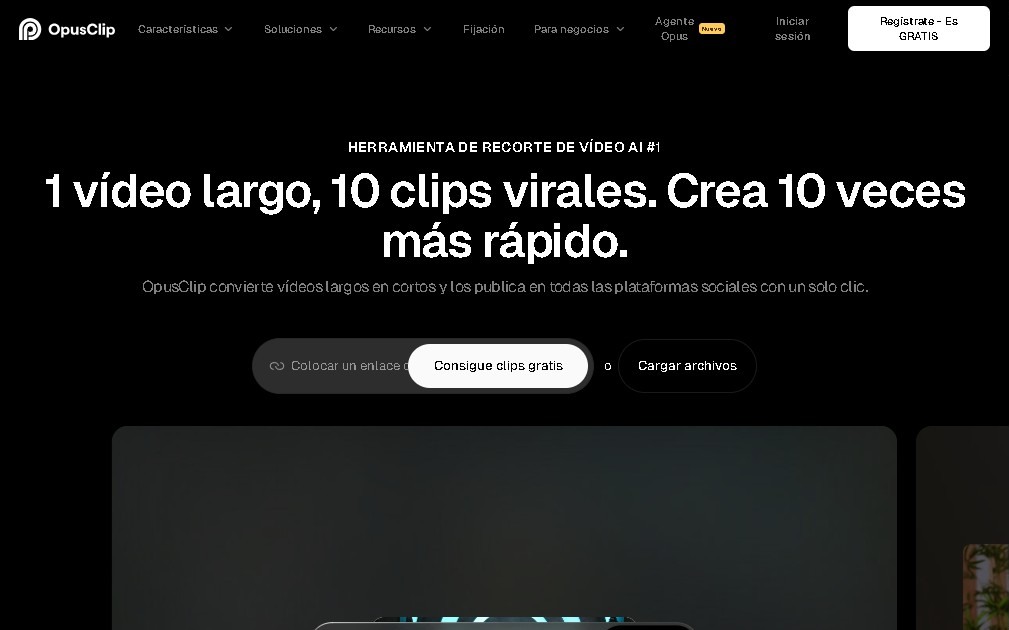
Turn long videos into short social clips with AI. Auto-generate captions, reframe video, and automatically select the best highlights.
General Information about Opus Clip
Opus Clip is an AI-powered video editing tool designed specifically for repurposing long-form content. Its primary function is to transform lengthy recordings into short, viral clips optimized for vertical platforms like TikTok, Instagram Reels, and YouTube Shorts. This solution is highly useful for content creators, editors, and marketing teams looking to maximize their social media reach through automation.
Opus Clip operates using advanced AI content curation algorithms. The tool analyzes the full footage to automatically identify the most compelling moments or those with the highest engagement potential, extracting independent clips without manual user intervention. Thanks to its smart reframing technology and face detection, the system adjusts the original framing (usually horizontal) to vertical (9:16) or square formats, ensuring the main subject remains centered on mobile or computer screens.
Key features and functional benefits include:
- Auto and Animated Captions: Generates high-accuracy transcriptions in multiple languages, integrating dynamic visual styles that improve viewer retention.
- AI B-Roll: Automatically adds visual support material suggested by artificial intelligence to enrich the clip's narrative context.
- Smart Audio Enhancement: Optimizes sound quality and adjusts levels automatically for a professional finish.
- Custom Brand Templates: Allows for the application of logos, fonts, and corporate colors to maintain visual consistency across all projects.
- Direct Publishing and Collaboration: Facilitates teamwork through shared workspaces and allows for exporting videos or publishing them directly to linked social media accounts.
Opus Clip’s technology utilizes natural language processing (NLP) models to understand the context of what is being said in the video and select the most effective hooks. This eliminates the need for tedious manual cutting, allowing users to get share-ready pieces in minutes. It is an efficient tool for those who need to scale their short-form video production without requiring advanced knowledge of complex editing software, optimizing workflow by automating repetitive tasks.
Features and Use Cases of Opus Clip
How Opus Clip Works
Frequently Asked Questions about Opus Clip
What exactly is Opus Clip and what is it used for?
Opus Clip is an AI-powered editing tool that transforms long-form videos into short clips optimized for social media.
How does Opus Clip select the best moments from a video?
The platform uses an AI-driven auto-clipping system that analyzes the entire video to extract the segments with the highest viral potential.
Does Opus Clip offer automatic captioning features?
Yes, the tool generates highly accurate animated captions in multiple languages to better capture viewer attention.
Can I adapt my clips to different screen formats?
Opus Clip includes a smart reframing feature that adjusts the video to vertical, square, or horizontal formats depending on the social media platform.
What is included in the free plan?
The free plan offers sixty minutes of video processing per month with basic features, though clips will include a watermark.
Is it possible to remove the watermark from the videos?
To export clips without a watermark, you must subscribe to one of the paid plans, such as the Starter or Pro plan.
Does Opus Clip allow me to post directly to my social media profiles?
The tool supports both file exporting and direct posting to various platforms to streamline your workflow.
What are the benefits of the Opus Clip Pro plan for teams?
The Pro plan allows you to create multi-user workspaces, use custom brand templates, and access advanced AI features.
How does the credit system work in Opus Clip?
The cost is based on processing minutes that act as monthly credits to determine how much video content you can transform.
Do I need editing experience to use Opus Clip?
No prior experience is necessary, as the tool automates most of the editing and clip design process.
Opus Clip Pricing
Free Plan
$0/month
- 60 minutes of video processing per month.
- Watermarked clips.
- Access to basic features.
Starter Plan (Individual)
Approx. $15 USD/month
- 150 minutes of video processing per month.
- Watermark-free clips.
- Basic AI features.
- Direct social media publishing.
Pro Plan
Approx. $29 USD/month (or between $10 and $15/month with annual billing)
- 3,600 processing minutes per year (under the annual billing model).
- Team workspaces (up to 2 users).
- Custom brand templates.
- AI B-Roll feature.
- Advanced export and multi-platform publishing.
Business / Enterprise Plan
Custom pricing based on your needs (contact sales)
- API integration.
- Dedicated storage.
- Priority support.
- Advanced branding options.
Opus Clip Screenshots